







Question: Matlab Please Help! GUI Project Task 2: The Loan Calculator Program GRAPHICAL USER INTERFACE TASK 2: THE LOAN CALCULATOR THERE ARE THREE PARTS TO THIS
Matlab Please Help!
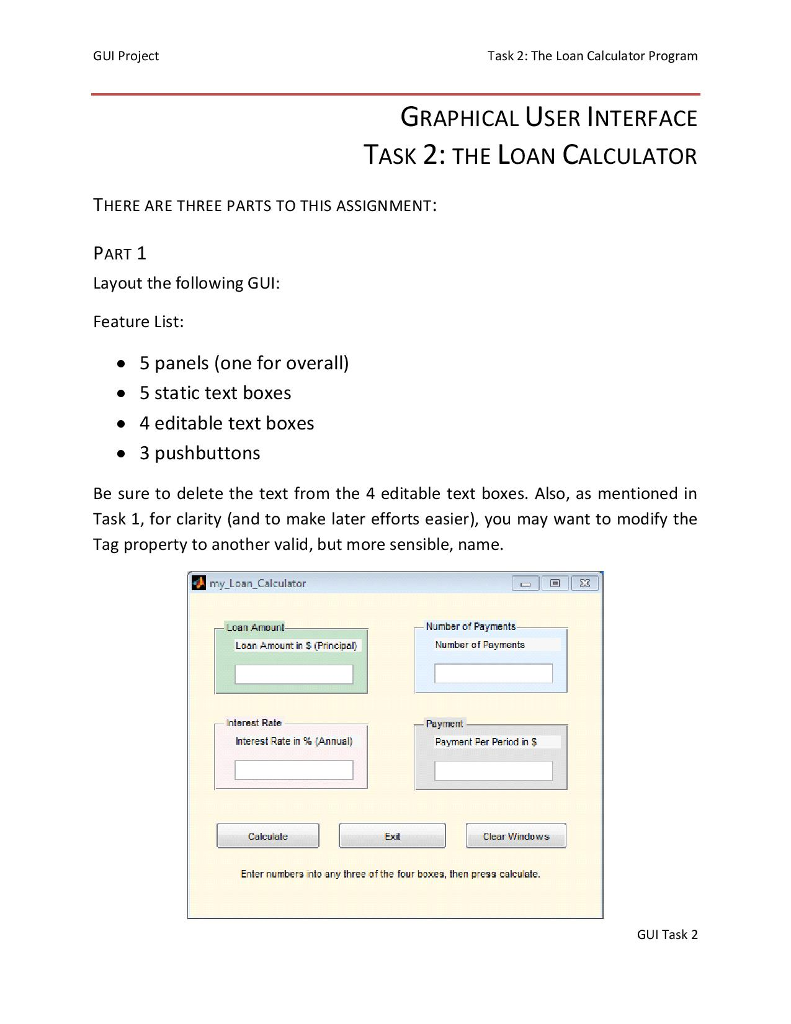

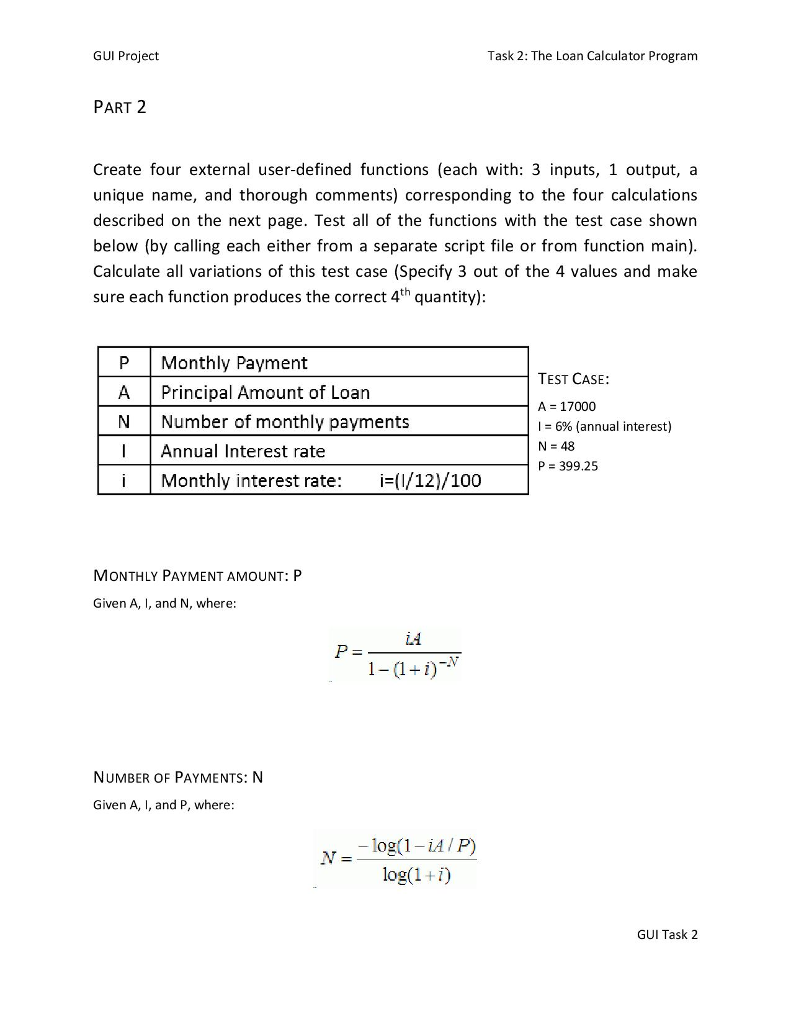
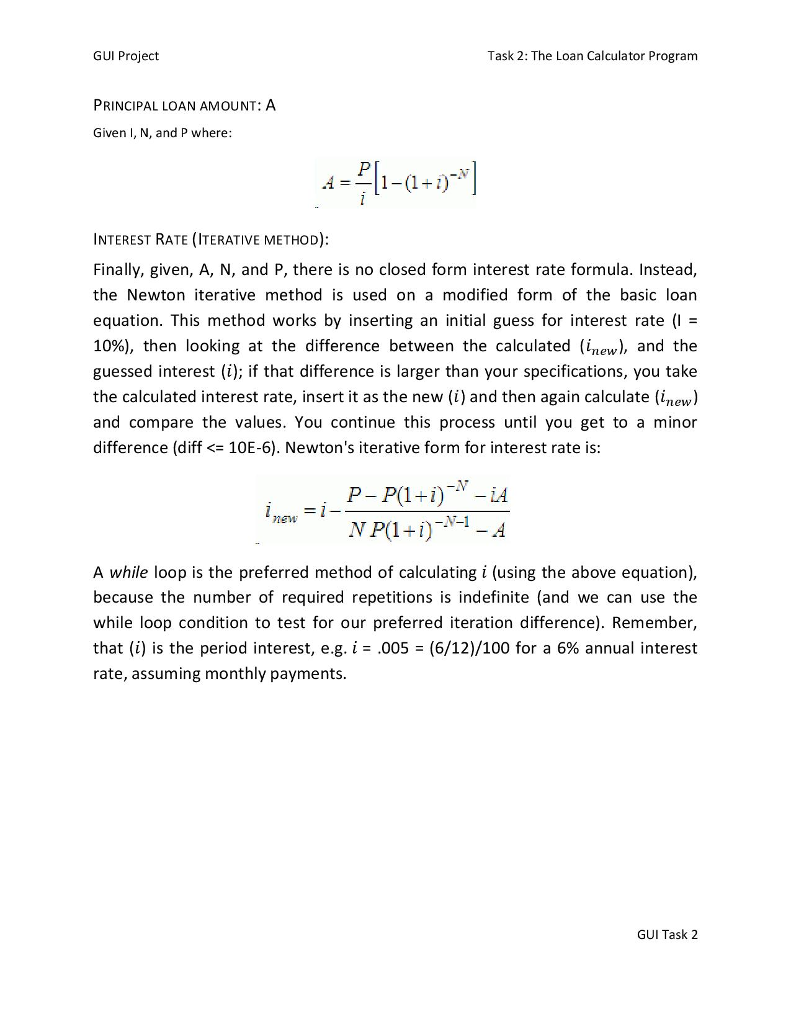
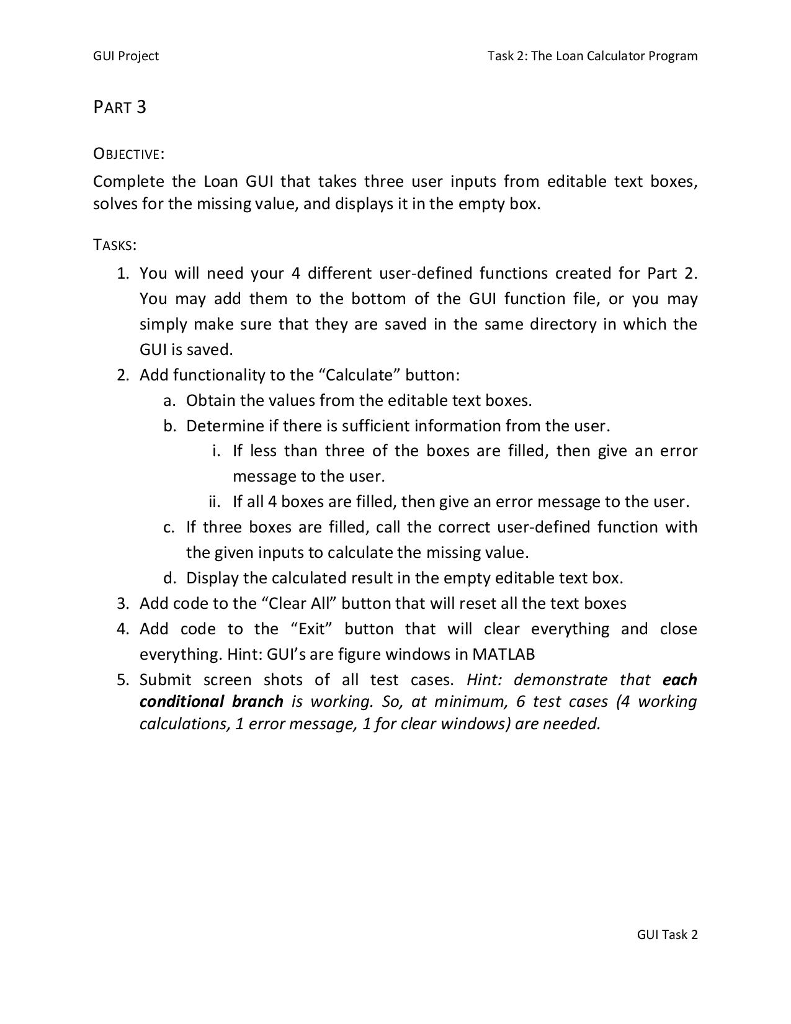
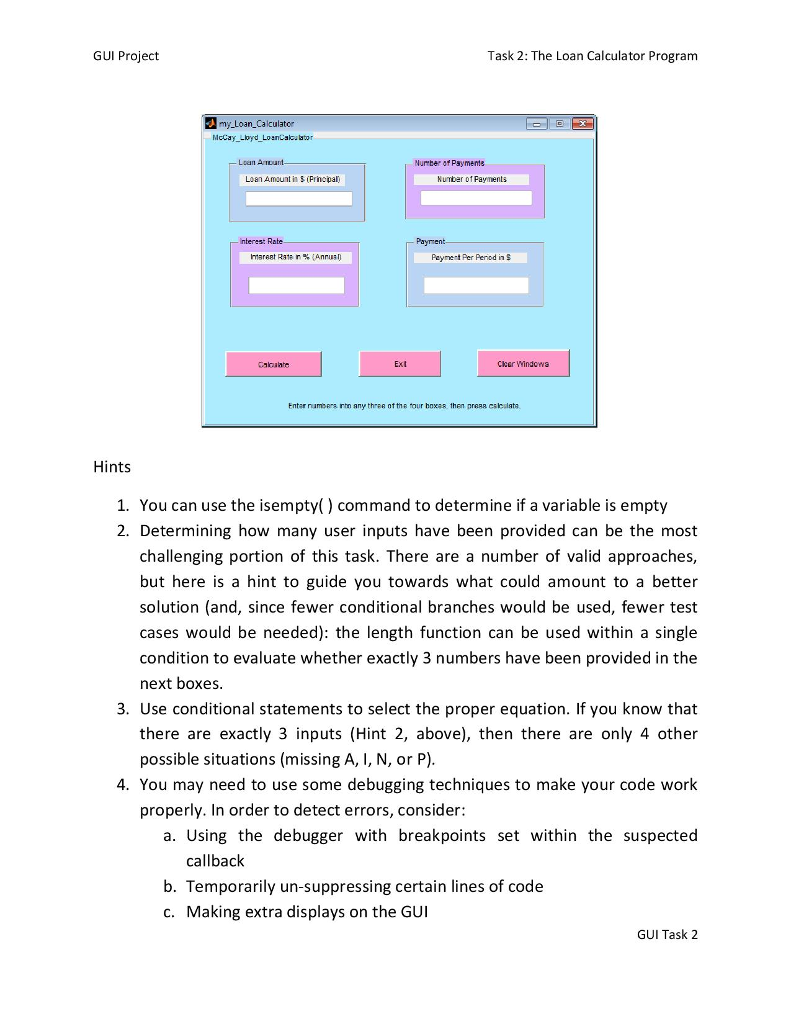
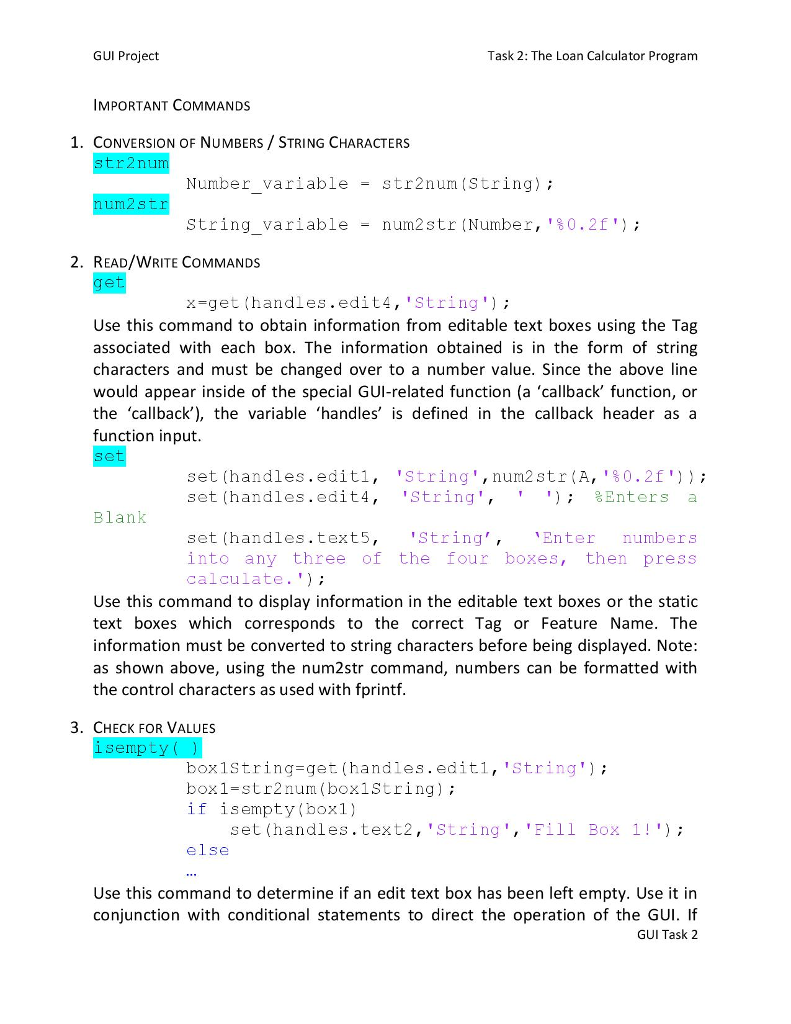

GUI Project Task 2: The Loan Calculator Program GRAPHICAL USER INTERFACE TASK 2: THE LOAN CALCULATOR THERE ARE THREE PARTS TO THIS ASSIGNMENT: PART 1 Layout the following GUI Feature List . 5 panels (one for overall) . 5 static text boxes . 4 editable text boxes . 3 pushbuttons Be sure to delete the text from the 4 editable text boxes. Also, as mentioned in Task 1, for clarity (and to make later efforts easier), you may want to modify the Tag property to another valid, but more sensible, name. my Loan_Calculator Loan Number of Payments Loan Amount in S (Principal Number of Payments ntarest Rate Payment Interest Rate in % Annual) Payment Per Period in S Calculale Exit Clear Windows Enter numbera into any three of the four boxes, then press calculale. GUI Task 2 GUI Project Task 2: The Loan Calculator Program GRAPHICAL USER INTERFACE TASK 2: THE LOAN CALCULATOR THERE ARE THREE PARTS TO THIS ASSIGNMENT: PART 1 Layout the following GUI Feature List . 5 panels (one for overall) . 5 static text boxes . 4 editable text boxes . 3 pushbuttons Be sure to delete the text from the 4 editable text boxes. Also, as mentioned in Task 1, for clarity (and to make later efforts easier), you may want to modify the Tag property to another valid, but more sensible, name. my Loan_Calculator Loan Number of Payments Loan Amount in S (Principal Number of Payments ntarest Rate Payment Interest Rate in % Annual) Payment Per Period in S Calculale Exit Clear Windows Enter numbera into any three of the four boxes, then press calculale. GUI Task 2
Step by Step Solution
There are 3 Steps involved in it

Get step-by-step solutions from verified subject matter experts
 Study Help