







Question: matlab Problem: Create a text file name file.txt with the following data in your Matlab working directory: str. 0.1 str2 2 2.2 0.2 str3 3
matlab 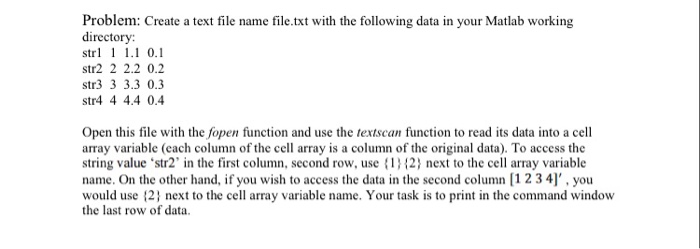
Problem: Create a text file name file.txt with the following data in your Matlab working directory: str. 0.1 str2 2 2.2 0.2 str3 3 3.3 0.3 str4 4 4.4 0.4 Open this file with the fopen function and use the textscan function to read its data into a cell array variable (cach column of the cell array is a column of the original data). To access the string value .str2, in the first column, second row, use { I } {2} next to the cell array variable name. On the other hand, if you wish to access the data in the second column 1 234]', you would use 12 next to the cell array variable name. Your task is to print in the command window the last row of data
Step by Step Solution
There are 3 Steps involved in it
1 Expert Approved Answer
Step: 1 Unlock

Question Has Been Solved by an Expert!
Get step-by-step solutions from verified subject matter experts
Step: 2 Unlock
Step: 3 Unlock
 Study Help