



Question: MATLAB Question 4 and 5 please The hint is for question 4 *Hint* o This is noi a good code to displiay the table as
MATLAB Question 4 and 5 please The hint is for question 4
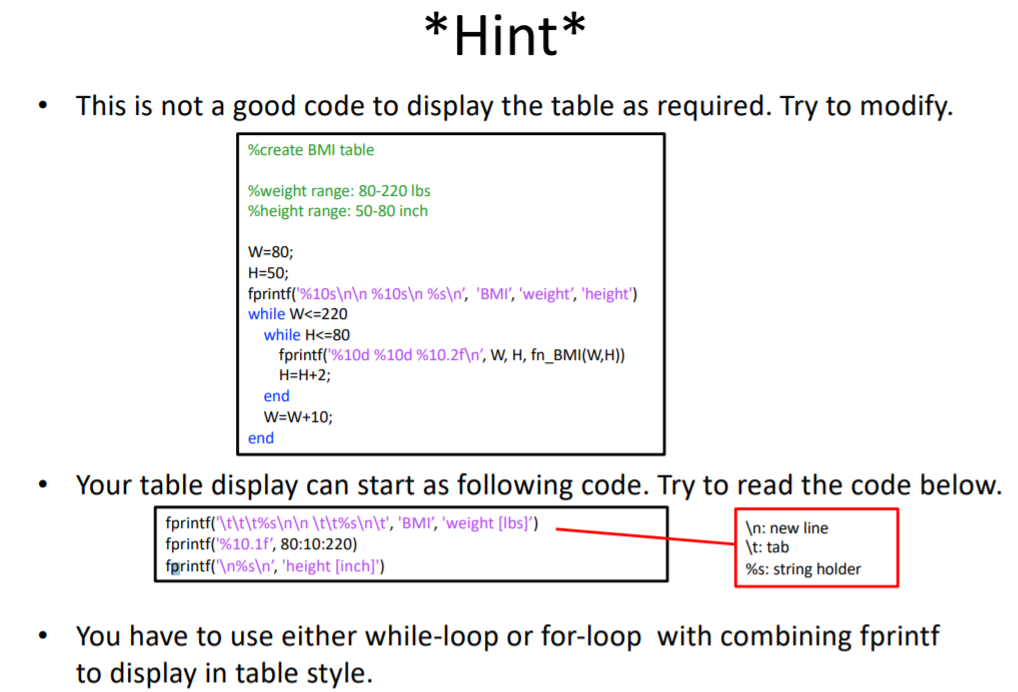
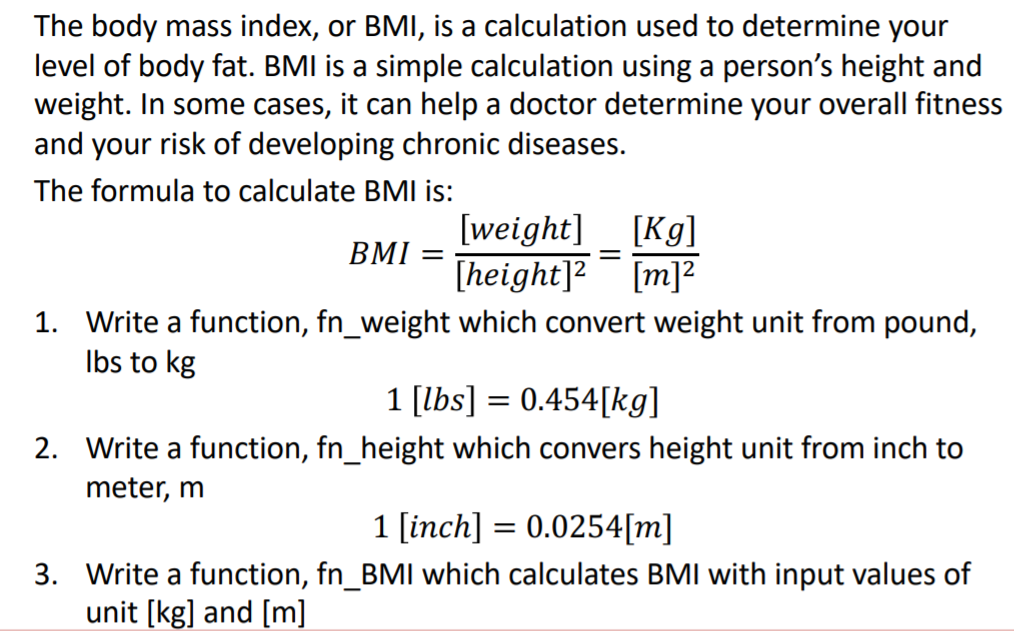
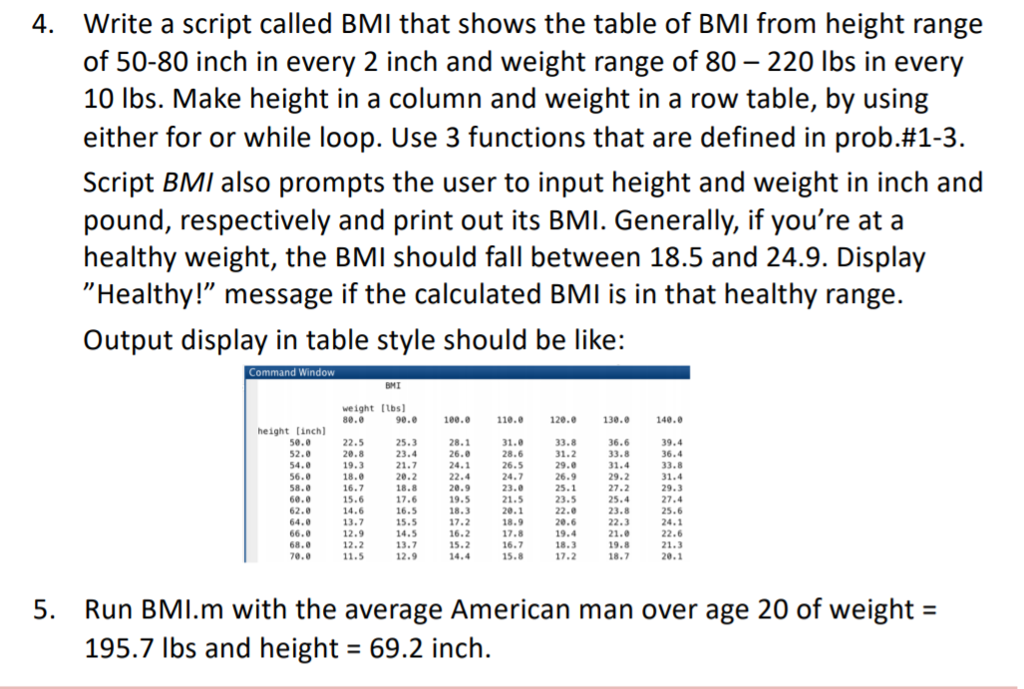
*Hint* o This is noi a good code to displiay the table as required. Try to modiy %create BMI table %weight range: 80-220 lbs %height range: 50-80 inch W-80; H-50; printf(%10s %10sin 96sIn, 'BMI, 'weight, 'height') while W 220 while Hk-8o fprintf('%10d %10d %10.2nn, W, H, fnEMI(WH)) H-H+2; end W-W+10; end Your table display can start as following code. Try to read the code below. fprintf('\t\t\t%s \t\t%s \t', 'BM', 'weight [lbs]') tprintf1%10.lf, 80: 10:220) fprintf(' %s ', 'height [inch]') n: new line t:tab %s: string holder You have to use either while-loop or for-loop with combining fprintf to display in table style
Step by Step Solution
There are 3 Steps involved in it

Get step-by-step solutions from verified subject matter experts