







Question: MATLAB Question - 7 ( Image processing ) : Image processing. Write a function to display a color image, as well as its red, green,
MATLAB
QuestionImage processing:
Image processing. Write a function to display a color image, as well as its red, green, and blue
layers separately. The function declaration should be im displayRGBfilename filename
should be the name of the image make the function work for jpg images only im should be the
final image returned as a matrix. To test the function, you should put a jpg file into the same
directory as the function and run it with the filename include the extension, for example
displayRGBtestImagejpg You can use any picture you like, from your files or off the
internet. Useful functions: imread, meshgrid, interp uint image, axis equal, axis tight.
a To make the program work efficiently with all image sizes, first interpolate each color
layer of the original image so that the larger dimension ends up with pixels. The smaller
dimension should be appropriately scaled so that the length:width ratio stays the same. Use interp
with cubic interpolation to resample the image. Hint: The image is an matrix; you need to
interpolate each of the color layers separately. Note: If you have difficulty doing this section, try
part b first. But if you get part b working, try to do this and use the interpolated image for part
b
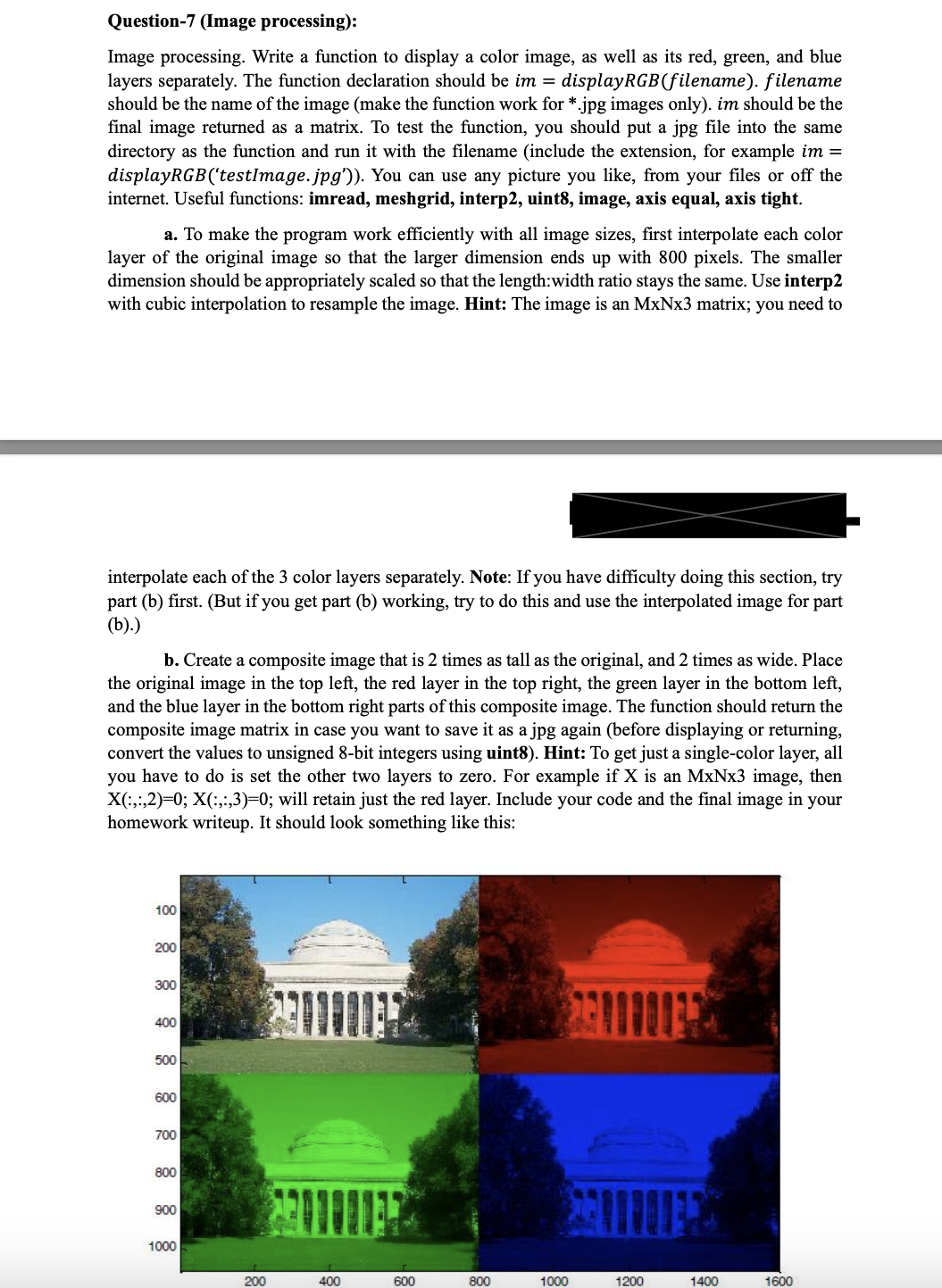
b Create a composite image that is times as tall as the original, and times as wide. Place
the original image in the top left, the red layer in the top right, the green layer in the bottom left,
and the blue layer in the bottom right parts of this composite image. The function should return the
composite image matrix in case you want to save it as a jpg again before displaying or returning,
convert the values to unsigned bit integers using uint Hint: To get just a singlecolor layer, all
you have to do is set the other two layers to zero. For example if is an image, then
:;;:;; will retain just the red layer. Include your code and the final image in your
homework writeup. It should look something like this:
Step by Step Solution
There are 3 Steps involved in it
1 Expert Approved Answer
Step: 1 Unlock

Question Has Been Solved by an Expert!
Get step-by-step solutions from verified subject matter experts
Step: 2 Unlock
Step: 3 Unlock
 Study Help