







Question: Matlab question Function Name: caesarshift Inputs: 1. (char) A string to be encoded 2. (double) The shift number Outputs 1. (char) An encoded string Function
Matlab question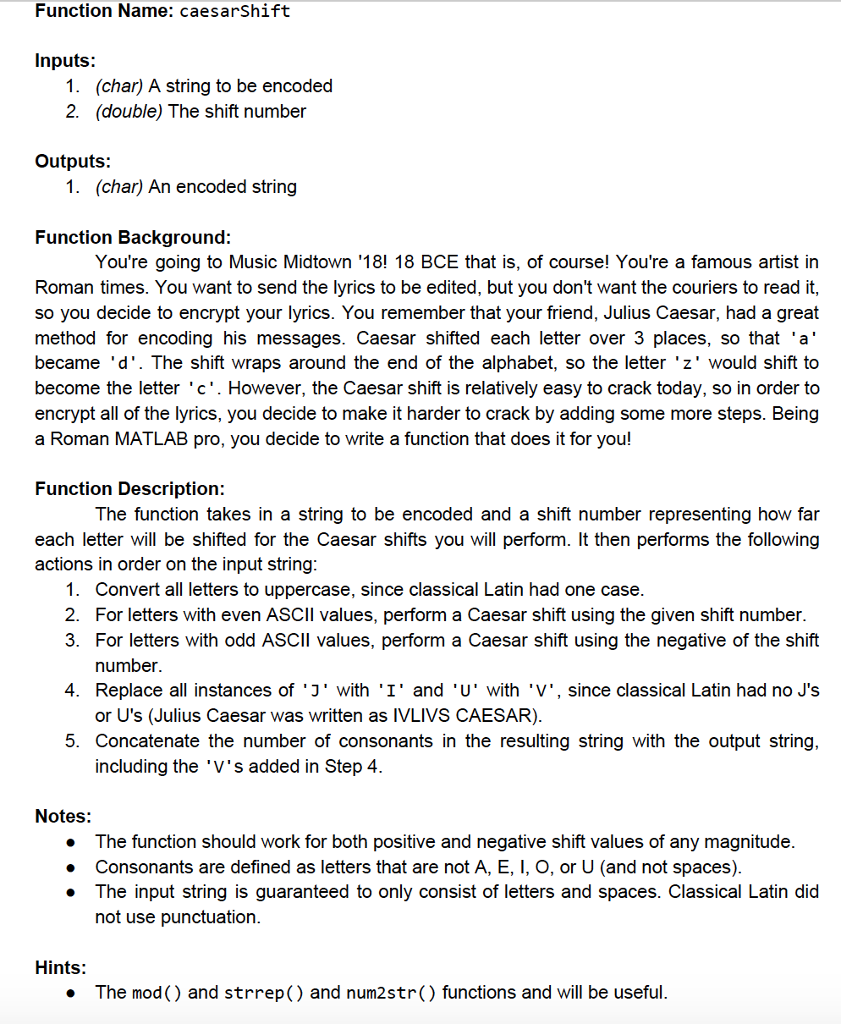
Function Name: caesarshift Inputs: 1. (char) A string to be encoded 2. (double) The shift number Outputs 1. (char) An encoded string Function Background You're going to Music Midtown "18! 18 BCE that is, of course! You're a famous artist in Roman times. You want to send the lyrics to be edited, but you don't want the couriers to read it, so you decide to encrypt your lyrics. You remember that your friend, Julius Caesar, had a great method for encoding his messages. Caesar shifted each letter over 3 places, so that 'a' became 'd'. The shift wraps around the end of the alphabet, so the letter 'z' would shift to become the letter . However, the Caesar shift is relatively easy to crack today, so in order to encrypt all of the lyrics, you decide to make it harder to crack by adding some more steps. Being a Roman MATLAB pro, you decide to write a function that does it for you! Function Description: The function takes in a string to be encoded and a shift number representing how far each letter will be shifted for the Caesar shifts you will perform. It then performs the following actions in order on the input string 1. Convert all letters to uppercase, since classical Latin had one case 2. For letters with even ASCII values, perform a Caesar shift using the given shift number. 3. For letters with odd ASCll values, perform a Caesar shift using the negative of the shift number. 4. Replace all instances of 'J' with 'I' and 'U' with 'V', since classical Latin had no J's or U's (Julius Caesar was written as IVLIVS CAESAR) 5. Concatenate the number of consonants in the resulting string with the output string including the 'V's added in Step 4 Notes: The function should work for both positive and negative shift values of any magnitude Consonants are defined as letters that are not A, E, I, O, or U (and not spaces) The input string is guaranteed to only consist of letters and spaces. Classical Latin did not use punctuation Hints: The mod () and strrep() and num2str() functions and will be useful
Step by Step Solution
There are 3 Steps involved in it

Get step-by-step solutions from verified subject matter experts
 Study Help