







Question: MATLAB QUESTION: TOPIC - INPUT/OUTPUT 1. Make the following output appear in the command window as shown using only the display command. This task can
MATLAB QUESTION: TOPIC - INPUT/OUTPUT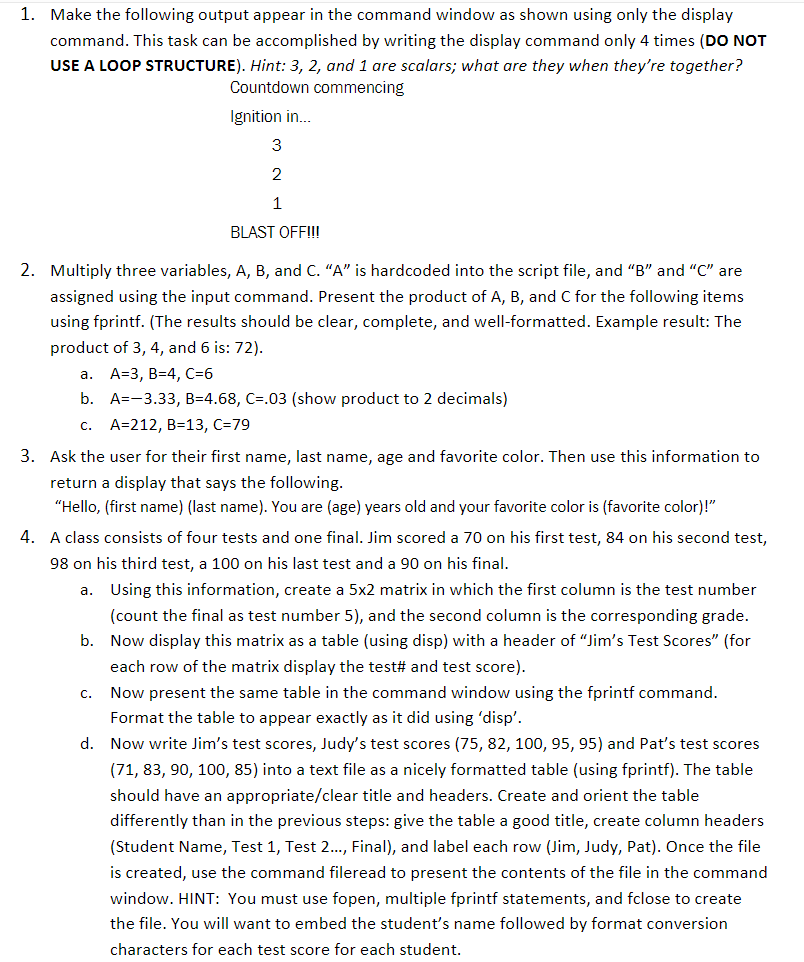
1. Make the following output appear in the command window as shown using only the display command. This task can be accomplished by writing the display command only 4 times (DO NOT USE A LOOP STRUCTURE). Hint: 3, 2, and 1 are scalars; what are they when they're together? Countdown commencing Ignition in.. 2 BLAST OFF!!! 2. Multiply three variables, A, B, and C. "A" is hardcoded into the script file, and "B" and "C" are assigned using the input command. Present the product of A, B, and C for the following items using fprintf. (The results should be clear, complete, and well-formatted. Example result: The product of 3, 4, and 6 is: 72) a. b. c. A-3, B-4, C-6 A=-3.33, B-4.68, C=.03 (show product to 2 decimals) A-212, B-13, C-79 3. Ask the user for their first name, last name, age and favorite color. Then use this information to return a display that says the following "Hello, (first name) (last name). You are (age) years old and your favorite color is (favorite color)!" A class consists of four tests and one final. Jim scored a 70 on his first test, 84 on his second test 98 on his third test, a 100 on his last test and a 90 on his final. 4. Using this information, create a 5x2 matrix in which the first column is the test number (count the final as test number 5), and the second column is the corresponding grade. Now display this matrix as a table (using disp) with a header of "Jim's Test Scores" (for each row of the matrix display the test# and test score) Now present the same table in the command window using the fprintf command Format the table to appear exactly as it did using 'disp'. Now write Jim's test scores, Judy's test scores (75, 82, 100, 95, 95) and Pat's test scores (71, 83, 90, 100, 85) into a text file as a nicely formatted table (using fprintf). The table should have an appropriate/clear title and headers. Create and orient the table differently than in the previous steps: give the table a good title, create column headers (Student Name, Test 1, Test 2..., Final), and label each row (Jim, Judy, Pat). Once the file is created, use the command fileread to present the contents of the file in the command window. HINT: You must use fopen, multiple fprintf statements, and fclose to create the file. You will want to embed the student's name followed by format conversion characters for each test score for each student. a. b. c. d
Step by Step Solution
There are 3 Steps involved in it

Get step-by-step solutions from verified subject matter experts
 Study Help