







Question: MATLAB The assignment is to write a void function Divvy(filename) that takes a filename, outputs a welcome message, and then presents the following menu of
MATLAB
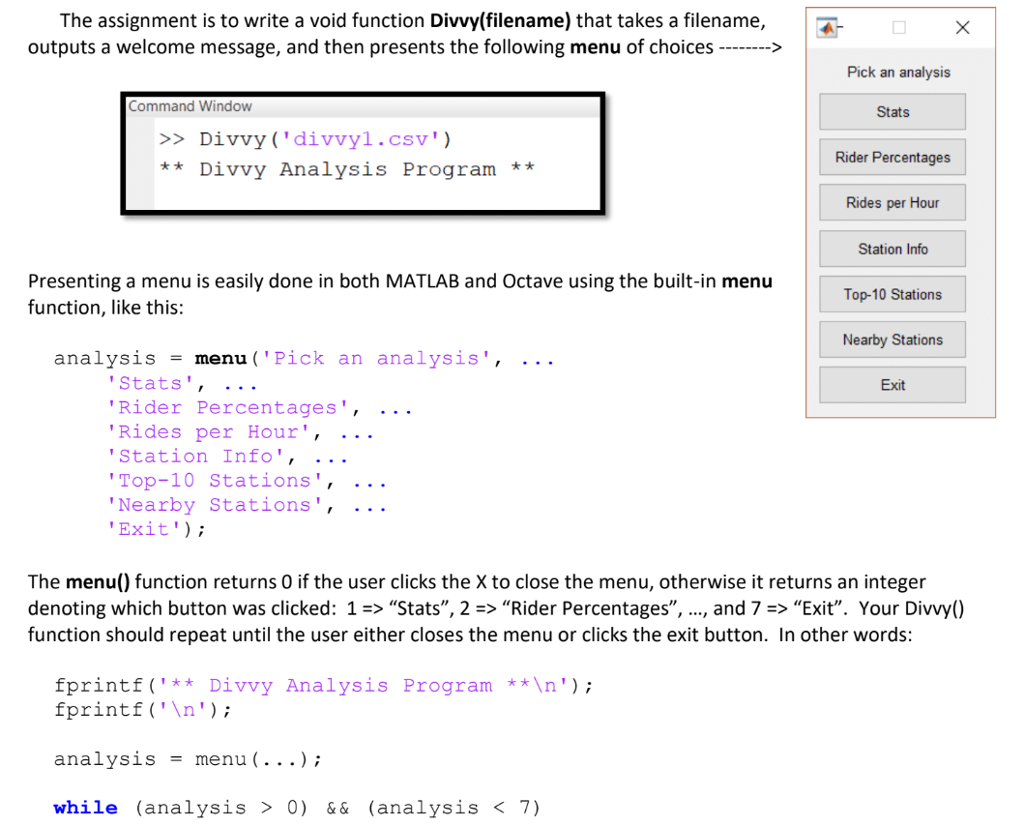
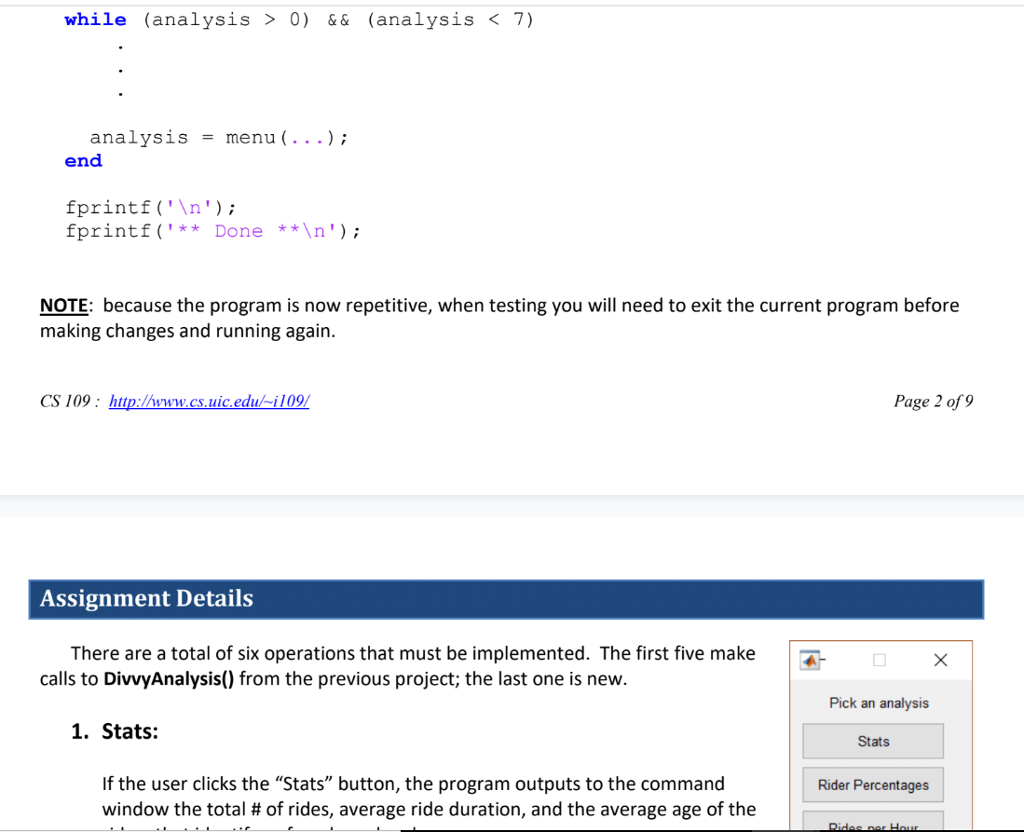
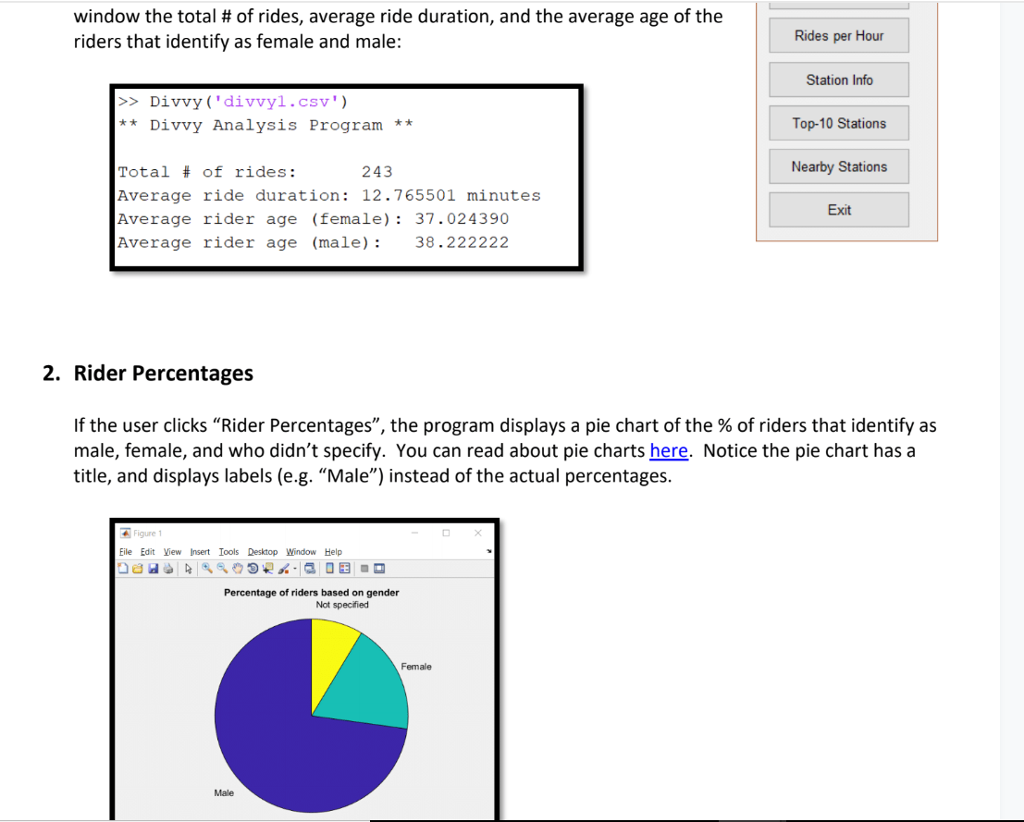
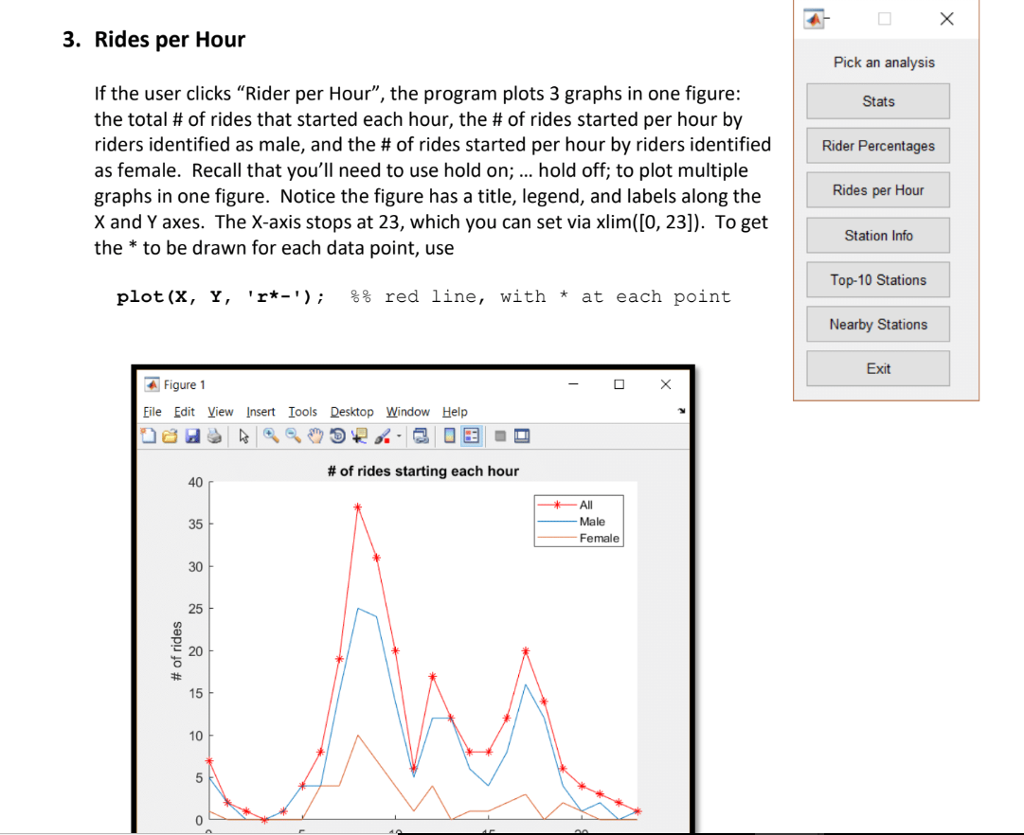
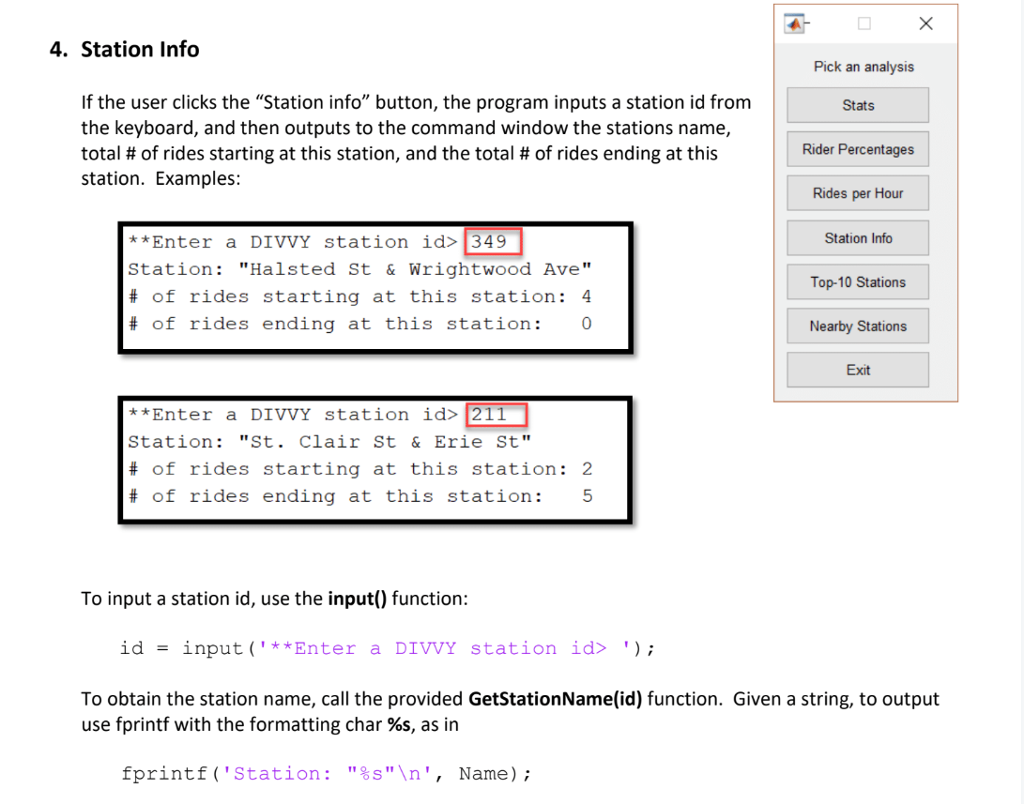
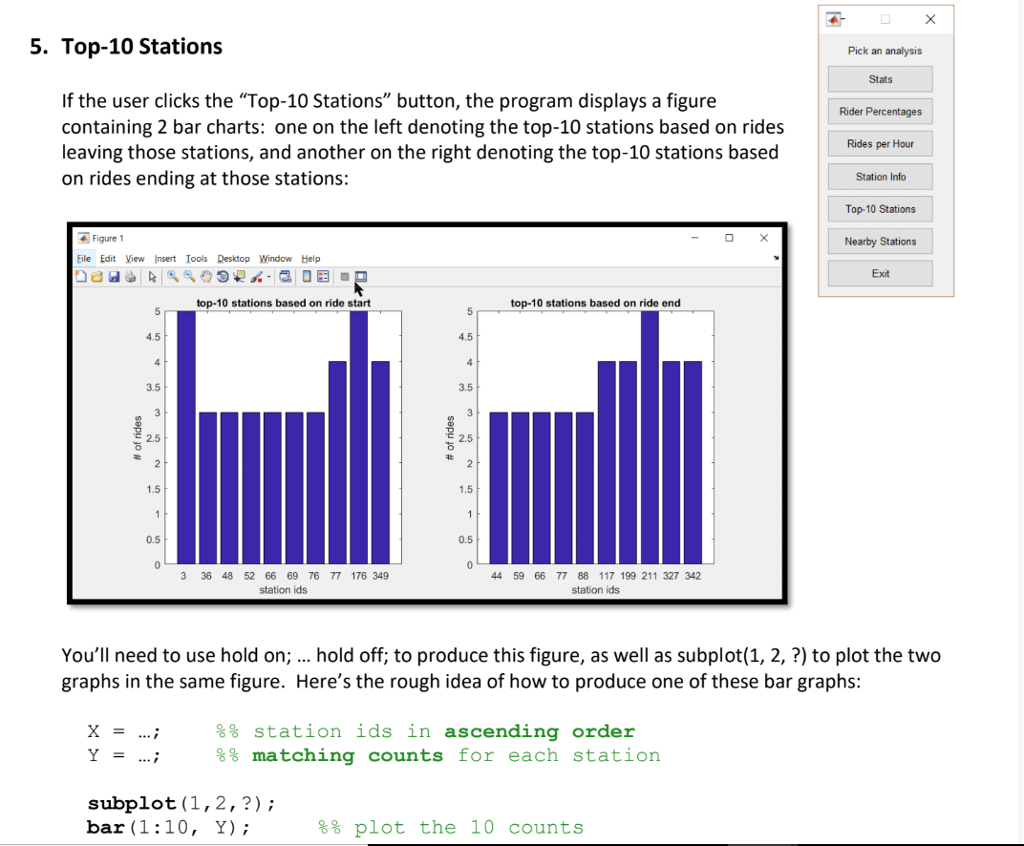
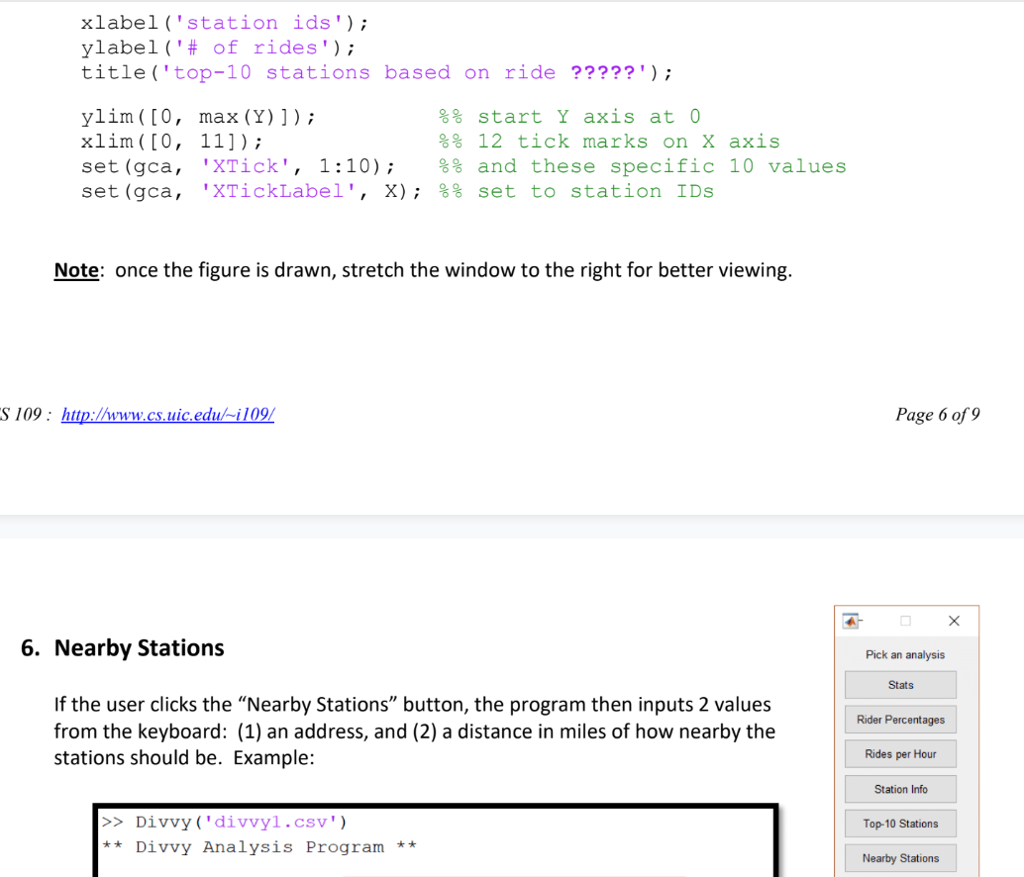
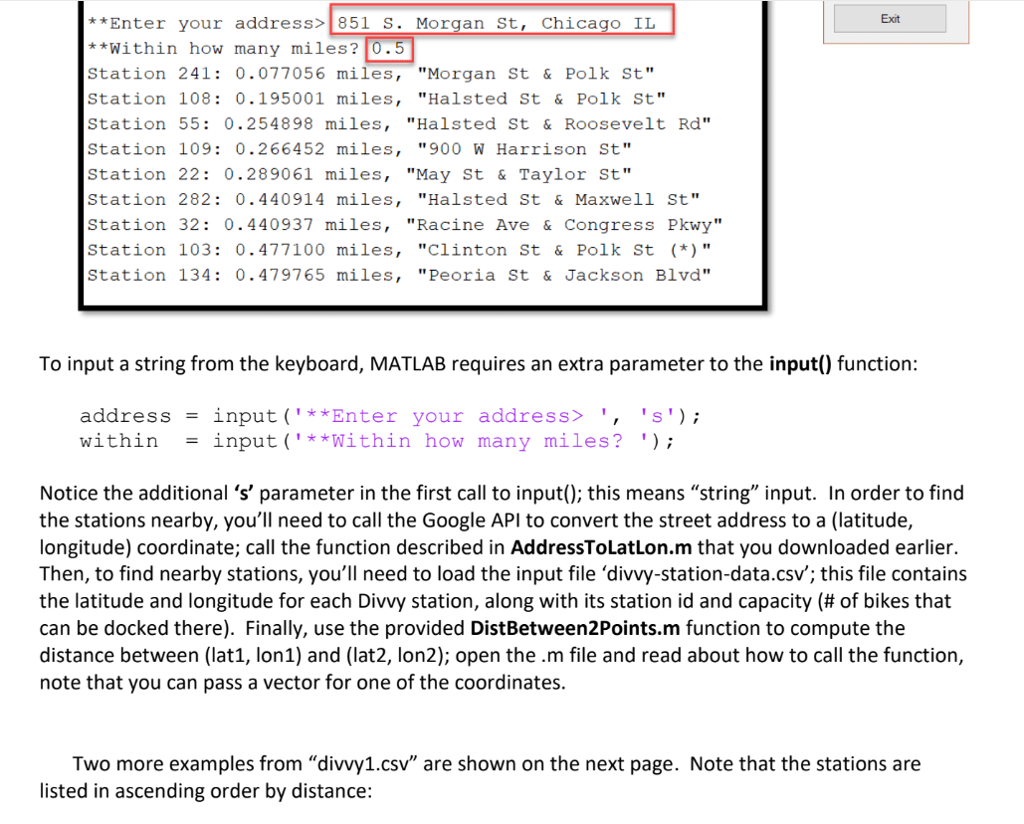
The assignment is to write a void function Divvy(filename) that takes a filename, outputs a welcome message, and then presents the following menu of choices > Pick an analysis Command Window Stats >>Divvy ('divvyl.cSv * * Divvy Analysis Program ** Rider Percentages Rides per Hour Station Info Presenting a menu is easily done in both MATLAB and Octave using the built-in menu function, like this: Top-10 Stations Nearby Stations analysis = menu ('Pick an analysis', Stats', ..- Rider Percentages',.. . Rides per Hour', .. . Station Info' Top-10 Stations', .. . Nearby Stations', .. . Exit'); Exit The menu) function returns O if the user clicks the X to close the menu, otherwise it returns an integer denoting which button was clicked: 1 "Stats", 2 => Rider Percentages',, , and 7 => "Exit". Your Divvy() function should repeat until the user either closes the menu or clicks the exit button. In other words: fprintf ('**Divvy Analysis Programn fprintf ('n analysismenu(. . .) while (analysis > 0) &&(analysis Pick an analysis Command Window Stats >>Divvy ('divvyl.cSv * * Divvy Analysis Program ** Rider Percentages Rides per Hour Station Info Presenting a menu is easily done in both MATLAB and Octave using the built-in menu function, like this: Top-10 Stations Nearby Stations analysis = menu ('Pick an analysis', Stats', ..- Rider Percentages',.. . Rides per Hour', .. . Station Info' Top-10 Stations', .. . Nearby Stations', .. . Exit'); Exit The menu) function returns O if the user clicks the X to close the menu, otherwise it returns an integer denoting which button was clicked: 1 "Stats", 2 => Rider Percentages',, , and 7 => "Exit". Your Divvy() function should repeat until the user either closes the menu or clicks the exit button. In other words: fprintf ('**Divvy Analysis Programn fprintf ('n analysismenu(. . .) while (analysis > 0) &&(analysis
Step by Step Solution
There are 3 Steps involved in it

Get step-by-step solutions from verified subject matter experts
 Study Help