







Question: Matrix Manipulations O solutions submitted (max: Unlimited) Create a function named matrixFun that accepts an input variable A that is an MX N matrix.
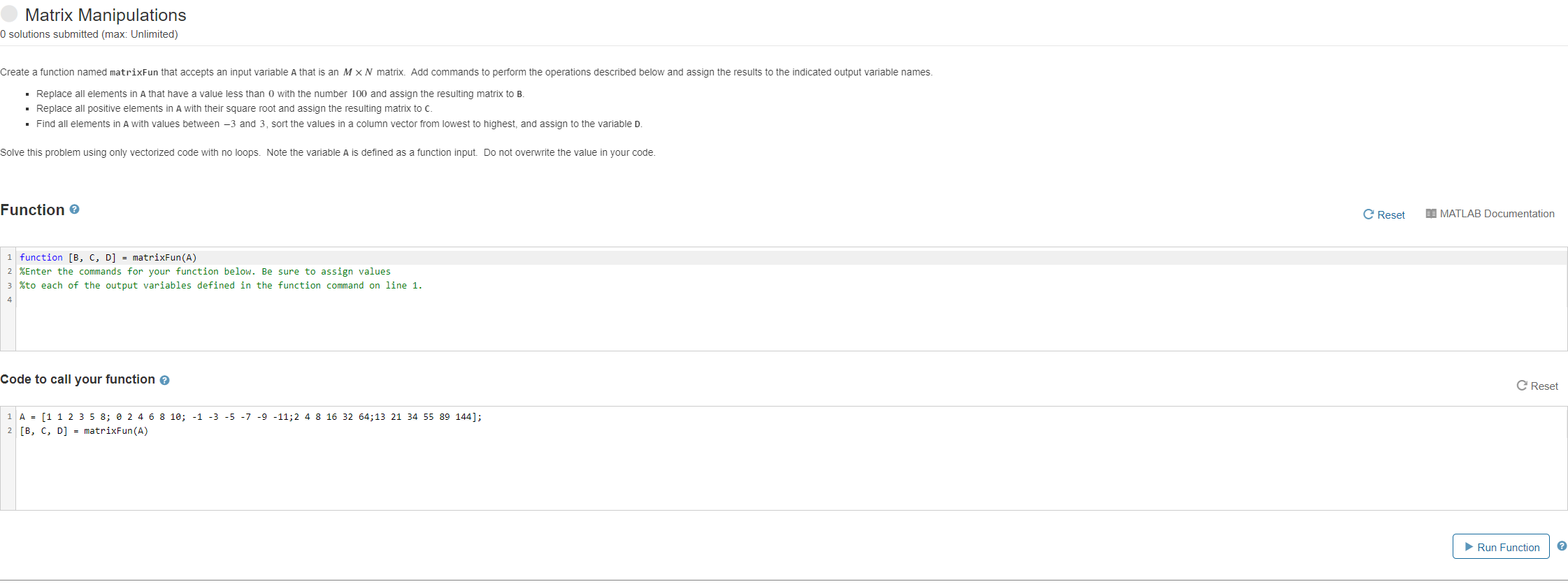
Matrix Manipulations O solutions submitted (max: Unlimited) Create a function named matrixFun that accepts an input variable A that is an MX N matrix. Add commands to perform the operations described below and assign the results to the indicated output variable names. Replace all elements in A that have a value less than 0 with the number 100 and assign the resulting matrix to B. Replace all positive elements in A with their square root and assign the resulting matrix to c. Find all elements in A with values between -3 and 3, sort the values in a column vector from lowest to highest, and assign to the variable D. Solve this problem using only vectorized code with no loops. Note the variable A is defined as a function input. Do not overwrite the value in your code. Function 1 function [B, C, D] = matrixFun(A) 2 % Enter the commands for your function below. Be sure to assign values 3 % to each of the output variables defined in the function command on line 1. 4 Code to call your function 1 A = [1 1 2 3 5 8; 0 2 4 6 8 10; -1 -3 -5 -7 -9 -11;2 4 8 16 32 64;13 21 34 55 89 144]; 2 [B, C, D] = matrixFun(A) C Reset MATLAB Documentation CReset Run Function ?
Step by Step Solution
There are 3 Steps involved in it

Get step-by-step solutions from verified subject matter experts
 Study Help