







Question: May I know how to complete this program? Thanks. My question is : Task Description Using the python programming language you are required to write
May I know how to complete this program? Thanks. My question is :
Task Description
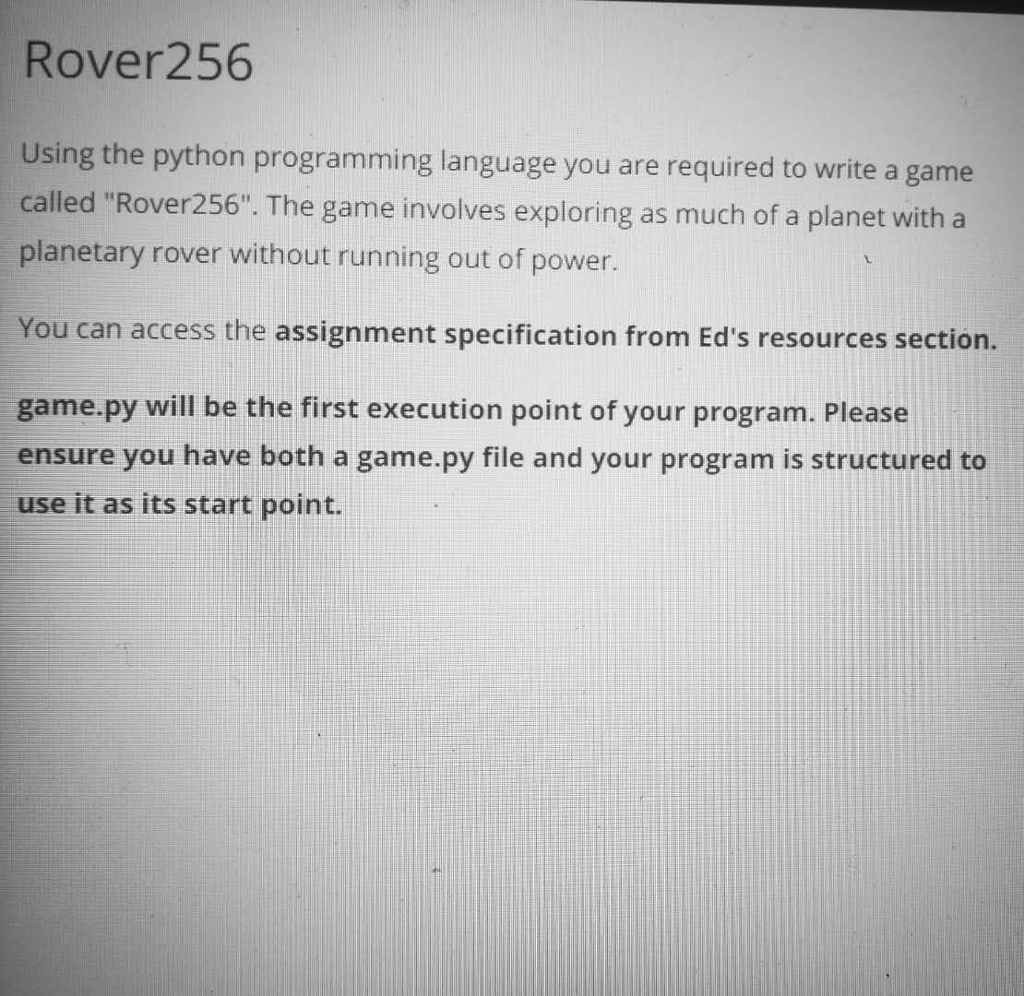
Using the python programming language you are required to write a game called "Rover256". The game involves exploring as much of a planet with a planetary rover without running out of power.
Main Menu
You will need to implement three menu items for your game. The player can enter any of these commands when they launch the program.
QUIT
When the user selects this menu item, your program must exit.
START
When the user selects this menu item, your game must load the level file
If the level file specified does not exist, the program will return back to the menu and display the error:
Level file could not be found
If the level file can be found but the data is not structured properly, then the game should output:
Unable to load level file
HELP
This will show the menu items available.
START
HELP - Shows this message
1
If the user inputs an invalid command your program must output:
No menu item
Level File
The level file will contain data related to the game such as the planets dimensions, name, rover placement and attributes and tile information.
The format of the file follows:
[planet]
name,
[tiles]
The number of tiles is based on the dimensions of the planet. For example, if the width is 6 and the height is 5, the number of tiles listed should be strictly 30.
A level file is considered correctly structured if:
There is exactly 4 fields specified under the planet section and the number of tiles match the dimensions of the planet.
The rovers coordinates specified are greater than or equal to 0.
The rovers coordinates must be within the bounds of the planets dimensions.
Both width and height values need to be greater than or equal to 5.
highest elevation is strictly greater than lowest elevation for a tile. An segment of a correctly structured level file:
[planet] name,pluto width,5 height,5 rover,1,0
[tiles] plains,0 shaded,0 plains,1 shaded,0,-1
The tiles are arranged in row-major order. You must insert your tiles from top-down, left-to-right. A rule to remember for placing the rover: x corresponds to the row index while y corresponds to the column index. As an example:
[tiles]
Corresponds
to:
A
|A|B|
B
|C|D|
C
D
Your program must be able to support loading any level file that uses this format. However, your program needs to detect if level file is correct. To detect if the level file is correct, it will need both segments for planet and tiles.
You will be provided some demo levels for you to use while testing but it is advised that you write your own test levels or a script that generates your own test levels.
Planet
The planet is defined as a two dimensional grid of terrain tiles. All tiles are square-shaped and of unit length. Each tile will have different data as outlined in the Tile section.
Planets are spherical and not flat. This means the left-most column of the grid should "meet up" with the right-most column. Similarly, the top-most row should meet up with the bottom-most.
You will need to design your program which allows for navigation on the planet and keep track of what tile the rover is on. The planet has the following properties:
Width.
Height.
Tiles (Must contain width ? height number of tiles) with tile attributes that will affect the rover.
You are free to add additional properties for your Planet class.
Tiles
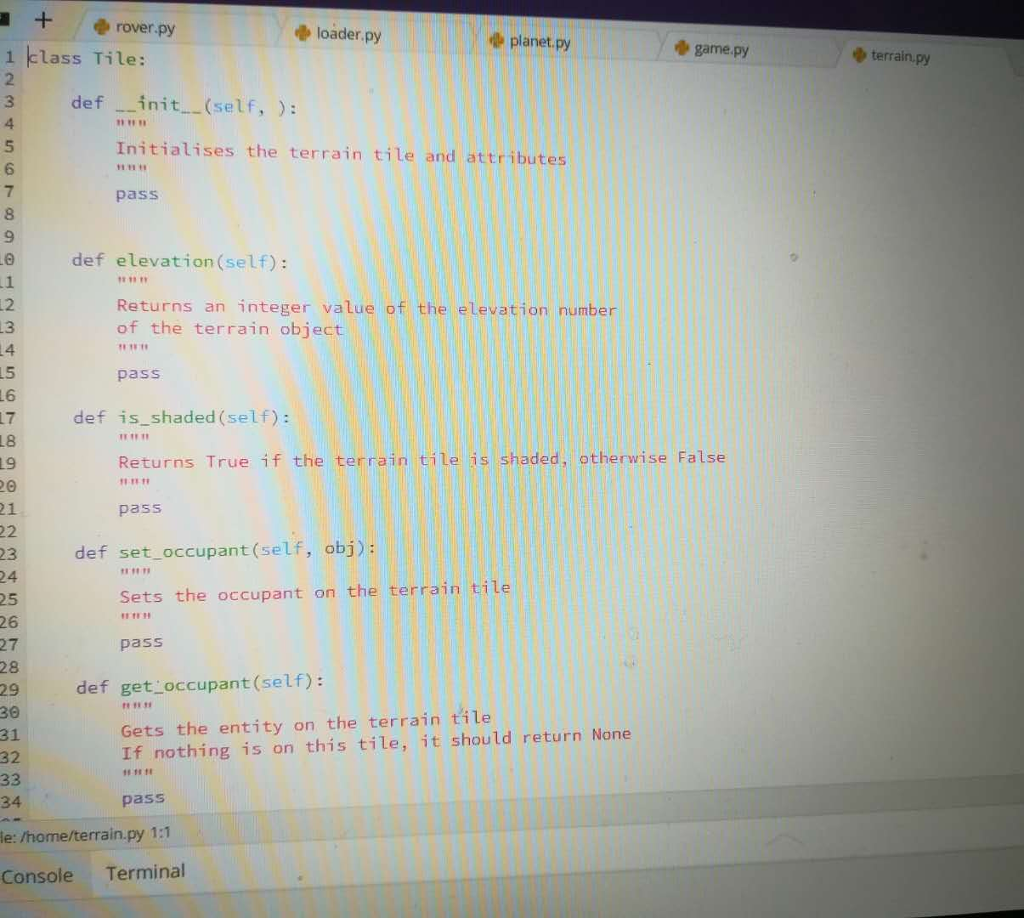
A planet is made of up many individual terrain tiles and each tile has the following properties:
Elevation relative from 0 (can be negative or positive).
Effect: Each tile will have its own effect on the rover. This will be described in the following section Terrain and slope.
Terrain and slope
Terrain is an attribute of a tile. There are two allowed types of terrain:
Terrain types
" " - Unshaded Plains (exposed to sunlight), plains.
"#" - Shaded Plains, shaded.
Elevation effect
"+" - Elevated tile relative to the rover.
"-" - Descended tile relative to the rover.
Tiles that are described by 2 elevation values are sloped. This will allow the rover to move up or down elevation between the two given elevation values provided. The slope will only have a difference of 1 between the highest and lowest ( highest ? lowest ).
"\" - Down slope, allows for movement to lower level.
"/" - Up slope, allows for movement to upper level.
As an example: shaded,0,-1
If the rover has an elevation of -1, the tile would appear as an up slope. This allows the rover to access tiles with elevation of 0.
If the rover has an elevation of 0, the tile would appear as an down slope This allows the rover to access tiles with elevation of -1.
Rover
The rover is the object that the player controls during the game. It is represented with the H symbol when it scans the area around it and must occupy a terrain tile at any given time.
In the level file, the line rover,
rover,1,0 means that the rover starts at (x, y) coordinates (1, 0).
Current coordinates (x, y).
Battery charge, maximum charge is 100 and always starts with a charge of 100.
Number of tiles it has explored.
The rover will move around on the planets surface, being able to explore different parts of the terrain. The objective for the rover is to explore the entire surface, once the rover has explored the entire planet or runs out of power, the player can type the FINISH command (specified in the following section) to finish the game and output how much they explored of the planet.
You explored {percentage} % of {planet}
Battery
The rover will lose power when moving around shaded areas. Every time it moves to a shaded tile, it will decrease the battery charge by 1. The battery charge stays the same while the rover moves on unshaded tiles. If the rover waits on an unshaded tile, it will recharge.
Commands
Once the game has been started your program must be able to handle another set of commands from the user. The user is able to input commands to their rover.
The rover is able to see all tiles within a 5x5 box using the SCAN function.
SCAN
This command will draw the current surroundings of the rover. The type component will allow the user to display the scannable area for shade and elevation. The following examples will outline how it is displayed.
An example of the player using SCAN shade
|#|#| | |#|
|#| | | |#|
|#| |H| |#|
| | | |#|#|
| | |#|#|#|
The # tiles are shaded, and the blank tiles are exposed to non-shaded. The display does not indicate whether the rover is currently in the shade or exposed to sunlight.
An example of the player using SCAN elevation
|+| | | |+|
| | | | |+|
| | |H| |/|
|-| | | |+|
|-|\| |+|+|
Our rover is able to see the different bits of terrain and the player will be able to make decisions what to do. The + symbol denotes tiles that are above the rover, while - symbol denotes tiles that are below the rover.
When drawing the scannable environment, your rover should always be centred in the box. When a rover has scanned, all tiles within the scanning view will be explored.
If the SCAN command does not include the a
Cannot perform this command
MOVE
The directions that the user can specify are: N, E, S, W which correspond to North, East, South and West.
When you use move, you will specify how many tiles the rover will move for. Example: MOVE N 15
Will attempt move the rover north by 15 tiles.
When the rover has moved to a tile (in the previous example, 15 tiles) the tile will be considered as explored.
If the rover is instructed to move N cycles but encouters a tile in K cycles. Where K and the tiles elevation is different from the rovers elevation, the rover will stop before the tile and only consume K cycles.
If the rover is instructed to move N cycles during only shaded tiles but only has P power remaining, where P , the rover will move P tiles.
WAIT
In the event that the rover is in shade, the battery cycles will not replenish. When the rover is in sunlight (non-shaded area) and it is waiting, the battery will recharge. The rover will recharge based on the number of cycles specified if it is in sunlight, otherwise it will remain at the same state.
STATS
Your rover will have statistics of its current exploration, when this command is executed it will allow the player to see:
How much they have explored.
How much battery they have left.
Example output:
Explored: 60% Battery: 56/100
FINISH
The rover will shut down and the game will end. The player can enter this if the rover runs out of power or if they do not wish to keep playing.
The game should print the message:
You explored {percentage} % of {planet}. For example:
You explored 65% of Pluto
Scaffold
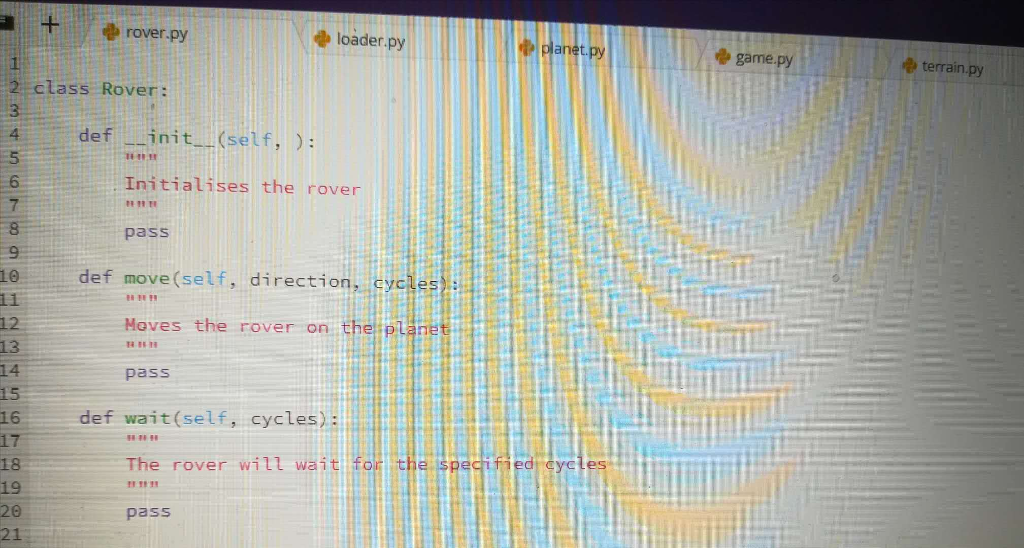
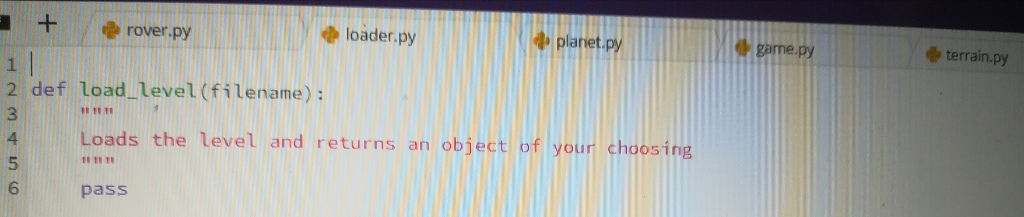
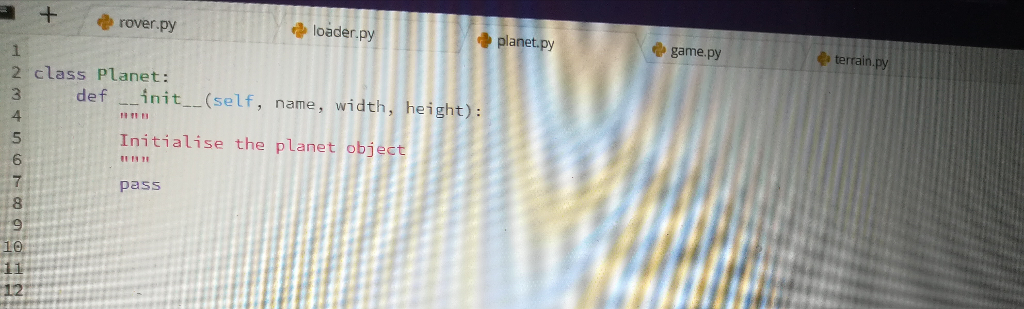
We have provided scaffold that is both accessible from the edstem workspace and from resources section. This will include some classes and method prototypes that will be used to test your solution. This will also encourage you to write flexible and modular code.
You are provided with these files:
http://planet.py - For the planet class.
http://loader.py - For loading the level file.
http://terrain.py - For a terrain class that will allow you to store information.
http://rover.py - For your planetary rover class. Allows you to store the current state of the rover.
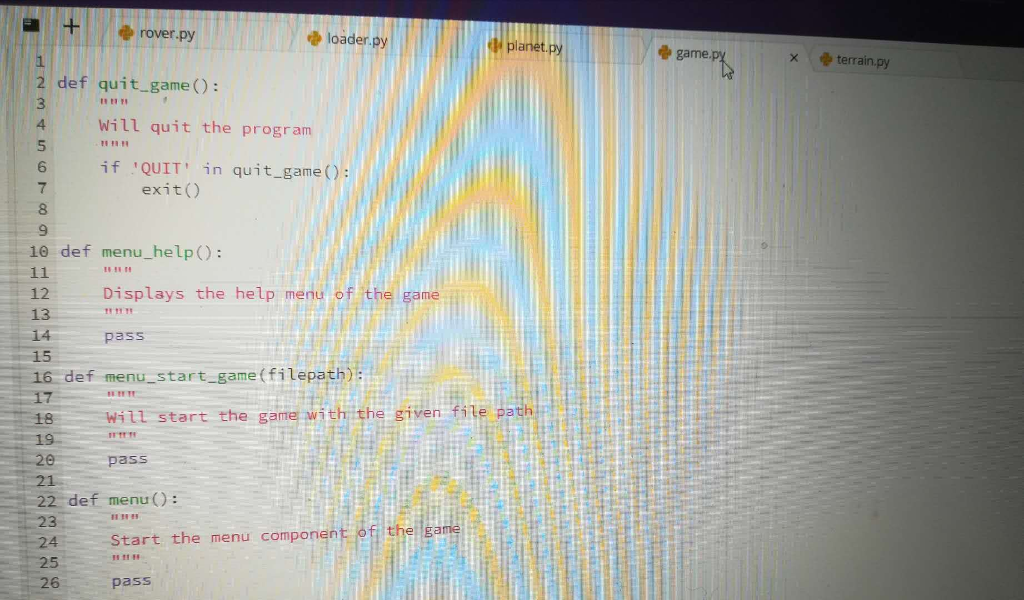
http://game.py - Import your other modules and start executing the game, this is the games entry point.
Assignment Checklist
To help guide you with completing with assessment, here is a simple checklist that you can use to remember what you have finished.
Create the menu and input loop for selecting HELP, QUIT or START.
Read and interpret the level file.
Create a planet object based on the planet attributes.
Add the terrain objects to the planet in their correct position.
Output/Draw the current view of the rover (SCAN elevation).
Output/Draw the current view of the rover (SCAN shade).
Allow commands to be inputted by the user to move the rover around, such as MOVE, SCAN, FINISH, STATS, WAIT.
Output the statistics of the rover.
The rover interact with different terrain.
Move between elevation using slopes.
Loses battery charge when moving in a shaded area.
Recharges when waiting in an unshaded area.
 ?
?
Rover256 Using the pyth called "Rover256". The game involves exploring as much of a planet with a planetary rover without running out of power. on programming language you are required to write a game You can access the assignment specification from Ed's resources section. game.py will be the first execution point of your program. Please ensure you have both a game.py file and your program is structured to use it as its start point Rover256 Using the pyth called "Rover256". The game involves exploring as much of a planet with a planetary rover without running out of power. on programming language you are required to write a game You can access the assignment specification from Ed's resources section. game.py will be the first execution point of your program. Please ensure you have both a game.py file and your program is structured to use it as its start point
Step by Step Solution
There are 3 Steps involved in it

Get step-by-step solutions from verified subject matter experts
 Study Help