



Question: ME FO VISCOSITY CONTROL SYSEM Use P, PI, PD, or PID control algorithms in this example. Develop control system equations for FO Viscosity Control System
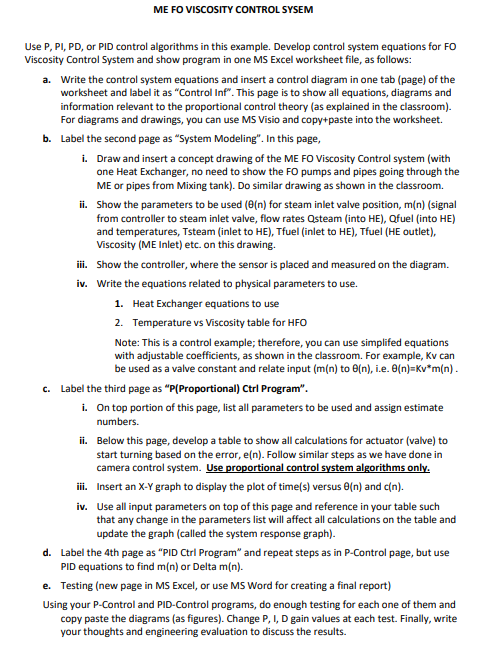
ME FO VISCOSITY CONTROL SYSEM Use P, PI, PD, or PID control algorithms in this example. Develop control system equations for FO Viscosity Control System and show program in one MS Excel worksheet file, as follows: a. Write the control system equations and insert a control diagram in one tab (page) of the worksheet and label it as "Control Inf". This page is to show all equations, diagrams and information relevant to the proportional control theory (as explained in the classroom). For diagrams and drawings, you can use MS Visio and copy+paste into the worksheet. b. Label the second page as "System Modeling". In this page, i. Draw and insert a concept drawing of the ME FO Viscosity Control system (with one Heat Exchanger, no need to show the FO pumps and pipes going through the ME or pipes from Mixing tank). Do similar drawing as shown in the classroom. ii. Show the parameters to be used (6(n) for steam inlet valve position, m(n) (signal from controller to steam inlet valve, flow rates Osteam (into HE), Ofuel (into HE) and temperatures, Tsteam (inlet to HE), Tfuel (inlet to HE), Tfuel (HE outlet), Viscosity (ME Inlet) etc. on this drawing. iii. Show the controller, where the sensor is placed and measured on the diagram. iv. Write the equations related to physical parameters to use. 1. Heat Exchanger equations to use 2. Temperature vs Viscosity table for HFO Note: This is a control example; therefore, you can use simplifed equations with adjustable coefficients, as shown in the classroom. For example, Kv can be used as a valve constant and relate input (m(n) to @[n), i.e. 6(n)=Kv*m(n). c. Label the third page as "P(Proportional) Ctrl Program". i. On top portion of this page, list all parameters to be used and assign estimate numbers. ii. Below this page, develop a table to show all calculations for actuator (valve) to start turning based on the error, e(n). Follow similar steps as we have done in camera control system. Use proportional control system algorithms only. iii. Insert an X-Y graph to display the plot of time(s) versus e(n) and c(n). iv. Use all input parameters on top of this page and reference in your table such that any change in the parameters list will affect all calculations on the table and update the graph (called the system response graph). d. Label the 4th page as "PID Ctrl Program and repeat steps as in P-Control page, but use PID equations to find m(n) or Delta m(n). e. Testing (new page in MS Excel, or use MS Word for creating a final report) Using your P-Control and PID-Control programs, do enough testing for each one of them and copy paste the diagrams (as figures). Change P, ID gain values at each test. Finally, write your thoughts and engineering evaluation to discuss the results. ME FO VISCOSITY CONTROL SYSEM Use P, PI, PD, or PID control algorithms in this example. Develop control system equations for FO Viscosity Control System and show program in one MS Excel worksheet file, as follows: a. Write the control system equations and insert a control diagram in one tab (page) of the worksheet and label it as "Control Inf". This page is to show all equations, diagrams and information relevant to the proportional control theory (as explained in the classroom). For diagrams and drawings, you can use MS Visio and copy+paste into the worksheet. b. Label the second page as "System Modeling". In this page, i. Draw and insert a concept drawing of the ME FO Viscosity Control system (with one Heat Exchanger, no need to show the FO pumps and pipes going through the ME or pipes from Mixing tank). Do similar drawing as shown in the classroom. ii. Show the parameters to be used (6(n) for steam inlet valve position, m(n) (signal from controller to steam inlet valve, flow rates Osteam (into HE), Ofuel (into HE) and temperatures, Tsteam (inlet to HE), Tfuel (inlet to HE), Tfuel (HE outlet), Viscosity (ME Inlet) etc. on this drawing. iii. Show the controller, where the sensor is placed and measured on the diagram. iv. Write the equations related to physical parameters to use. 1. Heat Exchanger equations to use 2. Temperature vs Viscosity table for HFO Note: This is a control example; therefore, you can use simplifed equations with adjustable coefficients, as shown in the classroom. For example, Kv can be used as a valve constant and relate input (m(n) to @[n), i.e. 6(n)=Kv*m(n). c. Label the third page as "P(Proportional) Ctrl Program". i. On top portion of this page, list all parameters to be used and assign estimate numbers. ii. Below this page, develop a table to show all calculations for actuator (valve) to start turning based on the error, e(n). Follow similar steps as we have done in camera control system. Use proportional control system algorithms only. iii. Insert an X-Y graph to display the plot of time(s) versus e(n) and c(n). iv. Use all input parameters on top of this page and reference in your table such that any change in the parameters list will affect all calculations on the table and update the graph (called the system response graph). d. Label the 4th page as "PID Ctrl Program and repeat steps as in P-Control page, but use PID equations to find m(n) or Delta m(n). e. Testing (new page in MS Excel, or use MS Word for creating a final report) Using your P-Control and PID-Control programs, do enough testing for each one of them and copy paste the diagrams (as figures). Change P, ID gain values at each test. Finally, write your thoughts and engineering evaluation to discuss the results
Step by Step Solution
There are 3 Steps involved in it

Get step-by-step solutions from verified subject matter experts