







Question: Mechatronics class Prepare a MikroBASIC program for the PicKit2 for PIC16F690 and monitor the control the LEDs of the Pickit 2. Let the program control
Mechatronics class
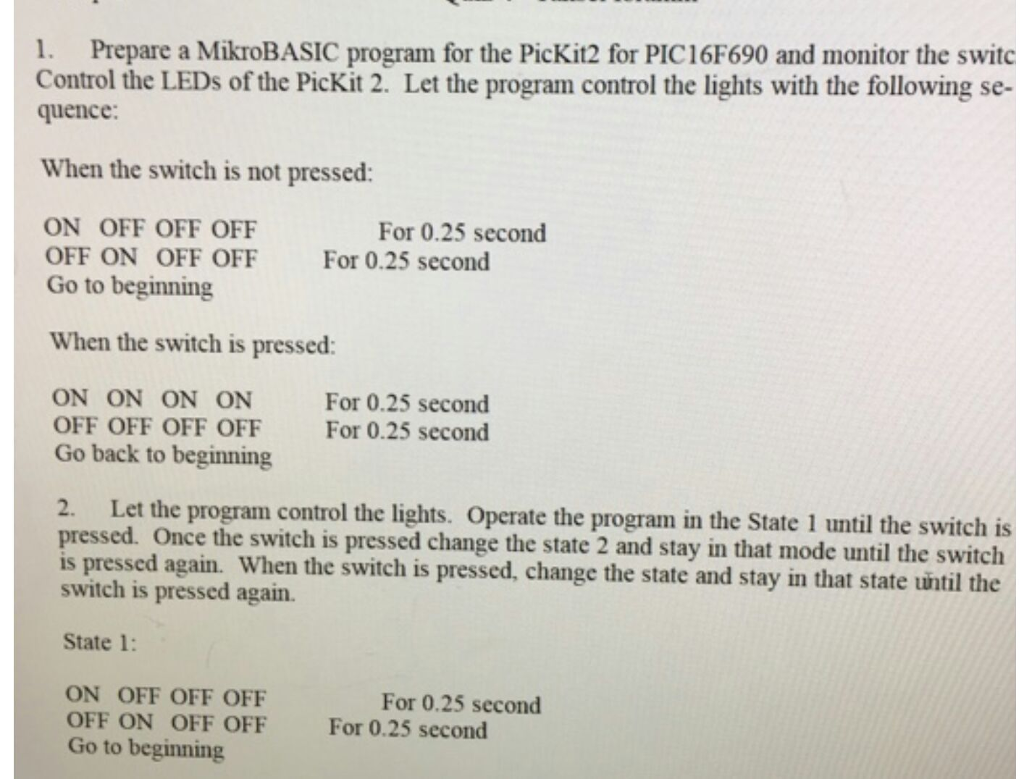
Prepare a MikroBASIC program for the PicKit2 for PIC16F690 and monitor the control the LEDs of the Pickit 2. Let the program control the lights with the following sequence: When the switch is not pressed: ON OFF OFF OFF For 0.25 second OFF ON OFF OFF For 0.25 second Go to beginning When the switch is pressed: ON ON ON ON For 0.25 second OFF OFF OFF OFF For 0.25 second Go back to beginning pressed. Let the program control the lights. Operate the program in the State 1 until the switch is pressed Once the switch is pressed change the state 2 and stay in that mode until the switch is pressed again. When the switch is pressed, change the state and stay in that state until the switch is pressed again. State 1 ON OFF OFF OFF For 0.25 second OFF ON OFF OFF For 0.25 second Go to beginning Prepare a MikroBASIC program for the PicKit2 for PIC16F690 and monitor the control the LEDs of the Pickit 2. Let the program control the lights with the following sequence: When the switch is not pressed: ON OFF OFF OFF For 0.25 second OFF ON OFF OFF For 0.25 second Go to beginning When the switch is pressed: ON ON ON ON For 0.25 second OFF OFF OFF OFF For 0.25 second Go back to beginning pressed. Let the program control the lights. Operate the program in the State 1 until the switch is pressed Once the switch is pressed change the state 2 and stay in that mode until the switch is pressed again. When the switch is pressed, change the state and stay in that state until the switch is pressed again. State 1 ON OFF OFF OFF For 0.25 second OFF ON OFF OFF For 0.25 second Go to beginning
Step by Step Solution
There are 3 Steps involved in it

Get step-by-step solutions from verified subject matter experts
 Study Help