







Question: Methods- Creating and Calling Methods Step 2: Create the method specified below: static void DrawTriangle(int rows) Input parameters: rows: number of rows of the triangle
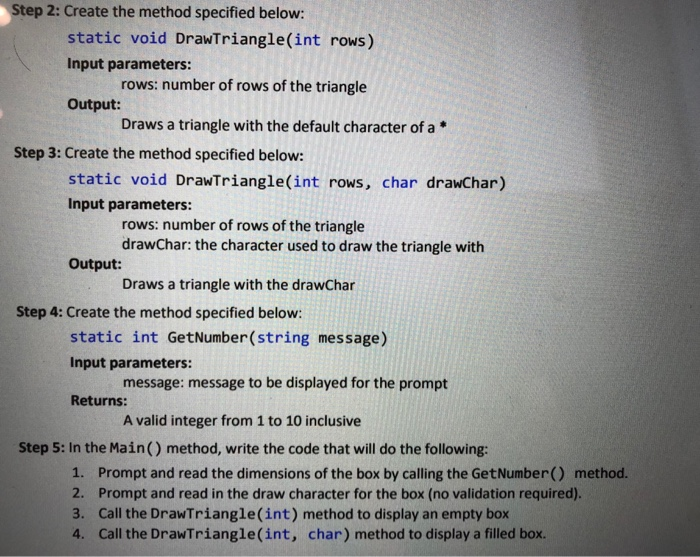
Step 2: Create the method specified below: static void DrawTriangle(int rows) Input parameters: rows: number of rows of the triangle Output: Draws a triangle with the default character of a Step 3: Create the method specified below: static void DrawTriangle(int rows, char drawChar) Input parameters: rows: number of rows of the triangle drawchar: the character used to draw the triangle with Output: Draws a triangle with the drawChar Step 4: Create the method specified below: static int GetNumber(string message) Input parameters: message: message to be displayed for the prompt Returns: A valid integer from 1 to 10 inclusive Step 5: In the Main() method, write the code that will do the following: 1. Prompt and read the dimensions of the box by calling the GetNumber() method. 2. Prompt and read in the draw character for the box (no validation required). 3. Call the DrawTriangle(int) method to display an empty box 4. Call the DrawTriangle(int, char) method to display a filled box
Step by Step Solution
There are 3 Steps involved in it

Get step-by-step solutions from verified subject matter experts
 Study Help