







Question: MI Q 1 HW 2 Please fix the error in the following MATLAB code ( MATLAB CODE ONLY PLEASE ) Use the MATLAB built -
MI Q HW
Please fix the error in the following MATLAB code MATLAB CODE ONLY PLEASE
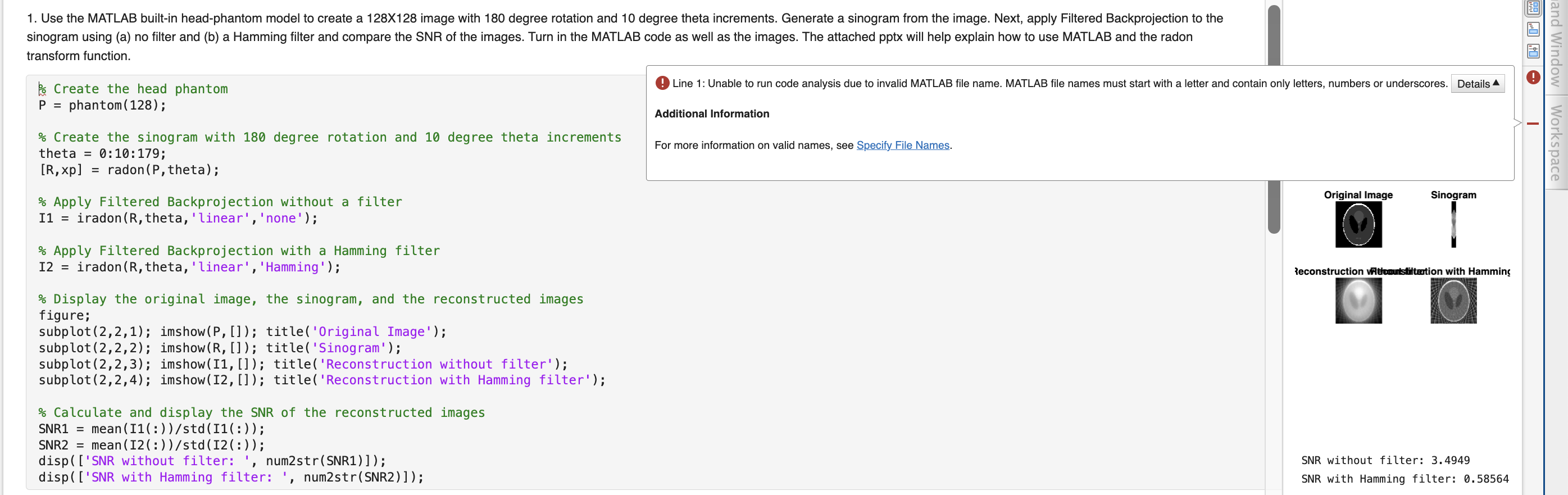
Use the MATLAB builtin headphantom model to create a X image with degree rotation and degree theta increments. Generate a sinogram from the image. Next, apply Filtered Backprojection to the sinogram using a no filter and b a Hamming filter and compare the SNR of the images. Turn in the MATLAB code as well as the images. The attached pptx will help explain how to use MATLAB and the radon transform function.transform function.
Create the head phantom
phantom;
Create the sinogram with degree rotation and degree theta increments
theta ::;
theta
Step by Step Solution
There are 3 Steps involved in it
1 Expert Approved Answer
Step: 1 Unlock

Question Has Been Solved by an Expert!
Get step-by-step solutions from verified subject matter experts
Step: 2 Unlock
Step: 3 Unlock
 Study Help