







Question: microprocessors using stm32f401 i want the full C code the bored Configuration connections this is the video link (https://drive.google.com/file/d/13GsdNXBScgS- QM3kXpqhrO5QkHPmWdaV/view?usp=sharing ) TASK1 Read an analog
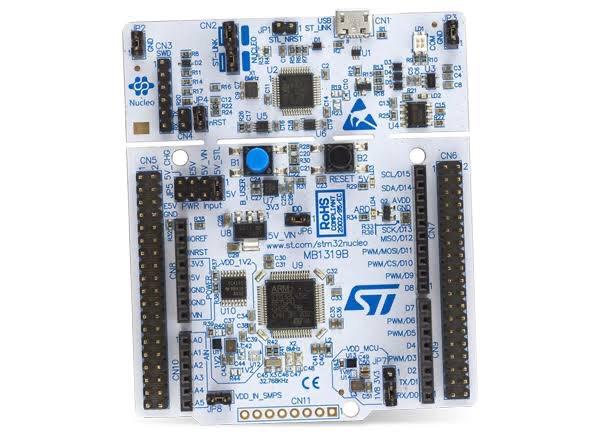
TASK1 Read an analog voltage value from ADC input that is connected to a potentiometer which applies a voltage in the range of 03.3V(VDD). Convert that voltage value into a digital value using Analog-to-Digital converter. Depending on the digital value turn on 1 of 8 led lights. 3.3/8 is about 0.41V, which means your output should change with every 0.41V input change. See the video below for reference. https://drive.google.com/file/d/13GsdNXBScgS- QM3kXpqhrO5QkHPmWdaV/view?usp=sharing PS: I used dot matrix display because I did not have separate LEDs at hand. You can use leds you bought. (if online video quality is not good enough, try downloading the video) Application notes: - Use the Timer2 to trigger ADC conversion (sample the input voltage 1000 times per second). - Choose below parameters in parameter setting of your ADC ADC_Regular_ConversionMode External Trigger Conversion Source = Timer 2 Trigger Out event - Use ADC in continuous conversion mode. - Choose 8 pins as outputs (make your own decision about which pins to choose) - PA0 will be your analog input pin Component list: 1x STM32F401, 8x LEDs, 1x potentiometer, 1x multimeter, jumper cables Record your homework in a video and share the link in your submission and do not forget to attach your main.c file. TASK2 Perform a similar task with 3 LEDs this time. You will not turn on one LED at a time but display a 3-bit binary number depending on the analog voltage value. LEDs should be 111 for highest analog voltage (all three LEDs are on) and 000 for the lowest (all three LEDs are off). Configure ADC to be in single conversion mode. Use TIMER1 and HAL_TIM_PeriodElapsedCallback to perform a single conversion with each timer interrupt. Timerl update interrupt period must be 20ms. Display the ADC conversion values using UART serial communication on a command shell console. Application notes: - Use Timerl interrupt callback to start a single ADC conversion every 20ms - Use ADC in single conversion mode
Step by Step Solution
There are 3 Steps involved in it

Get step-by-step solutions from verified subject matter experts
 Study Help