







Question: Microsoft Excel- I am having trouble creating an excel document that must include 5 different promotions. Such as: Buy one get one free, buy one
Microsoft Excel- I am having trouble creating an excel document that must include 5 different promotions. Such as: Buy one get one free, buy one get one second one half off, 20% off everything, 30% off for purchases over $100, and 1/3 off 2xx items and 25% off for 1xx items.
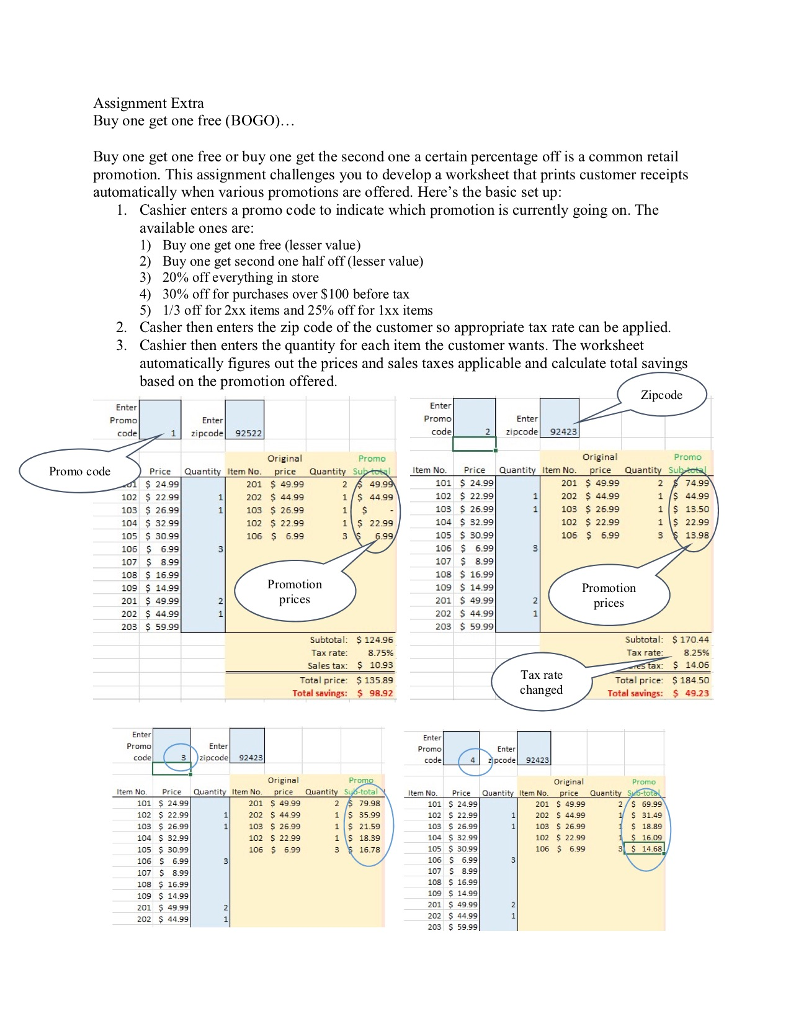
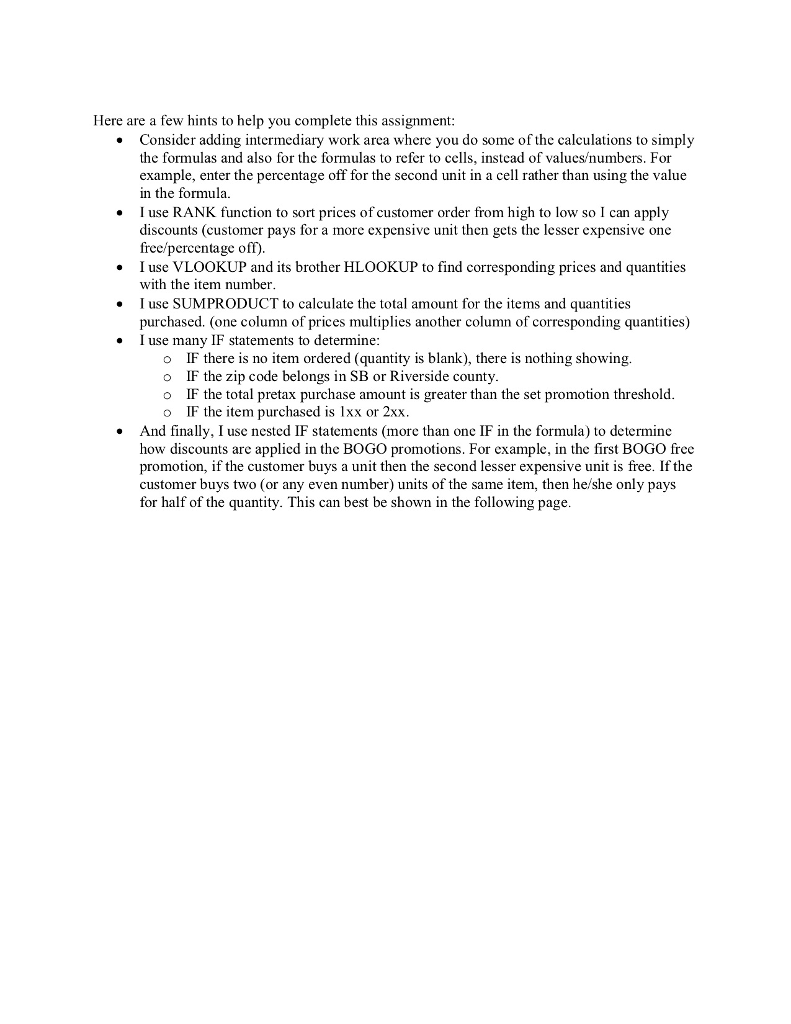
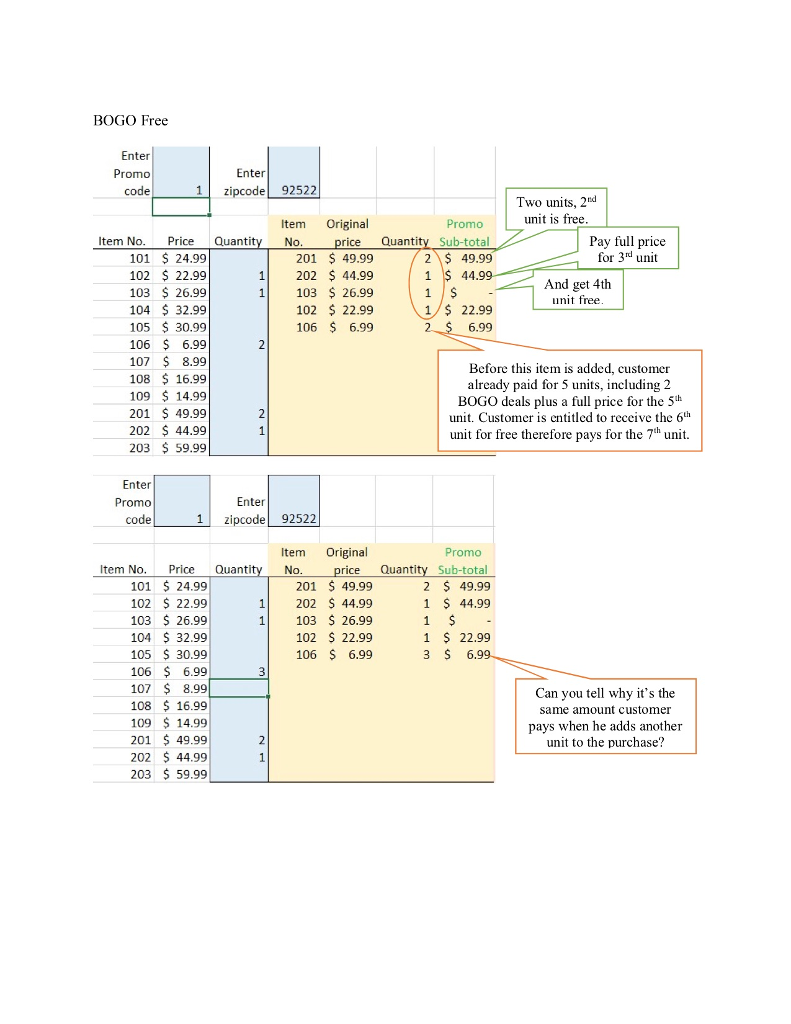
Assignment Extra Buy one get one free (BOGO) Buy one get one free or buy one get the second one a certain percentage off is a common retail promotion. This assignment challenges you to develop a worksheet that prints customer receipts automatically when various promotions are offered. Here's the basic set up 1. Cashier enters a promo code to indicate which promotion is currently going on. The available ones are: 1) Buy one get one free (lesser value) 2) Buy one get second one half off (lesser value) 3) 20% off everything in store 4) 30% off for purchases over $100 before tax 5) 1/3 off for 2xx items and 25% off for 1 xx items Casher then enters the zip code of the customer so appropriate tax rate can be applied. Cashier then enters the quantity for each item the customer wants. The worksheet automatically figures out the prices and sales taxes applicable and calculate total savings based on the promotion offered. 2. 3. pc Promo Enter Enter 1 zipcode 92522 zipcode 92423 Original Promo code Price Quantity Item No Item No. Price Quantity Item No 201 $ 49.99 74.99 201 49.99 1202 44.99 49 102 $ 22.99 103 26.99 104 $ 32.99 105 30.99 1 44.99 1 $ 44.99 1 103 26.9!9 102 22.99 1 22.99 13.98 105 30.99 107 0B $16.99 109 $ 14.99 201 S 49.99 202 $ 44.99 203 59.99 108 16.99 109 14.99 201 $ 49.99 202 44.99 203 59.99 Promotion Promotion Subtotal: $ 124.96 Tax rate: 8.75% Sales tax: $ 10.93 Total price: 135.89 Total savings: 98.92 Subtotal: Tax rate: $170.44 8.25% Tax rate changedT Total price: 18450 Total savings: 49.23 Enter Enter Original Or i Item No. Price item No Item No. Price Quantity Item No. 101 $ 24.99 102 22.99 2 79.98 115 35.99 201 S 49 99 202 5 4499 103 2699 102 22.99 106 5 6.99 101 S 24.99 102 22.99 103 $ 26.99 104 S 32.99 105 $ 30.99 201 S 49.99 202 S 44.99 1 103 S 26.99 102 22.99 106 $ 6.99 $18.89 104 S 32.99 105 30.99 106 S 6.99 107 S 8.99 108 $16.99 109 14.99 01 49.99 202 $44.99 3 16.78 107 S 8.99 108 S 16.99 201 4999 202 5 44.99 Here are a few hints to help you complete this assignment Consider adding intermediary work arca where you do some of the calculations to simply the formulas and also for the formulas to refer to cells, instead of valucsumbers. For example, enter the percentage off for the second unit in a cell rather than using the value in the formula I use RANK function to sort prices of customer order from high to low so I can apply discounts (customer pays for a more expensive unit then gets the lesser expensive one free/percentage off) I use VLOOKUP and its brother HLOOKUP to find corresponding prices and quantities with the item number . . Iuse SUMPRODUCT to calculate the total amount for the items and quantities purchased. (one column of prices multiplies another column of corresponding quantities) I use many IF statements to determine o IF there is no item ordered (quantity is blank), there is nothing showing. o IF the zip code belongs in SB or Riverside county o IF the total pretax purchase amount is greater than the set promotion threshold o IF the item purchased is 1xx or 2xx And finally, I use nested IF statements (more than one IF in the formula) to determine how discounts are applied in the BOGO promotions. For example, in the first BOGO free promotion, if the customer buys a unit then the second lesser expensive unit is free. If the customer buys two (or any even number) units of the same item, then he/she only pays for half of the quantity. This can best be shown in the following page BOGO Free Enter Promo code Enter 1zipcode 92522 Two units, 2rd unit is free Item Original Promo Item No. PriceQuantit rice Quantity Sub-total 2 49.99 1 $ 44.99 Pay full price for 3d unit No 101 $ 24.99 102 22.99 103 26.99 104 32.99 105 $ 30.99 106 6.99 107 $ 8.99 108 $ 16.99 109 $ 14.99 201 $ 49.99 202 44.99 203 $ 59.99 201 49.99 1 202 $ 44.99 1 103 26.99 102 22.99 106 6.99 And get 4th unit free 1 22.99 6.99 Before this item is added, customer already paid for 5 units, including 2 BOGO deals plus a full price for the 5h unit. Customer is cntitled to receive the 6th unit for free therefore pays for the 7h unit. Enter Promo code Enter 1 zipcode 92522 Item Original Promo Item No. Price Quanti rice Quantity Sub-total 2 $ 49.99 1 S 44.99 0. 101 24.99 102 22.99 103 $ 26.99 104 32.99 105 30.99 106 6.99 107 8.99 108 16.99 109 14.99 201 $ 49.99 202 44.99 203 $ 59.99 201 49.99 1 202 S 44.99 1 103 26.99 102 S 22.99 106 6.99 1 22.99 6.9 Can you tell why it's the same amount customer pays when he adds another unit to the purchase
Step by Step Solution
There are 3 Steps involved in it

Get step-by-step solutions from verified subject matter experts
 Study Help