







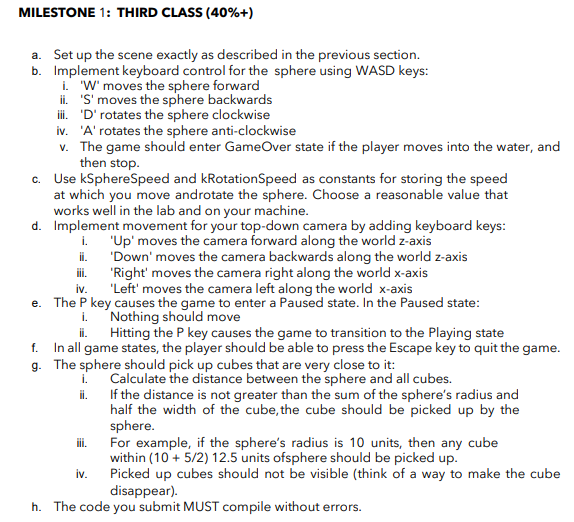
Question: MILESTONE 1 : THIRD CLASS ( 4 0 % + ) a . Set up the scene exactly as described in the previous section. b
MILESTONE : THIRD CLASS
a Set up the scene exactly as described in the previous section.
b Implement keyboard control for the sphere using WASD keys:
i moves the sphere forward
iiS moves the sphere backwards
iii. D rotates the sphere clockwise
ivA rotates the sphere anticlockwise
v The game should enter GameOver state if the player moves into the water, and
then stop.
c Use kSphereSpeed and kRotationSpeed as constants for storing the speed
at which you move androtate the sphere. Choose a reasonable value that
works well in the lab and on your machine.
d Implement movement for your topdown camera by adding keyboard keys:
iUp moves the camera forward along the world zaxis
ii 'Down' moves the camera backwards along the world zaxis
iii. 'Right' moves the camera right along the world axis
iv 'Left' moves the camera left along the world axis
e The P key causes the game to enter a Paused state. In the Paused state:
i Nothing should move
ii Hitting the key causes the game to transition to the Playing state
f In all game states, the player should be able to press the Escape key to quit the game.
g The sphere should pick up cubes that are very close to it:
i Calculate the distance between the sphere and all cubes.
ii If the distance is not greater than the sum of the sphere's radius and
half the width of the cube, the cube should be picked up by the
sphere.
iii. For example, if the sphere's radius is units, then any cube
within units ofsphere should be picked up
iv Picked up cubes should not be visible think of a way to make the cube
disappear
h The code you submit MUST compile without errors.
Step by Step Solution
There are 3 Steps involved in it
1 Expert Approved Answer
Step: 1 Unlock

Question Has Been Solved by an Expert!
Get step-by-step solutions from verified subject matter experts
Step: 2 Unlock
Step: 3 Unlock
 Study Help