







Question: MIS 322 Program 5- Lists The following form is used to maintain and display the members of a sports team. The team is represented as
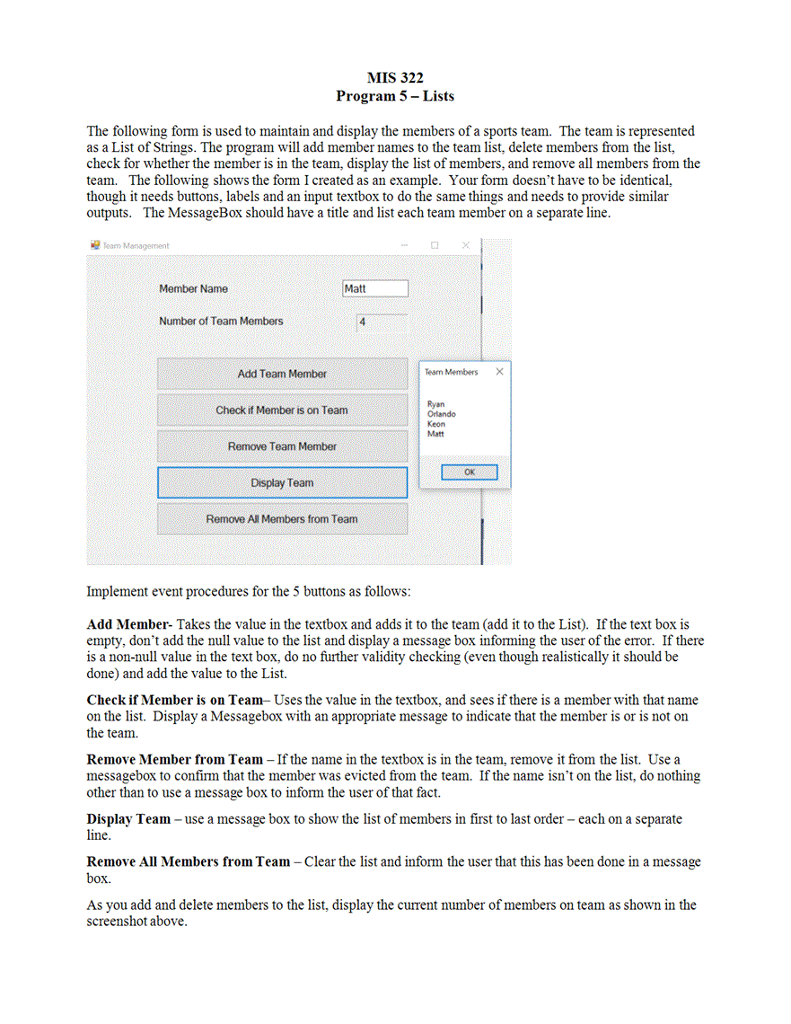
MIS 322 Program 5- Lists The following form is used to maintain and display the members of a sports team. The team is represented as a List of Strings. The program will add member names to the team list, delete members from the list, check for whether the member is in the team, display the list of members, and remove all members from the team. The following shows the form I created as an example. Your form doesn't have to be identical, though it needs buttons, labels and an input textbox to do the same things and needs to provide similar outputs. The MessageBox should have a title and list each team member on a separate line Team Management Member Name Matt Number of Team Members Add Team Member Team Members Ryan Orlando Keon Matt Check if Member is on Teanm Remove Team Member OK Display Team Remove A Members from Team Implement event procedures for the 5 buttons as follows Add Member-Takes the value in the textbox and adds it to the team (add it to the List). If the text box is empty, don't add the null value to the list and display a message box informing the user of the error. If there is a non-null value in the text box, do no further validity checking (even though realistically it should be done) and add the value to the List. Check if Member is on Team- Uses the value in the textbox, and sees if there is a member with that name on the ist. Display a Messagebox with an appropriate message to indicate that the member is or is not on the team. Remove Member from Team - If the name in the textbox is in the team, remove it from the list. Use a messagebox to confirm that the member was evicted from the team. If the name isn't on the list, do nothing other than to use a message box to inform the user of that fact. Display Team-use a message box to show the list of members in first to last order each on a separate line. Remove All Members from Team Clear the list and inform the user that this has been done in a message box As you add and delete members to the list, display the current number of members on team as shown in the screenshot above
Step by Step Solution
There are 3 Steps involved in it

Get step-by-step solutions from verified subject matter experts
 Study Help