







Question: (Mobile App Development) In Android Studio, create a notification app that notifies you that food is about to expire soon. The notification app will have
(Mobile App Development)
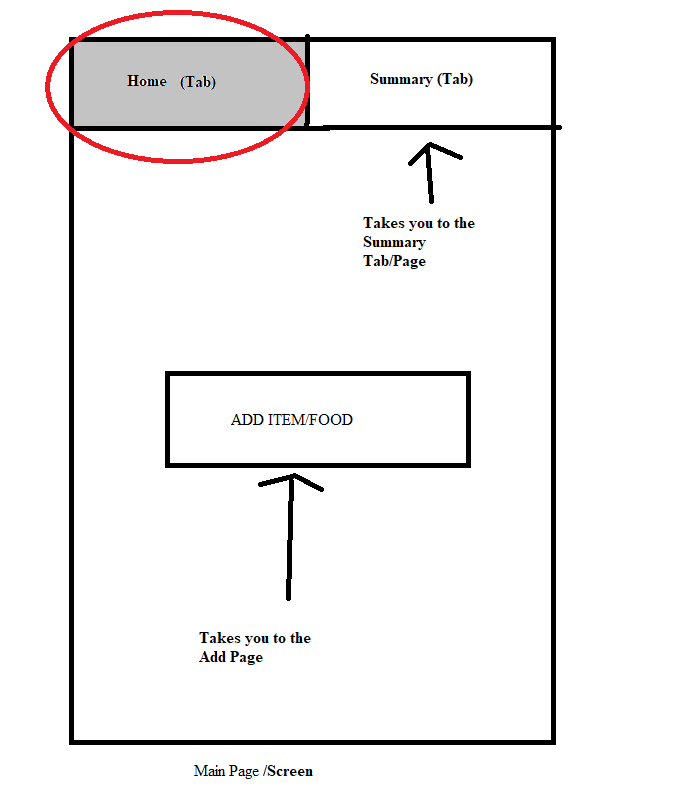
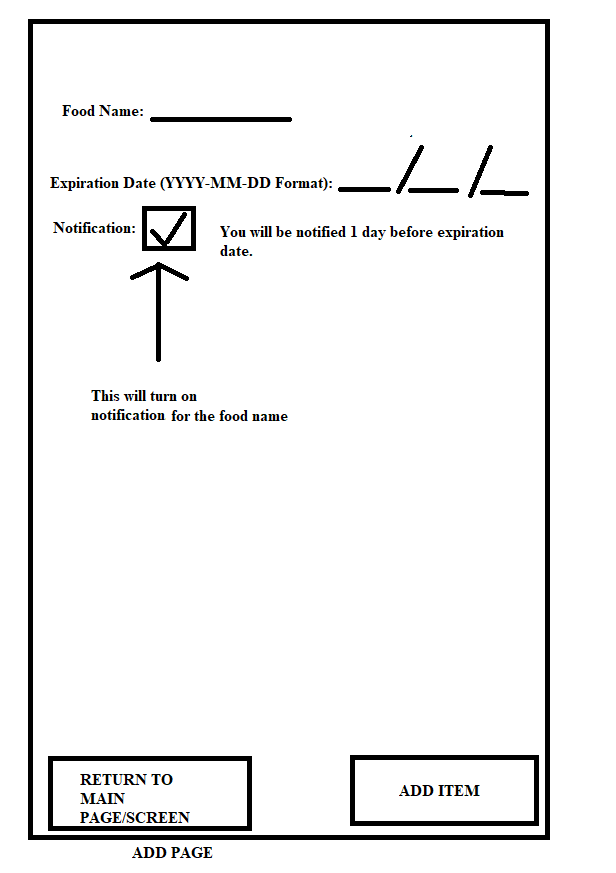
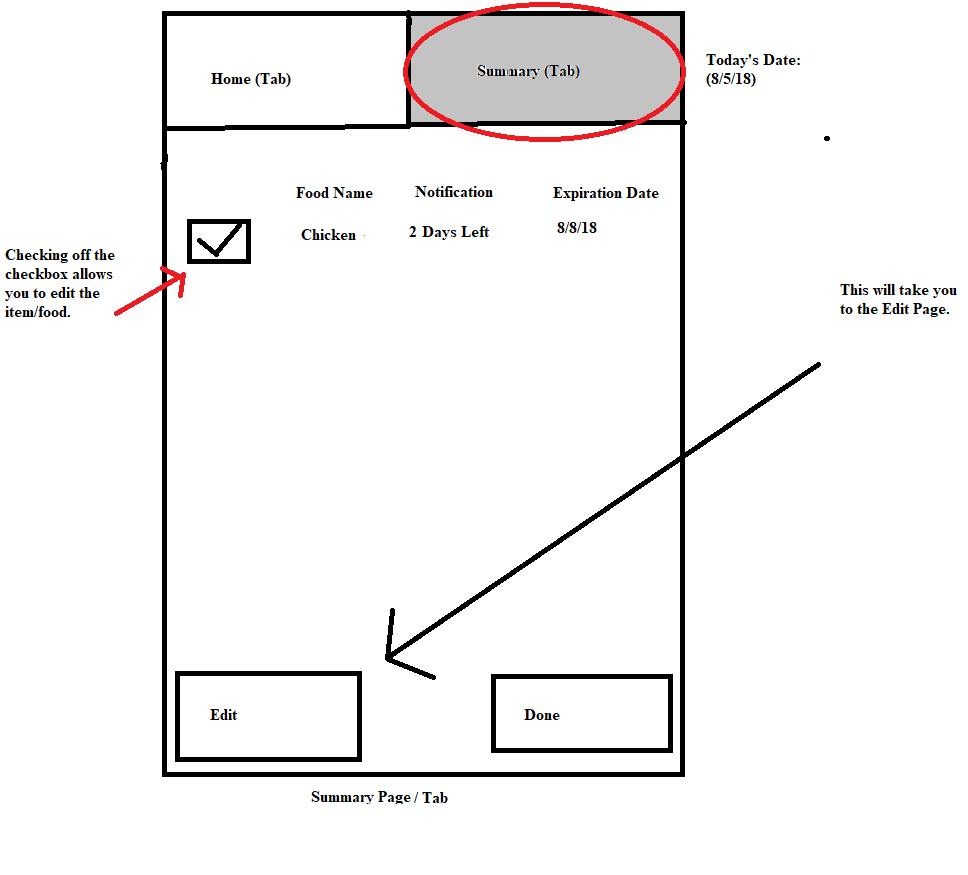
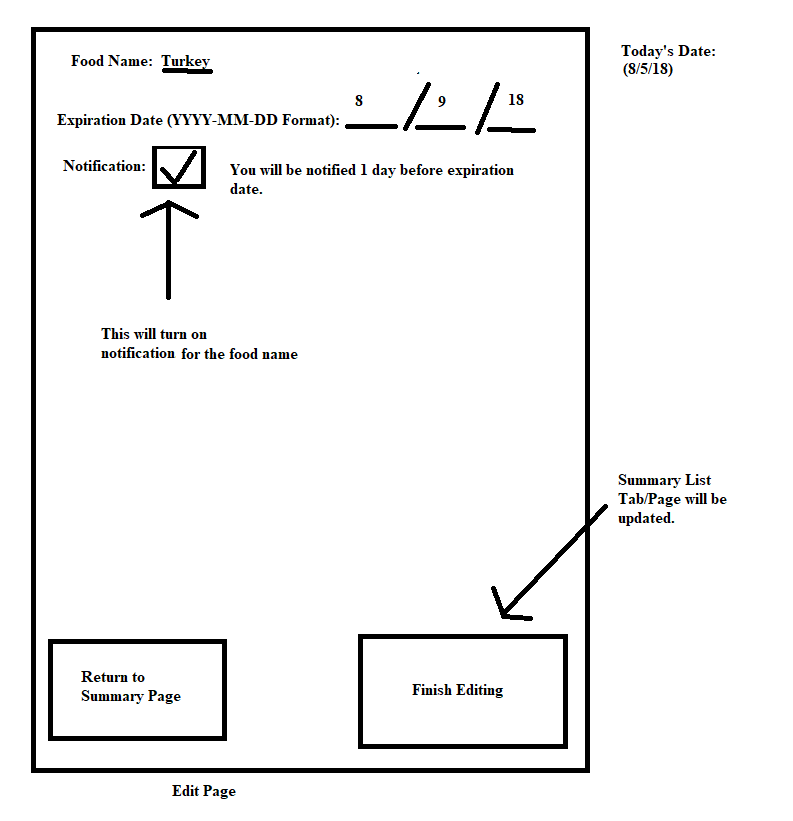
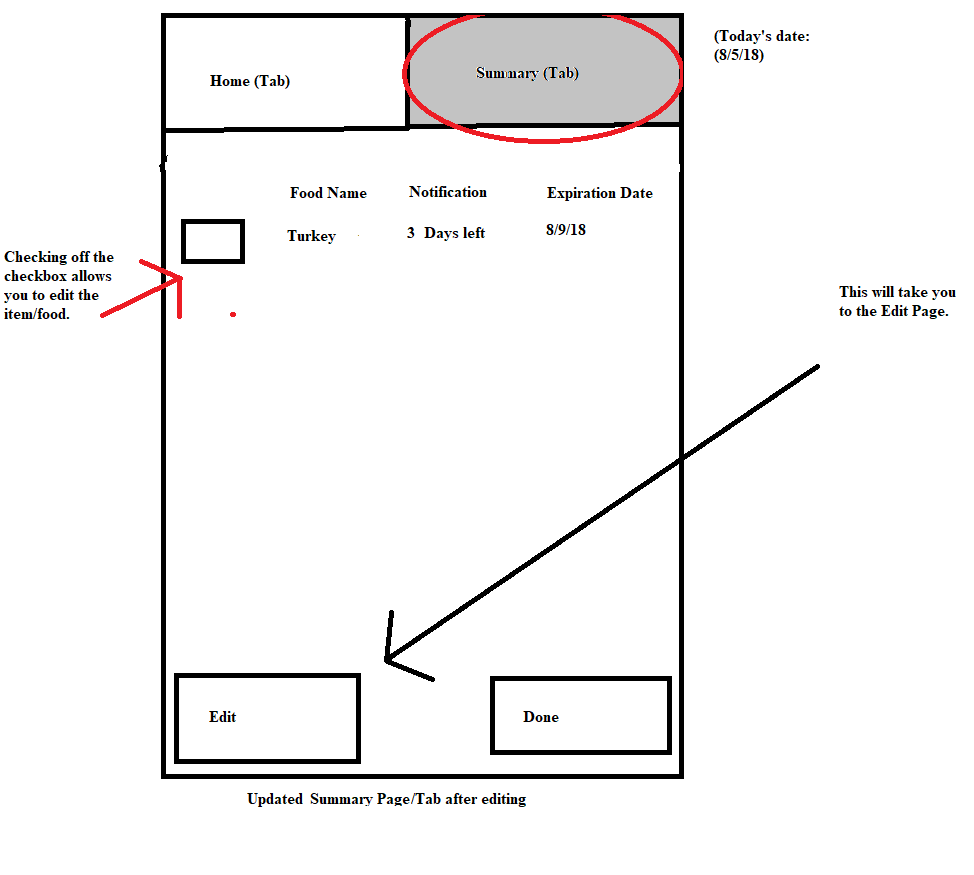
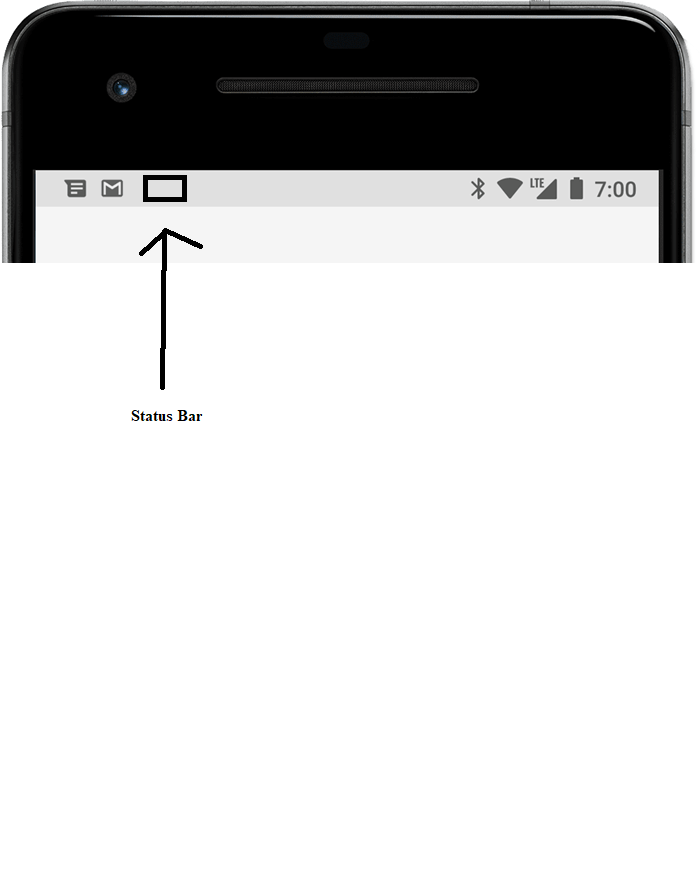
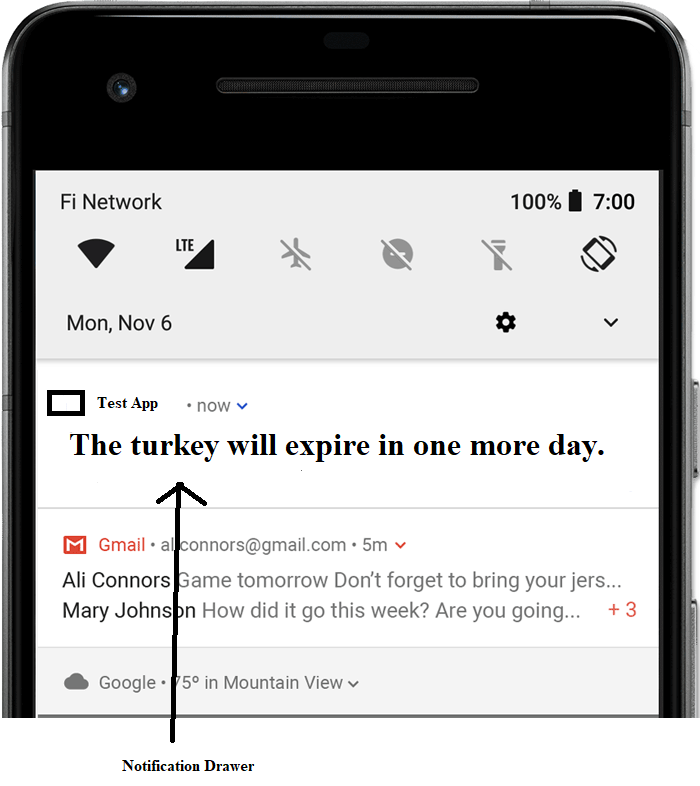
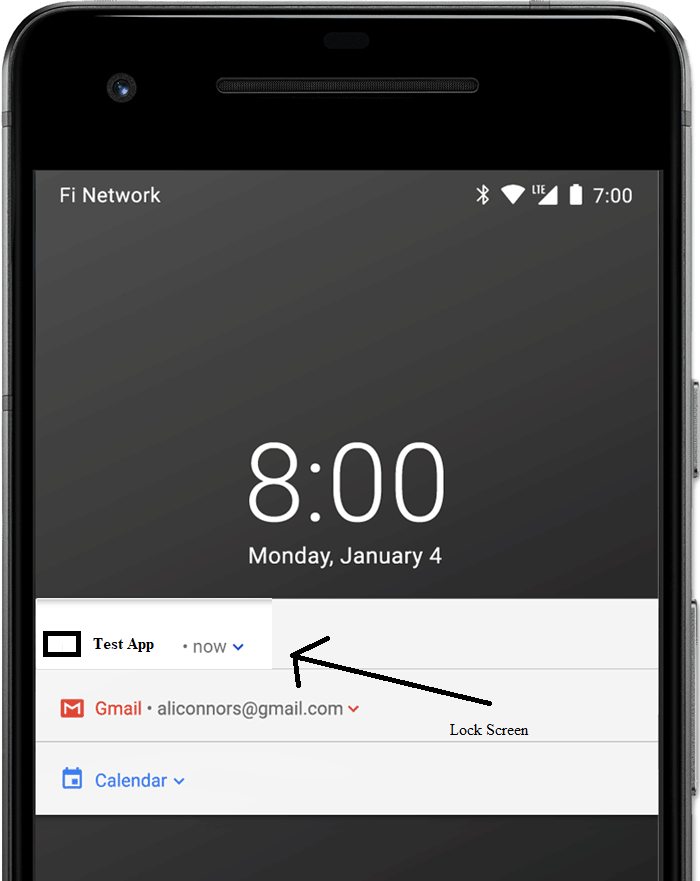
In Android Studio, create a notification app that notifies you that food is about to expire soon. The notification app will have a fragment inside the tab layout for the home and summary tab. Clicking/Tapping on the Add Item/Food button for the Main Page/Screen will take you to the Add Page. From the Add Page, you can add the food item name, expiration date, and turn on/off notification of the food expires. Once the food item name, expiration date, and notification are done through the "Add Item" button in the Add Page, it will be viewed/updated in the Summary Page/Tab. In the summary page/tab, the user can see the food item name, expiration date, and notification of the added item. The user also has an option to edit the added item through the Edit Button in the Summary Tab/Page. They can change the food item name, expiration date, and set the notification on/off again. Once the food item name, expiration date, and notification are done through the "Finishing Edit" button in the Edit Page, it will be viewed/updated again in the Summary Page/Tab. As for the notification, it must have a status bar, notification drawer, and notification that can appear on the lock screen.
Refer to this for the notification status bar, notification drawer, and notification that can appear on the lockscreen: https://developer.android.com/guide/topics/uiotifiersotifications
Notes:
1. Make the application according to the requirement. .
2. Do not screenshot, do not write this on paper. Please copy and paste source codes from Android Studio to Chegg.
3. Please post all codes from both XML and Java codes. If there are any changes in Manifest or values codes, post those as well.
4. If there are specific instructions on how to get the notification app working, please describe it in the solution.
5. Screen shot the output, NOT the codes of the notification app.
Home (Tab) Summary (Tab) Takes you to the Summary Tab/Page ADD ITEMFOOD Takes you to the Add Page Main Page /Screen Home (Tab) Summary (Tab) Takes you to the Summary Tab/Page ADD ITEMFOOD Takes you to the Add Page Main Page /Screen
Step by Step Solution
There are 3 Steps involved in it

Get step-by-step solutions from verified subject matter experts
 Study Help