







Question: MODIFY A PROGRAM TO PRINT AND WRITE TO THE OUTPUT FILE THE AVERAGE TEMPERATURE OF THE YEAR IN PYTHON Download and run the following program:
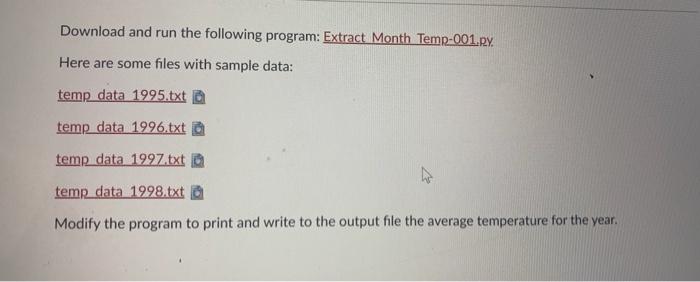
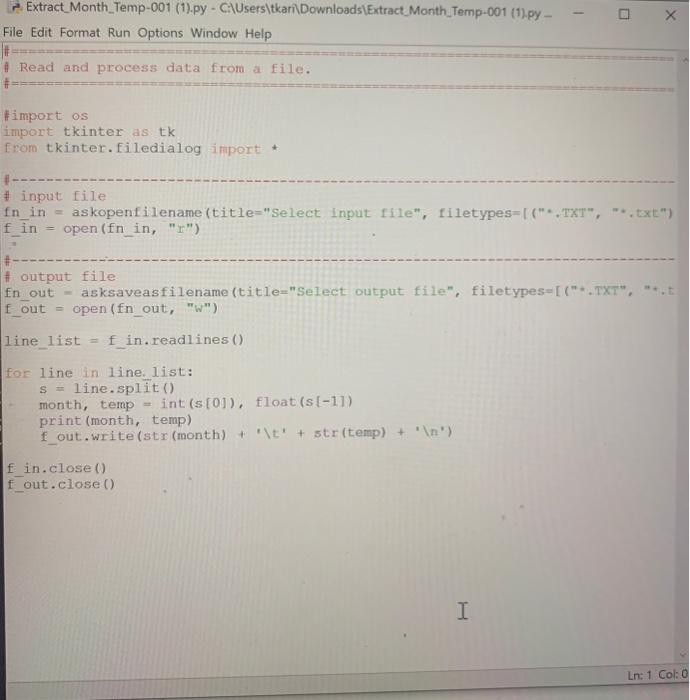
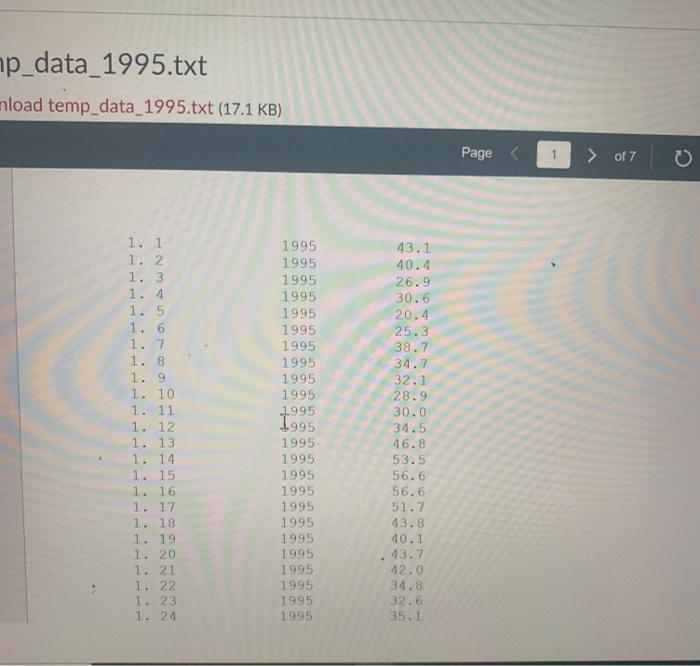
Download and run the following program: Extract Month Temp-001.Ry. Here are some files with sample data: temp data 1995.txt a temp data 1996.txt temp data 1997.txt temp data 1998.txt Modify the program to print and write to the output file the average temperature for the year. -- Extract Month_Temp-001 (1).py - C:\Users\tkari\Downloads\Extract Month Temp-001 (1).py - File Edit Format Run Options Window Help x # Read and process data from a file. #import os import tkinter as tk from tkinter.filedialog import + #- # input file fn_in askopenfilename (title="Select input file", filetypes=[(*.TXT", -*.txt") fin open(fn_in, "r") # output file fn_out - asksaveasfilename (title="Select output file", filetypes=[(*.TXT", f_out = open(fn_out, "w") line list = fin.readlines () for line in line. list: S line.split() month, temp int(s[0]), float (s[-1]) print (month, temp) f_out.write(str (month) + '\t' + str(temp) + ' ') fin.close() f_out.close() I Ln: 1 Col: p_data_1995.txt nload temp_data_1995.txt (17.1 KB) Page of 7 1. 1 1. 2 1. 3 1. 4 1. 5 1. 6 1. 7 1. 8 1. 9 1. 10 1. 11 1. 12 1. 13 1. 14 1. 15 1. 16 1. 17 1. 18 1. 19 1. 20 1. 21 1. 22 1. 23 1. 24 1995 1995 1995 1995 1995 1995 1995 1995 1995 1995 1995 1995 1995 1995 1995 1995 1995 1995 1995 1995 1995 1995 1995 1995 43.1 40.4 26.9 30.6 20.4 25.3 38.7 34.7 32.1 28.9 30.0 34.5 46.8 53.5 56.6 56.6 51.7 43.8 10.1 13.7 12.0 34.8 32.5 35.1
Step by Step Solution
There are 3 Steps involved in it

Get step-by-step solutions from verified subject matter experts
 Study Help