







Question: Modify alberssquares.py to take nine command-line arguments that specify three colors and then draw the six squares showing all the Albers squares with the large
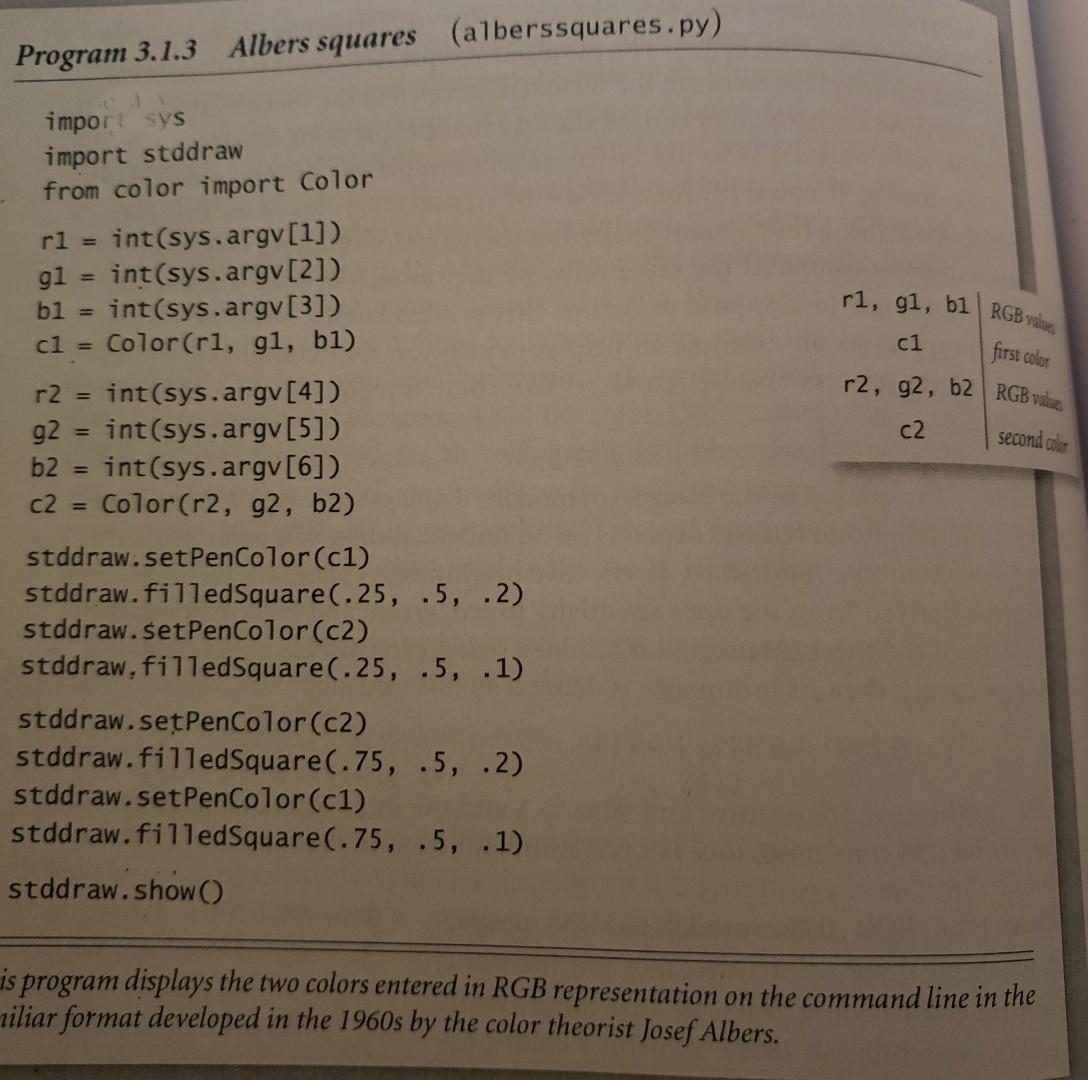
Modify alberssquares.py to take nine command-line arguments that specify three colors and then draw the six squares showing all the Albers squares with the large square in each color and the small square in each different color.
the language preferred is Python! thank you for your help!
Program 3.1.3 Albers squares (alberssquares.py) b1 = cl = ri, gl, b1 RGB vdes first color c1 r2, g2, b2 RGB valdes c2 second color import sys import stddraw from color import Color rl = int(sys.argv[1]) g1 int(sys.argv[2]) int(sys.argv[3]) Color(ri, g1, b1) r2 = int(sys.argv[4]) g2 = int(sys.argv[5]) b2 int(sys.argv[6]) C2 = Color(r2, g2, b2) stddraw.setPenColor(c1) stddraw.filledSquare(.25, .5, .2) stddraw.setPenColor(c2) stddraw, filled Square (.25, .5, .1) stddraw.setPenColor(c2) stddraw.filled Square(.75, .5, .2) stddraw.setPenColor(c1) stddraw.filled Square(.75, .5, .1) stddraw.show() is program displays the two colors entered in RGB representation on the command line in the riliar format developed in the 1960s by the color theorist Josef Albers
Step by Step Solution
There are 3 Steps involved in it

Get step-by-step solutions from verified subject matter experts
 Study Help