







Question: Modify an array's elements Write a for loop that iterates from 1 to numberSamples to double any element's value in dataSamples that is less than
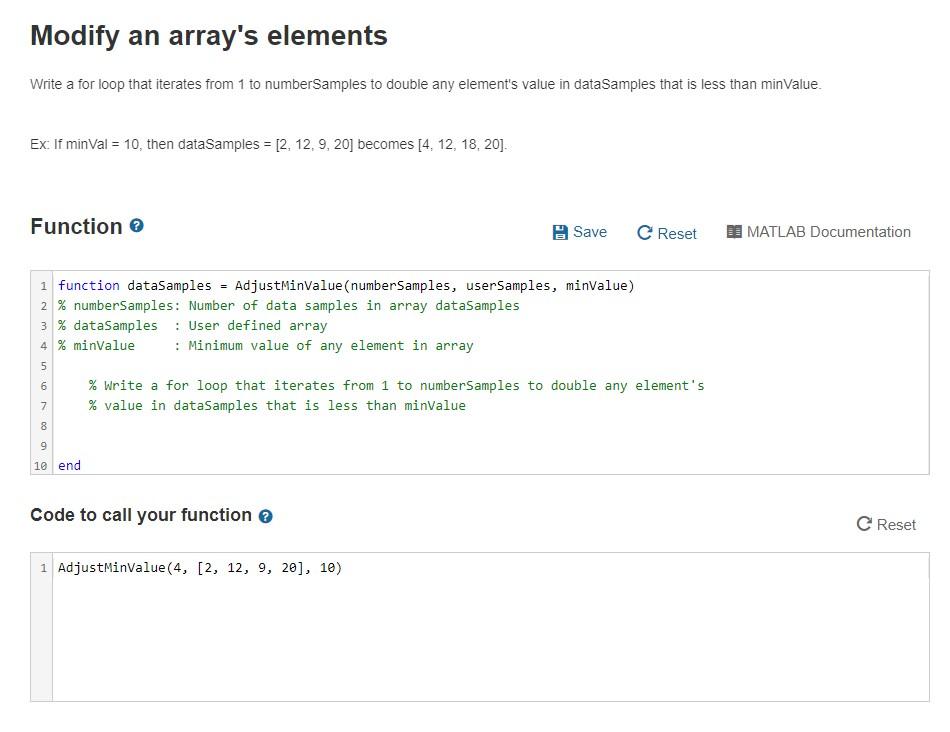
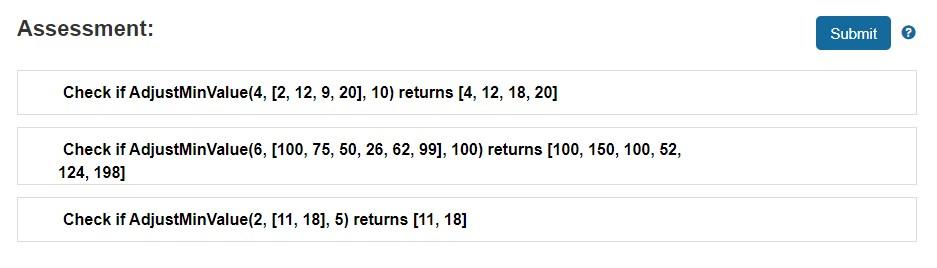
Modify an array's elements Write a for loop that iterates from 1 to numberSamples to double any element's value in dataSamples that is less than minValue. Ex: If minVal = 10, then dataSamples = [2, 12.9.20] becomes [4. 12, 18, 20). Function Save C Reset MATLAB Documentation 1 function dataSamples = AdjustMinValue (numberSamples, user Samples, minvalue) 2 % numberSamples: Number of data samples in array dataSamples 3 % dataSamples : User defined array 4 % minValue : Minimum value of any element in array % Write a for loop that iterates from 1 to numberSamples to double any element's % value in dataSamples that is less than minvalue 7 8 9 10 end Code to call your function Reset 1 AdjustMinValue(4, [2, 12, 9, 20), 10) Assessment: Submit Check if AdjustMinValue(4, [2, 12, 9, 20), 10) returns [4, 12, 18, 20] Check if AdjustMinValue(6, [100, 75, 50, 26, 62, 99], 100) returns [100, 150, 100, 52, 124, 198] Check if AdjustMinValue(2, [11, 18], 5) returns [11, 18]
Step by Step Solution
There are 3 Steps involved in it

Get step-by-step solutions from verified subject matter experts
 Study Help