







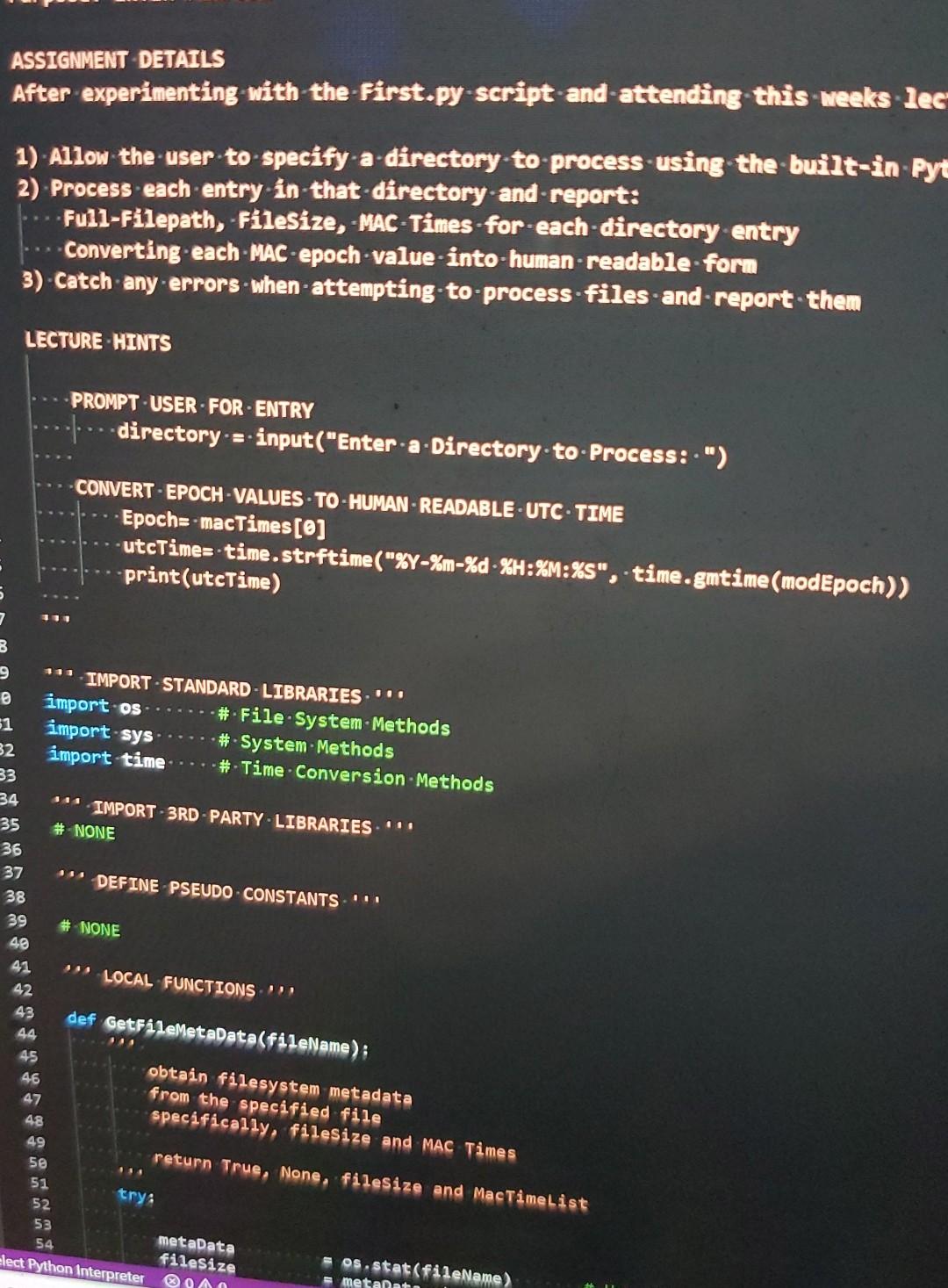
Question: modify and extend. windows python. assignment in first picture ASSIGNMENT DETAILS After experimenting with the first.py script and attending this weeks lec 1) Allow the
modify and extend. windows python. assignment in first picture
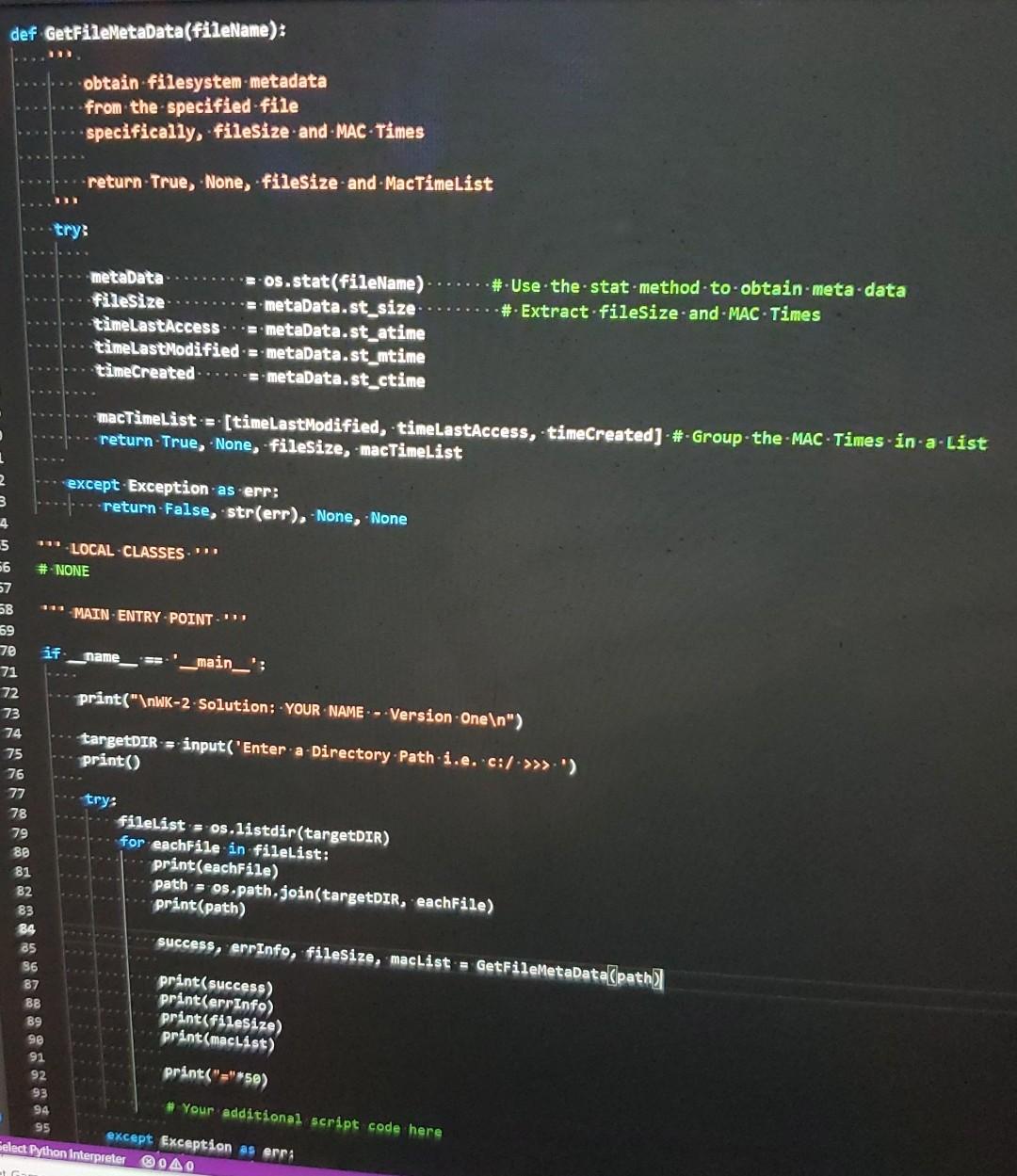
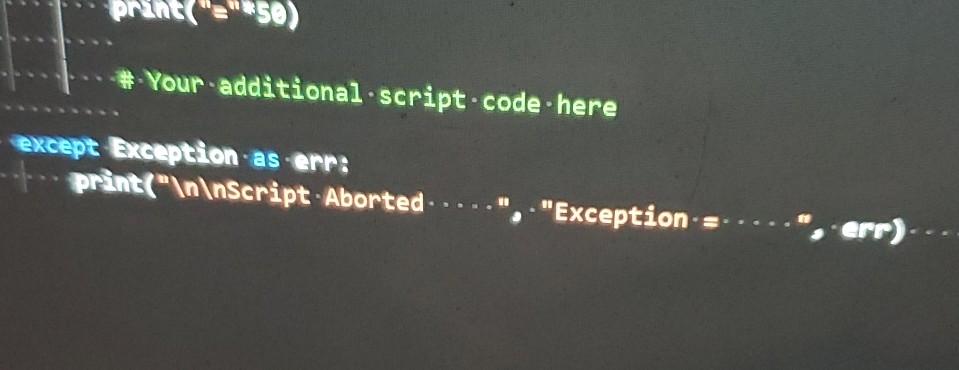
ASSIGNMENT DETAILS After experimenting with the first.py script and attending this weeks lec 1) Allow the user to specify a directory to process using the built-in Pyt 2) Process each entry in that directory and report: -Full-Filepath, Filesize, -MAC-Times-for-each-directory entry Converting each - MAC - epoch value-into-human-readable form 3) Catch any errors when attempting to process files and report them LECTURE HINTS PROMPTUSER. FOR ENTRY directory --input("Enter a Directory.to-Process: .") CONVERT - EPOCH VALUES. TO-HUMAN READABLE UTC-TIME Epocha-macTimes[0] -utcTime-time.strftime("%Y-%m-%d %H:%M:%S", .time.gmtime (modEpoch)) print(utcTime) 7 11 B ***IMPORT-STANDARD - LIBRARIES"". import os - #. File System Methods 31 import sys - # System. Methods 32 import time # Time Conversion Methods 33 34 "IMPORT-3RD-PARTY-LIBRARIES!!! 35 # NONE 36 37 DEFINE PSEUDO CONSTANTS" 38 39 # NONE 40 41 " LOCAL FUNCTIONS 42 43 def GetFileMetaData(fileName); 44 45 obtain filesystem metadata 46 from the specified file 47 specifically, filesize and MAC Times 48 49 return True, None, filesize and MacTimeList 50 51 52 53 54 os stat(fileName) metalata try: metaData filesize lect Python Interpreter OA def GetFileMetaData(fileName): obtain filesystem metadata from the specified file specifically, filesize and - MAC Times return True, None, filesize and - MacTimeList try: # Use the stat method to obtain metadata # Extract fileSize.and.MACTimes metadata 2-os.stat(fileName) filesize -= metadata.st_size timeLastAccess... smetadata.st_atime timeLast Modified = metadata.st_mtime timecreated....metadata.st_ctime macTimeList = [timeLast Modified, -timeLastAccess, timeCreated) - #-Group-the-MAC - Times-in-a-List return-True, None, filesize, -macTimeList except Exception as .err: 3 return-False, str(err), -None, None 4 5 *LOCAL-CLASSES" 56 # NONE 27 58 *** MAIN-ENTRY-POINT 59 70 if name_ __main__': 71 72 print(" WK-2-Solution: - YOUR NAME --Version One ") 73 74 targetDIR = input('Enter a Directory Path i.e. c:/. >>>') 75 print() 76 77 try: 78 filelist = os.listdir(targetDIR) 79 for eachFile in fileList: 88 print(eachFile) 81 path = os.path.join(targetDIR, eachFile) 82 print(path) 83 84 success, errInfo, filesize, maclist = GetFileMetaData(path 85 96 print(success) 87 print(errInfo) B8 print(filesize) 89 92 print(macList) print("="*50) # Your additional script code here 94 95 except Exception as erra Select Python Interpreter 0AO prent" Your additional script.code. here except Exception as err: print(" Script Aborted "Exception err)
Step by Step Solution
There are 3 Steps involved in it

Get step-by-step solutions from verified subject matter experts
 Study Help