







Question: modify this code to add color and Style eclipse-work a - Eclipse IDE File Edit Source Refactor Navigate Search Project Run Window Help DH #C
modify this code to add color and Style
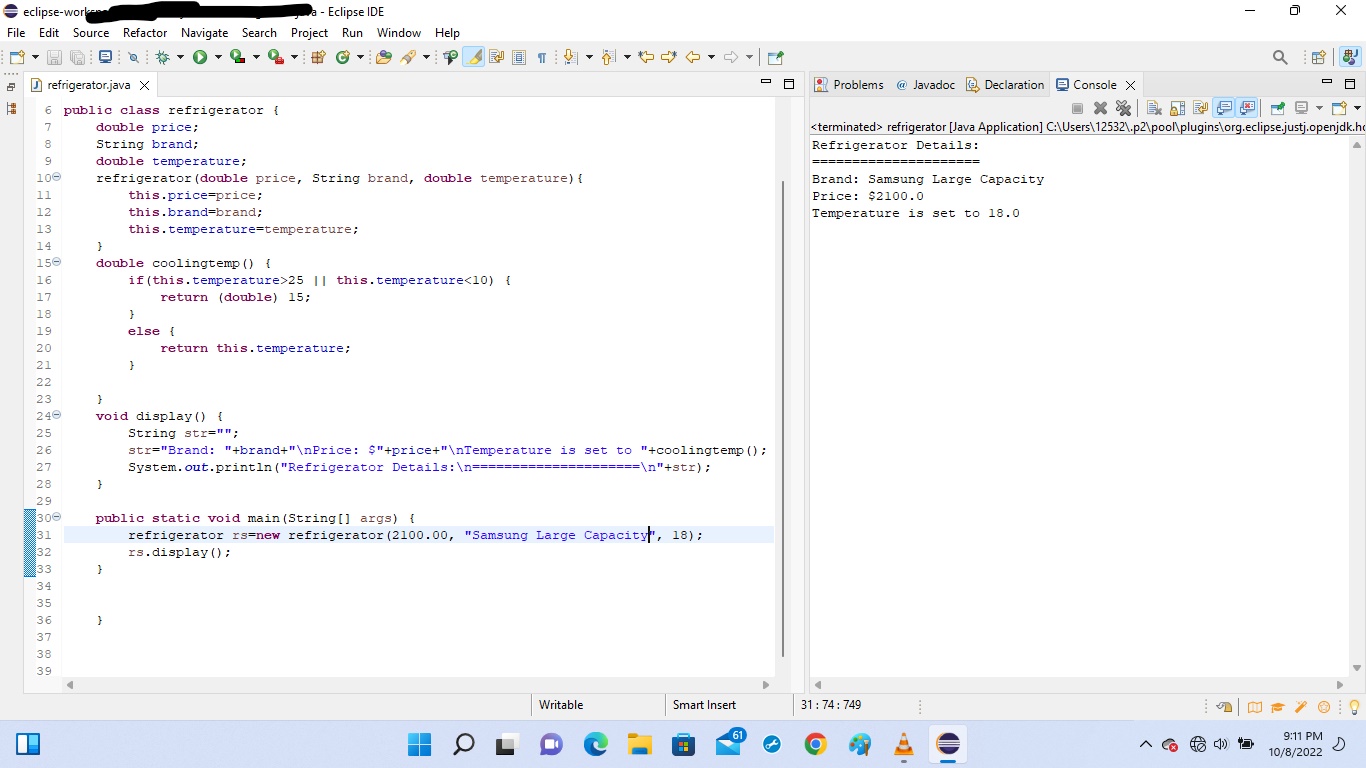
eclipse-work a - Eclipse IDE File Edit Source Refactor Navigate Search Project Run Window Help DH #C TO 2 9 100 11 12 13 14 150 refrigerator.java X 6 public class refrigerator { 7 8 16 17 18 19 20 21 22 23 240 25 26 27 28 29 300 31 32 33 34 35 36 37 38 39 P double price; String brand; double temperature; refrigerator (double price, String brand, double temperature) { Q } double coolingtemp() { if(this.temperature>25 || this.temperature
Step by Step Solution
There are 3 Steps involved in it
There are some syntax errors and typos in your code Ive identified a few issues and corrected them b... View full answer

Get step-by-step solutions from verified subject matter experts
 Study Help