Question: Module 4.2: Instructions Assignment (10%) Apply what you've learned in this module in this assignment This assignment is an individual assignment. Please do not share
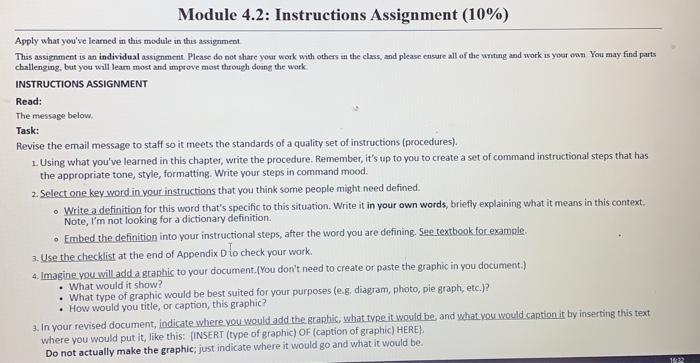
Module 4.2: Instructions Assignment (10%) Apply what you've learned in this module in this assignment This assignment is an individual assignment. Please do not share your work with others in the clas, and please ensure all of the writing and work is your own. You may find parts challenging, but you will learn most and mprove most through doing the work INSTRUCTIONS ASSIGNMENT Read: The message below, Task: Revise the email message to staff so it meets the standards of a quality set of instructions (procedures). 1. Using what you've learned in this chapter, write the procedure. Remember, it's up to you to create a set of command instructional steps that has the appropriate tone, style, formatting. Write your steps in command mood. 2. Select one key word in your instructions that you think some people might need defined. . Write a definition for this word that's specific to this situation. Write it in your own words, briefly explaining what it means in this context. Note, I'm not looking for a dictionary definition Embed the definition into your instructional steps, after the word you are defining. See textbook for example. 3. Use the checklist at the end of Appendix D lo check your work. 4. Imagine you will add a graphic to your document.(You don't need to create or paste the graphic in you document.) What would it show? What type of graphic would be best suited for your purposes (e.g. diagram, photo, pie graph, etc.)? How would you title, or caption, this graphic? 3. In your revised document, indicate where you would add the graphic, what type it would be, and what you would caption it by inserting this text where you would put it, like this: (INSERT (type of graphic) OF (caption of graphic) HERE; Do not actually make the graphic, just indicate where it would go and what it would be 1832 Module 4.2: Instructions Assignment (10%) Apply what you've learned in this module in this assignment This assignment is an individual assignment. Please do not share your work with others in the clas, and please ensure all of the writing and work is your own. You may find parts challenging, but you will learn most and mprove most through doing the work INSTRUCTIONS ASSIGNMENT Read: The message below, Task: Revise the email message to staff so it meets the standards of a quality set of instructions (procedures). 1. Using what you've learned in this chapter, write the procedure. Remember, it's up to you to create a set of command instructional steps that has the appropriate tone, style, formatting. Write your steps in command mood. 2. Select one key word in your instructions that you think some people might need defined. . Write a definition for this word that's specific to this situation. Write it in your own words, briefly explaining what it means in this context. Note, I'm not looking for a dictionary definition Embed the definition into your instructional steps, after the word you are defining. See textbook for example. 3. Use the checklist at the end of Appendix D lo check your work. 4. Imagine you will add a graphic to your document.(You don't need to create or paste the graphic in you document.) What would it show? What type of graphic would be best suited for your purposes (e.g. diagram, photo, pie graph, etc.)? How would you title, or caption, this graphic? 3. In your revised document, indicate where you would add the graphic, what type it would be, and what you would caption it by inserting this text where you would put it, like this: (INSERT (type of graphic) OF (caption of graphic) HERE; Do not actually make the graphic, just indicate where it would go and what it would be 1832









 Study Help