







Question: Module 9 Creating Online Forms Using Advanced Table Techniques | Word WD 9 - 6 1 4 . shade the cell containing Food Allergies and
Module Creating Online Forms Using Advanced Table Techniques Word
WD
shade the cell containing "Food Allergies" and all of the cells below it with the Dark Purple,
Text Lighter color. In the last row, italicize the text "Tickets will not be issued until payment is processed."
In the Food Allergies section, in the three cells in column G below the cell containing "Food Allergies," enter the following: Peanuts, Tree nuts, and Dairy. In the three cells in column I the last column enter the following: Shellfish, Gluten, and Other.
Center the content of the cells containing SS Mississippi Star," "Private Reception," "Contact Info," "Reception Details," and "Food Allergies" both horizontally and vertically.
Center the content of the cells containing "Reception Date," "Author Name," and "Reception Location" and the empty cells to their right vertically but leave these cells leftaligned horizontally.
Center the content of the cells containing "Reception Fee," No of Tickets," and "Total" vertically but leave these cells leftaligned horizontally Then center the content of the cells to the right of each of these cells vertically, and change the horizontal alignment of those cells so the contents are rightaligned.
Center the content of the cells containing the types of food allergies vertically, but leave them leftaligned horizontally. Center the content of the cells to the left of the six types of food allergies both vertically and horizontally.
Turn off the option to automatically resize the table to fit its contents, and then change the top and bottom cell margins for all the cells in the table to Change the top and bottom cell margins for the cells in the first and second rows back to
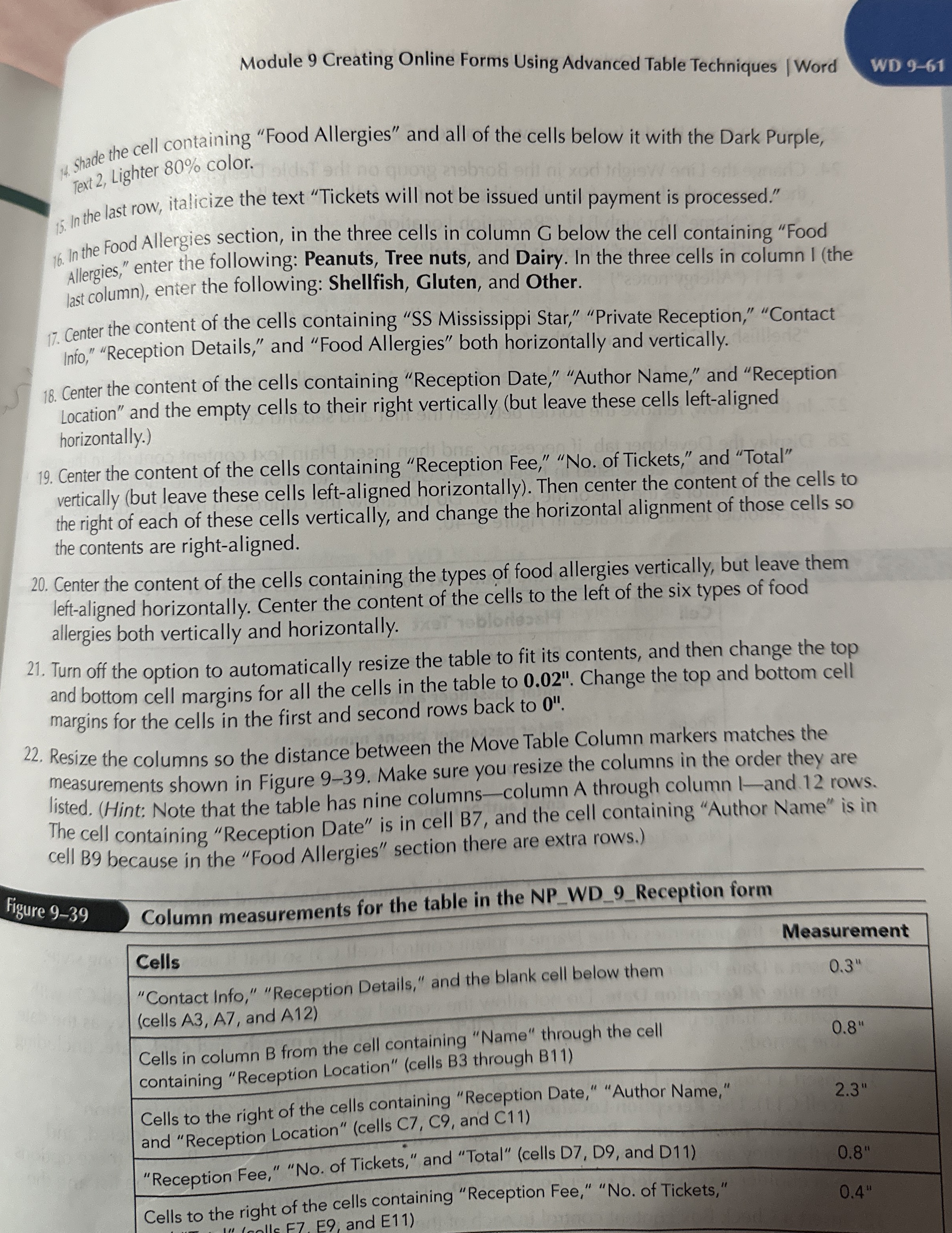
Resize the columns so the distance between the Move Table Column markers matches the measurements shown in Figure Make sure you resize the columns in the order they are listed. Hint: Note that the table has nine columnscolumn A through column and. rows. The cell containing "Reception Date" is in cell B and the cell containing "Author Name" is in cell B because in the "Food Allergies" section there are extra rows.
Figure
Column measurements for the table in the NPWDReception form
Column measurements for the table in the NPWDReception form
tableCellsMeasurementtableContact Info," "Reception Details," and the blank cell below themcells A A and A
Step by Step Solution
There are 3 Steps involved in it
1 Expert Approved Answer
Step: 1 Unlock

Question Has Been Solved by an Expert!
Get step-by-step solutions from verified subject matter experts
Step: 2 Unlock
Step: 3 Unlock
 Study Help