







Question: MODULE S WORKSHEET ASSIGNMENT (60 points) =VLOOKUP MedalsWon, 8, FALSE) 5. (0-10 pts) Write an Excel formula or function in cell 'Team Summary !C8, to
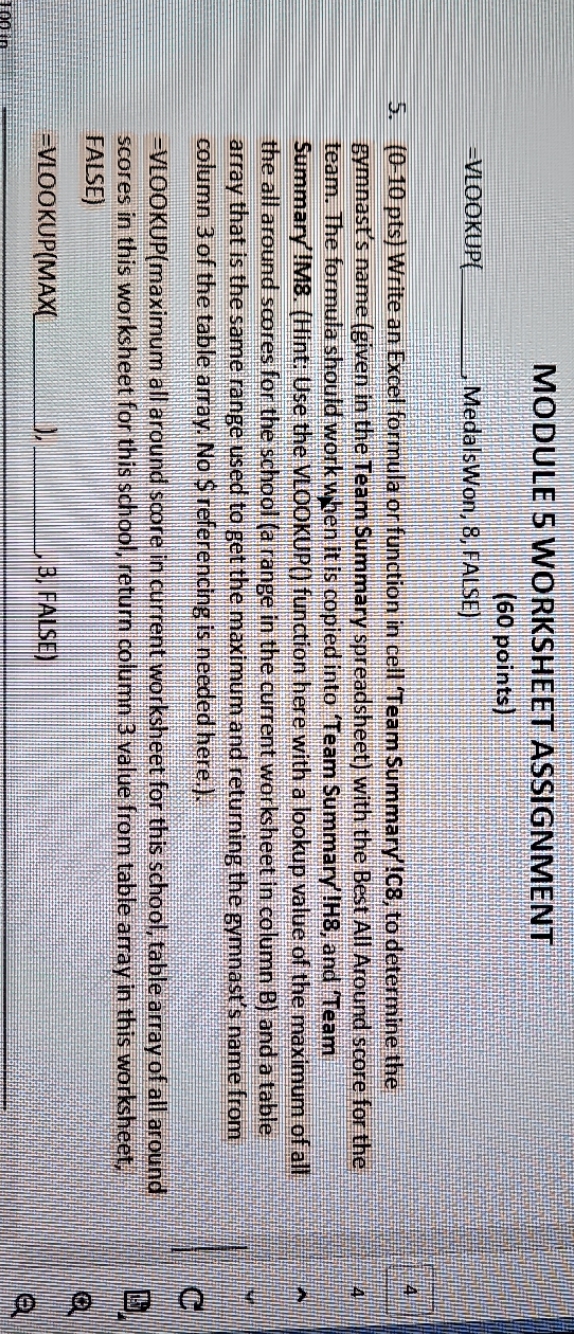
MODULE S WORKSHEET ASSIGNMENT (60 points) =VLOOKUP MedalsWon, 8, FALSE) 5. (0-10 pts) Write an Excel formula or function in cell 'Team Summary !C8, to determine the gymnast's name (given in the Team Summary spreadsheet) with the Best All Around score for the team. The formula should work when it is copied into 'Team Summary'!H8, and Team Summary !M8. (Hint: Use the VLOOKUP() function here with a lookup value of the maximum of all the all around scores for the school (a range in the current worksheet in column B) and a table array that is the same range used to get the maximum and returning the gymnast's name from column 3 of the table array. No $ referencing is needed here.) U -VLOOKUP(maximum all around score in current worksheet for this school, table array of all around scores in this worksheet for this school, return column 3 value from table array in this worksheet, FALSE) =VLOOKUP(MAX 3, FALSE
Step by Step Solution
There are 3 Steps involved in it

Get step-by-step solutions from verified subject matter experts
 Study Help