



Question: more information for part A upper blanks for part b,c,d upper blanks The following financial statements were taken from the 2010 annual report of Pacable
 more information
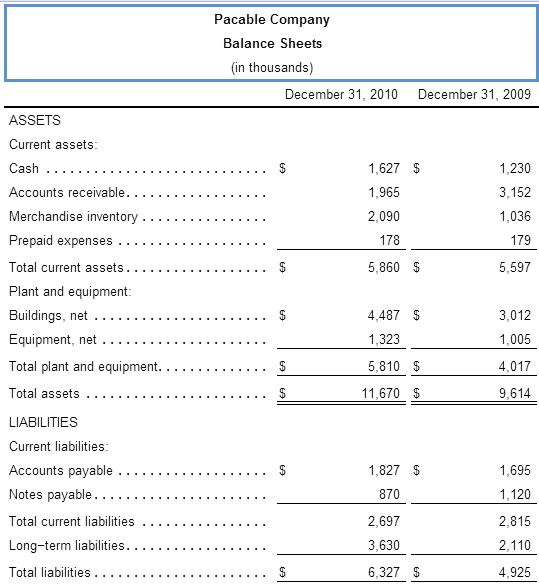

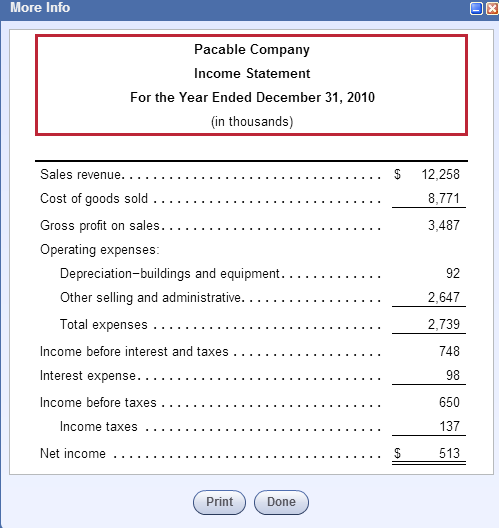
for part A upper blanks
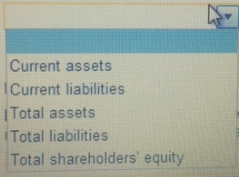
for part b,c,d upper blanks
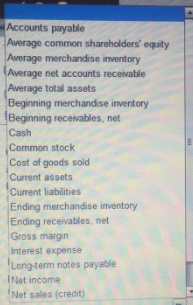
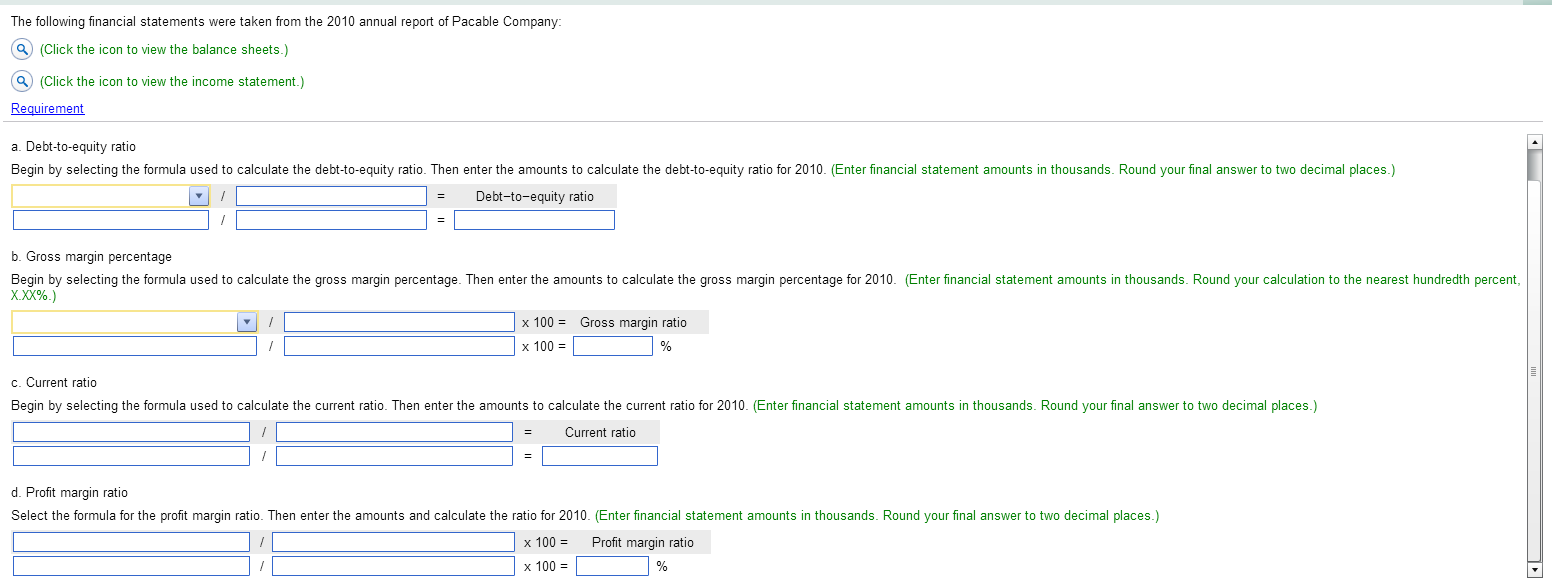
The following financial statements were taken from the 2010 annual report of Pacable Company: (Click the icon to view the balance sheets.) (Click the icon to view the income statement.) a. Debt-to-equity ratio Begin by selecting the formula used to calculate the debt-to-equity ratio. Then enter the amounts to calculate the debt-to-equity ratio for 2010. (Enter financial statement amounts in thousands. Round your final answer to two decimal places.) - Debt-to-equity ratio b. Gross margin percentage Begin by selecting the formula used to calculate the gross margin percentage. Then enter the amounts to calculate the gross margin percentage for 2010. (Enter financial statement amounts in thousands. Round your calculation to the nearest hundredth percent X.XX%.) x 100 Gross margin ratio x 100 = c. Current ratio Begin by selecting the formula used to calculate the current ratio. Then enter the amounts to calculate the current ratio for 2010. (Enter financial statement amounts in thousands. Round your final answer to two decimal places.) Current ratio = d. Profit margin ratio Select the formula for the profit margin ratio. Then enter the amounts and calculate the ratio for 2010. (Enter financial statement amounts in thousands. Round your final answer to two decimal places.) x 100 x 100 = Profit margin ratio
Step by Step Solution
There are 3 Steps involved in it

Get step-by-step solutions from verified subject matter experts