







Question: Mouse mouse Button Lab 1.2 Image Loading & Interaction (10 points total) 1. For this exercise, you will learn how to create simple shapes, load
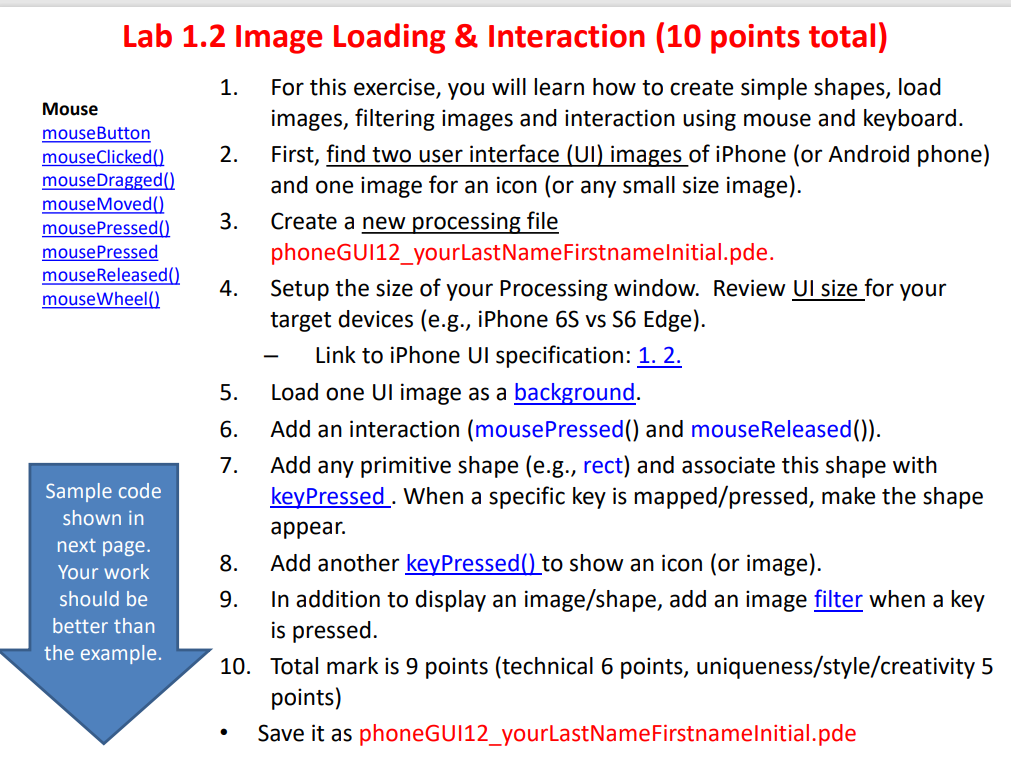
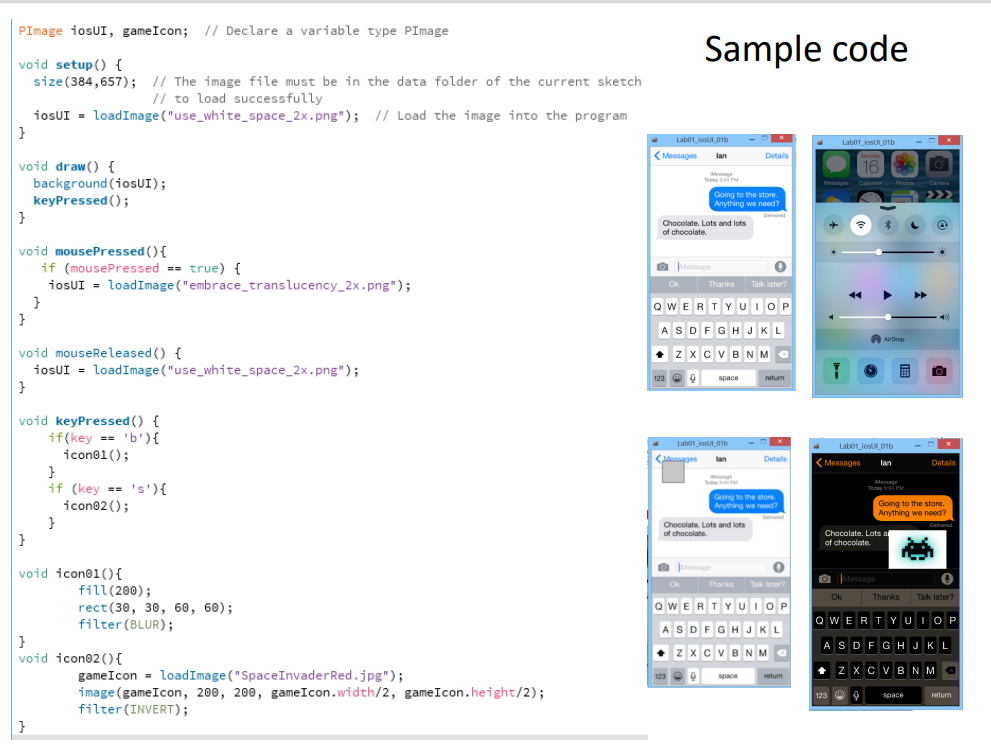
Mouse mouse Button Lab 1.2 Image Loading & Interaction (10 points total) 1. For this exercise, you will learn how to create simple shapes, load images, filtering images and interaction using mouse and keyboard. mouseClicked) 2. First, find two user interface (UI) images of iPhone (or Android phone) mouse Dragged() and one image for an icon (or any small size image). mouseMoved mouse Pressed() 3. Create a new processing file mouse Pressed phoneGUI12_yourLastNameFirstnamelnitial.pde. mouse Released() 4. mouseWheel() Setup the size of your Processing window. Review Ul size for your target devices (e.g., iPhone 6S vs S6 Edge). Link to iPhone Ul specification: 1. 2. 5. Load one Ul image as a background. 6. Add an interaction (mousePressed() and mouseReleased()). 7. Add any primitive shape (e.g., rect) and associate this shape with Sample code keyPressed. When a specific key is mapped/pressed, make the shape shown in appear. next page 8. Your work Add another keyPressed() to show an icon (or image). should be 9. In addition to display an image/shape, add an image filter when a key better than is pressed. the example. 10. Total mark is 9 points (technical 6 points, uniqueness/style/creativity 5 points) Save it as phoneGUI12_yourLastNameFirstnamelnitial.pde PImage Hosur, game Icon; // Declare a variable type PImage Sample code void setup() { size (384,657); // The image file must be in the data folder of the current sketch // to load successfully iosUI - load Image ("use_white_space_2x.png"); // Load the image into the program } Labo1_jos l_01b - Labo1_jos_016
Step by Step Solution
There are 3 Steps involved in it

Get step-by-step solutions from verified subject matter experts
 Study Help