







Question: MUST BE DONE IN A MICROSOFT EXCEL FILE. PLS. FOLLOW INSTRUCTIONS & PUT CORRECT FORMULA. MICROSOFT EXCEL EXERCISE EXERCISE 8 - Using IF Functions (20
MUST BE DONE IN A MICROSOFT EXCEL FILE.
PLS. FOLLOW INSTRUCTIONS & PUT CORRECT FORMULA.
MICROSOFT EXCEL EXERCISE
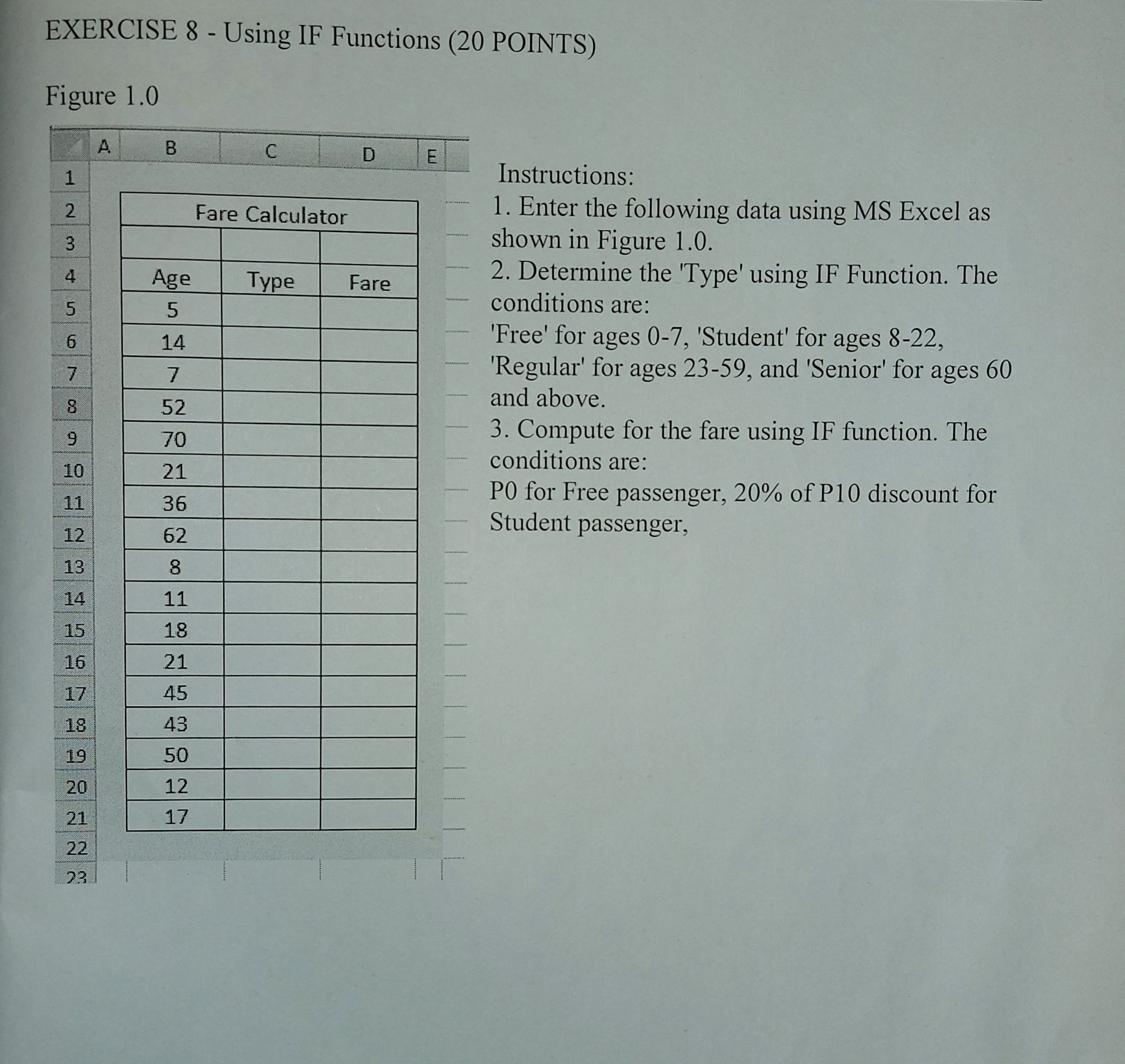
EXERCISE 8 - Using IF Functions (20 POINTS) Figure 1.0 www 1 2 3 4 5 6 7 CO 8 9 10 11 12 234 13 14 15 16 17 18 Loco 19 20 21 22 23 A B Age 5 14 7 52 70 21 36 62 8 11 18 21 45 43 50 12 17 C Fare Calculator Type D Fare E Instructions: 1. Enter the following data using MS Excel as shown in Figure 1.0. 2. Determine the 'Type' using IF Function. The conditions are: 'Free' for ages 0-7, 'Student' for ages 8-22, 'Regular' for ages 23-59, and 'Senior' for ages 60 and above. 3. Compute for the fare using IF function. The conditions are: PO for Free passenger, 20% of P10 discount for Student passenger,
Step by Step Solution
There are 3 Steps involved in it

Get step-by-step solutions from verified subject matter experts
 Study Help