







Question: must be in python In this question, you'll update the encoder () function from A2. The function's goal is the same as in A2...but we
must be in python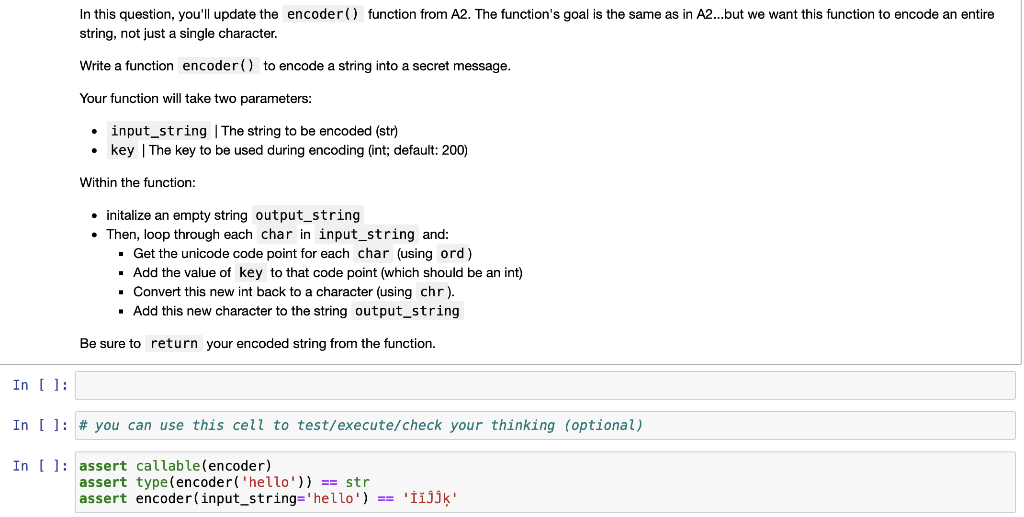
In this question, you'll update the encoder () function from A2. The function's goal is the same as in A2...but we want this function to encode an entire string, not just a single character. Write a function encoder ( ) to encode a string into a secret message. Your function will take two parameters: - input_string | The string to be encoded (str) - key | The key to be used during encoding (int; default: 200) Within the function: - initalize an empty string output_string - Then, loop through each char in input_string and: - Get the unicode code point for each char (using ord) - Add the value of key to that code point (which should be an int) - Convert this new int back to a character (using chr). - Add this new character to the string output_string Be sure to return your encoded string from the function. ] ]: \# you can use this cell to test/execute/check your thinking (optional) ]: \( \begin{array}{l}\text { assert callable(encoder) } \\ \text { assert type(encoder('hello')) == str } \\ \text { assert encoder(input_string=' hello') == 'ijjk' }\end{array} \)
Step by Step Solution
There are 3 Steps involved in it

Get step-by-step solutions from verified subject matter experts
 Study Help