







Question: must in put formulas must input formulaa Variable and Absorption Costing using Excel's SUM and Basic Math Functions Addison, Inc. makes a single product, an
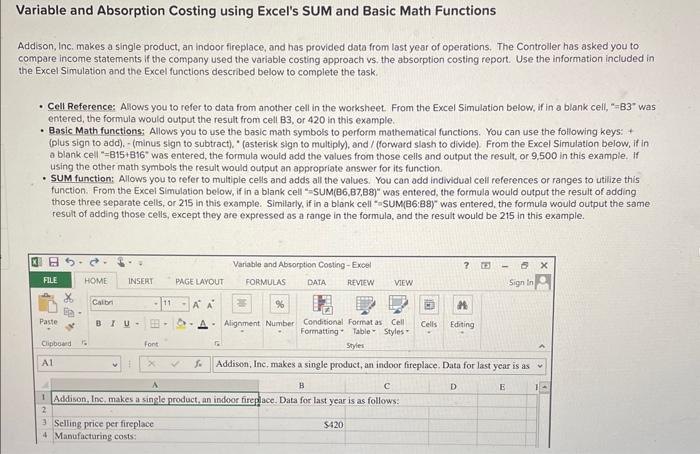
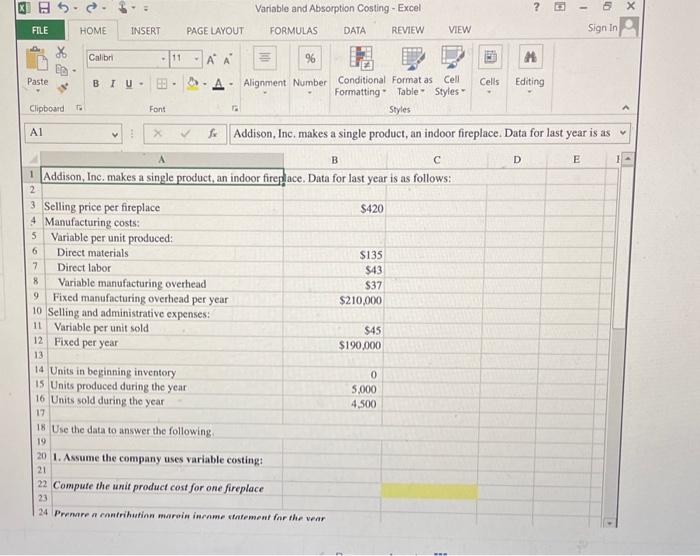
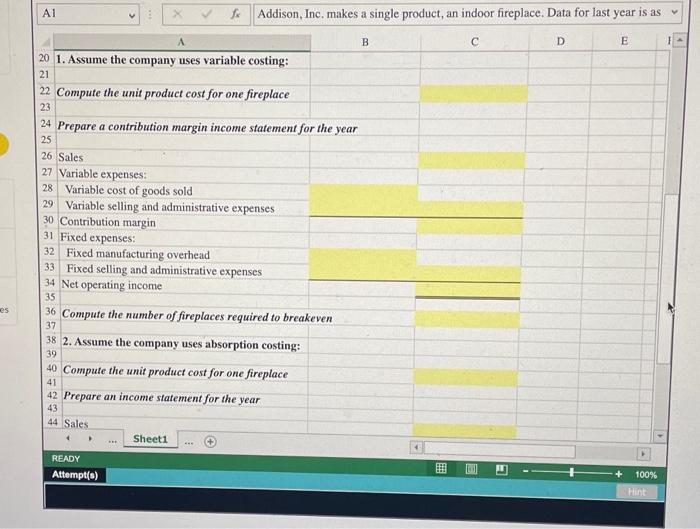
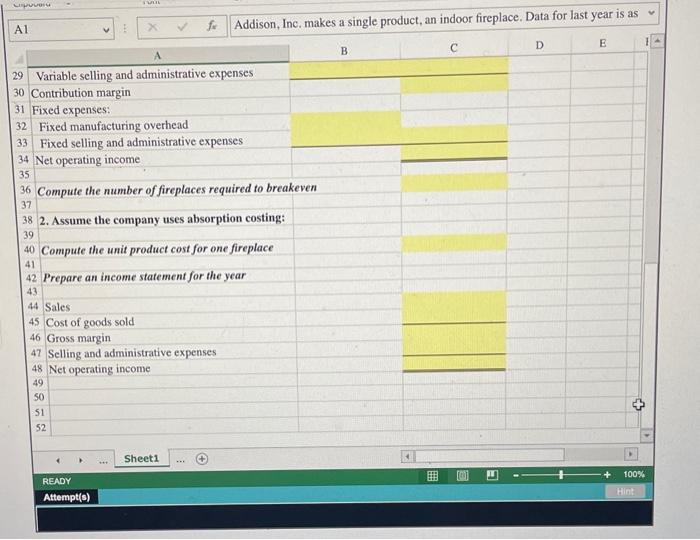
Variable and Absorption Costing using Excel's SUM and Basic Math Functions Addison, Inc. makes a single product, an indoor fireplace, and has provided data from last year of operations. The Controller has asked you to compare income statements if the compony used the variable costing approach vs, the absorption costing report. Use the information included in the Excel Simulation and the Excel functions described below to complete the task. - Cell Referense: Allows you to refer to data from another cell in the worksheet. From the Excel Simulation below, if in a blank cell, "=B3" was entered, the formula would output the result from cell B3, or 420 in this example. - Basic Math functions; Allows you to use the basic math symbols to perform mathematical functions. You can use the following keys: + (plus sign to add), - (minus sign to subtract). "(asterisk sign to multiply), and / (forward slash to divide). From the Excel Simulation below, if in a blank cell "=815+816" was entered, the formula would add the values from those cells and output the result, or 9,500 in this example. If using the other math symbols the result would output an appropriate answer for its function. - SUM function: Allows you to refer to multiple cells and adds all the values. You can add individual cell references or ranges to utilize this function. From the Excel Simulation below, if in a blank cell "=SUM(B6,B7,B8)" was entered, the formula would output the result of adding those three separate cells, or 215 in this example. Simillarly, if in a blank cell "aSUM(B6:88)" was entered, the formula would output the same result of adding those cells, except they are expressed as a range in the formula, and the result would be 215 in this example. Q 8b=c= Variable and Absorption Costing- Excel Al \begin{tabular}{l|l|l} x & Addison, Inc. makes a single product, an indoor fireplace. Data for last year is as \end{tabular} 1. Assume the company uses variable costing: Compute the unit product cost for one fireplace Prepare a contribution margin income statement for the year Sales Variable expenses: 28 Variable cost of goods sold 29 Variable selling and administrative expenses 30 Contribution margin 31 Fixed expenses: 32 Fixed manufacturing overhead 33 Fixed selling and administrative expenses Net operating income Compute the number of fireplaces required to breakeven 2. Assume the company uses absorption costing: Compute the unit product cost for one fireplace Prepare an income statement for the year 44 Sales READY Attempt(s) Al A f* Addison, Inc, makes a single product, an indoor fireplace. Data for last year is as 29 Variable selling and administrative expenses 30 Contribution margin 31 Fixed expenses: 32 Fixed manufacturing overhead 33 Fixed selling and administrative expenses Net operating income Compute the number of fireplaces required to breakeven 2. Assume the company uses absorption costing: Compute the unit product cost for one fireplace Prepare an income statement for the year Sales 45 Cost of goods sold 46 Gross margin 47 Selling and administrative expenses 48 Net operating income 49505152 CDE1
Step by Step Solution
There are 3 Steps involved in it

Get step-by-step solutions from verified subject matter experts
 Study Help