



Question: Must write the Excel keys to put values for every part Here are some tips for using Excel: - Cell Reference: Allows you to refer
Must write the Excel keys to put values for every part
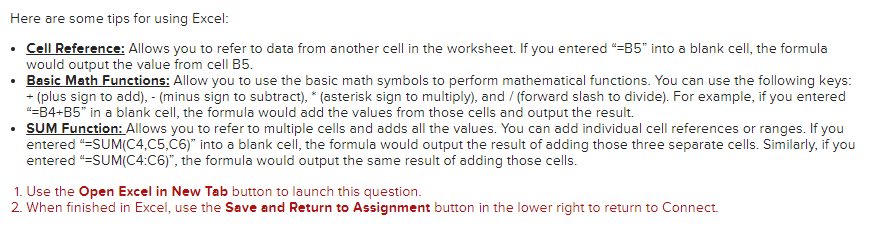
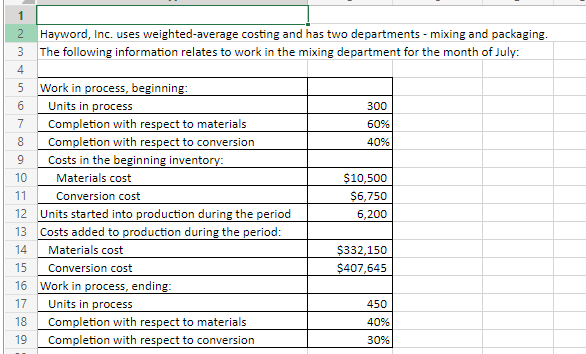
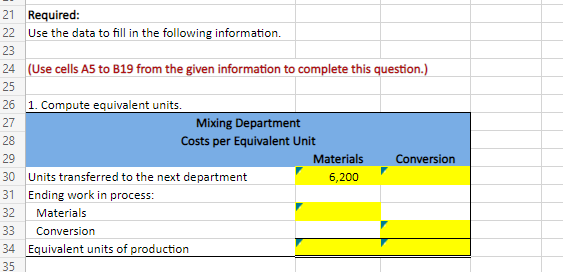
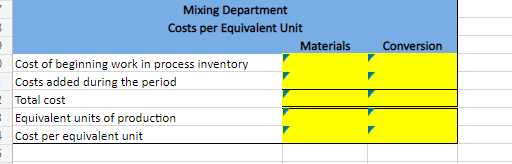
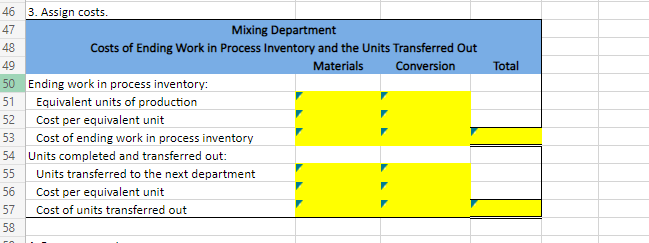
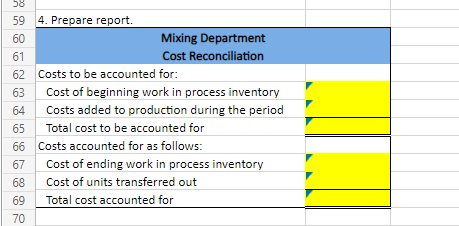
Here are some tips for using Excel: - Cell Reference: Allows you to refer to data from another cell in the worksheet. If you entered "=B5" into a blank cell, the formula would output the value from cell B5. - Basic Math Functions: Allow you to use the basic math symbols to perform mathematical functions. You can use the following keys: + (plus sign to add), - (minus sign to subtract), "(asterisk sign to multiply), and / (forward slash to divide). For example, if you entered "B4+B5" in a blank cell, the formula would add the values from those cells and output the result. - SUM Function: Allows you to refer to multiple cells and adds all the values. You can add individual cell references or ranges. If you entered "=SUM(C4,C5,C6)" into a blank cell, the formula would output the result of adding those three separate cells. Similarly, if you entered "=SUM(C4:C6)", the formula would output the same result of adding those cells. 1. Use the Open Excel in New Tab button to launch this question. 2. When finished in Excel, use the Save and Return to Assignment button in the lower right to return to Connect. 21 Required: 22 Use the data to fill in the following information. 23 24 (Use cells A5 to B19 from the given information to complete this question.) 26 1. Compute equivalent units. 46 3. Assign costs. 47 Mixing Department 48 Costs of Ending Work in Process Inventory and the Units Transferred Out \begin{tabular}{l|l|l|l|l|} \hline 49 & & Materials & Conversion & Total \\ \hline 50 & Ending work in process inventory: & & \\ \hline 51 & Equivalent units of production & & \\ \hline 52 & Cost per equivalent unit & Cost of ending work in process inventory & \\ \hline 54 & Units completed and transferred out: & \\ \hline 55 & Units transferred to the next department & & \\ \hline 56 & Cost per equivalent unit & Cost of units transferred out & \\ \hline \end{tabular} 4. Prepare report. 60 Mixing Department 61 Costs to be accounted for
Step by Step Solution
There are 3 Steps involved in it

Get step-by-step solutions from verified subject matter experts