







Question: My assignment is above. Please provide any additional code and a how-to for remaining instructions below: In this assignment you are going expand your knowledge
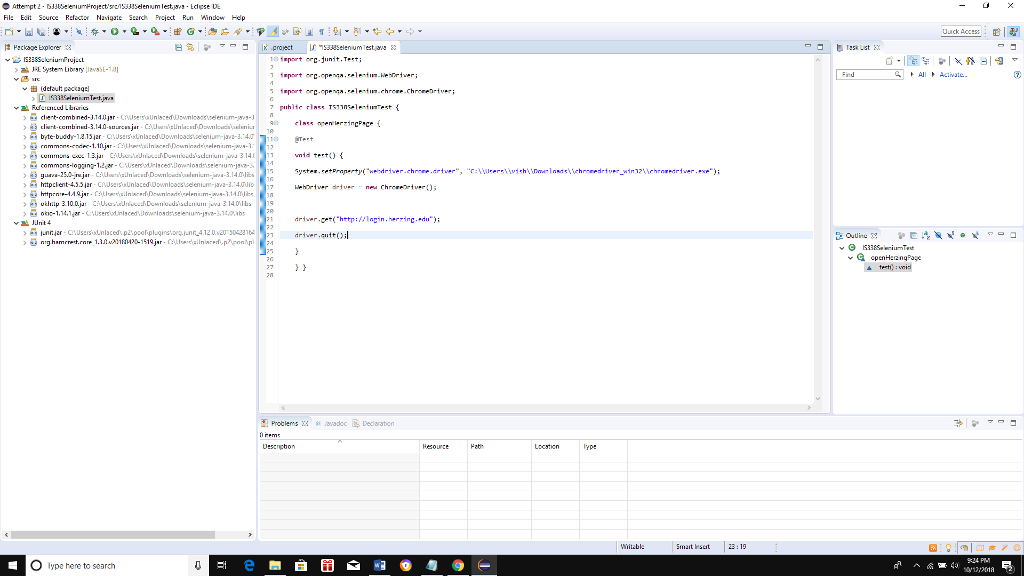
My assignment is above. Please provide any additional code and a how-to for remaining instructions below:
In this assignment you are going expand your knowledge on using Selenium WebDriver in Java
This assignment is an extension to Unit 5 assignment. You need to modify the test case you created in Unit 5 and locate the elements on the HU login page using XPath in WebDriver (XPath is the XML Path language).
Modify the Test case program IS338SeleniumTest.java in Eclipse to locate and test the elements on Herzing University Login Page HULogin. You will have three test case scenarios to test invalid login, changing password, and forgot password.
How to find the xpath in Chrome
https://www.youtube.com/watch?v=9N7ERYWbjuw
https://www.youtube.com/watch?v=7F6-dqc-wn8
https://www.youtube.com/watch?v=UGWWxBpRB_k
https://www.youtube.com/watch?v=73s27-pDLXs
Test Case Scenario 1: using Chrome driver find the following elements on HULogin by XPath
Username textbox using the sendKeys() method provide your Username.
Password texbox using the sendKeys() method leave this field empty
Login button use the click() method
Change Password button
Forgot Password? button
Dont close the site automatically
Run your application. The HULogin website will open in Chrome (you would get Missing Password message should display on the screen...) Take a screenshot of the results
Test Case Scenario 2: Using Chrome driver find the following elements on HULogin by XPath
Username textbox using the sendKeys() method provide your valid Username.
Password texbox using the sendKeys() method leave this field empty
Change Password button - use the click() method
Dont close the site automatically
Run your application. The HULogin website will open in Chrome (Set Password window will open up.) Take a screenshot of the results
Test Case Scenario 3: using Chrome driver find the following elements on HULogin by XPath
Username textbox using the sendKeys() method provide your Username.
Password texbox using the sendKeys() method leave this field empty
Forgot Password? Button - use the click() method
Dont close the site automatically
Run your application. The HULogin website will open in Chrome (End-User Self Service Screen will open up.) Take a screenshot of the results
Fil: Ei Source Re Navigte S Preject R.n Wndow Hedp byte-budd-121312r 40 Test river.ge http:lagin.herzing.du driver quitol terti, : weil Wiitbl Smat sest 23:19 O lype hene to search Fil: Ei Source Re Navigte S Preject R.n Wndow Hedp byte-budd-121312r 40 Test river.ge http:lagin.herzing.du driver quitol terti, : weil Wiitbl Smat sest 23:19 O lype hene to search
Step by Step Solution
There are 3 Steps involved in it

Get step-by-step solutions from verified subject matter experts
 Study Help