







Question: My code is as I wrote above and it works. No problem, but when I turn Excel off and on, the list appears blank as
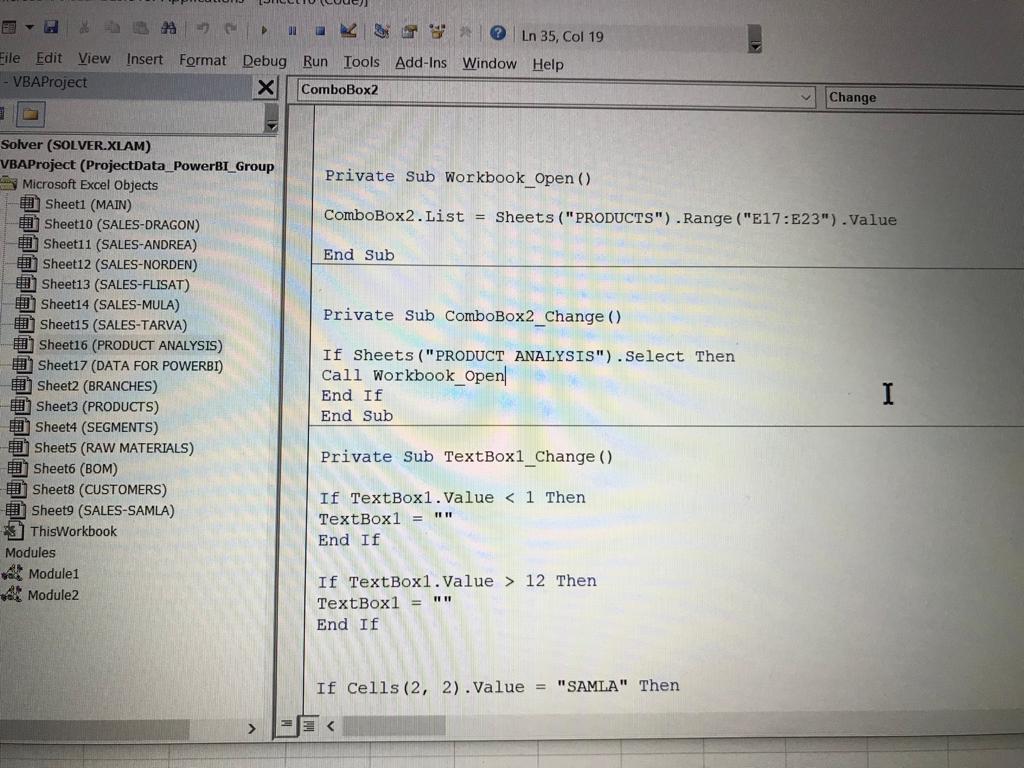
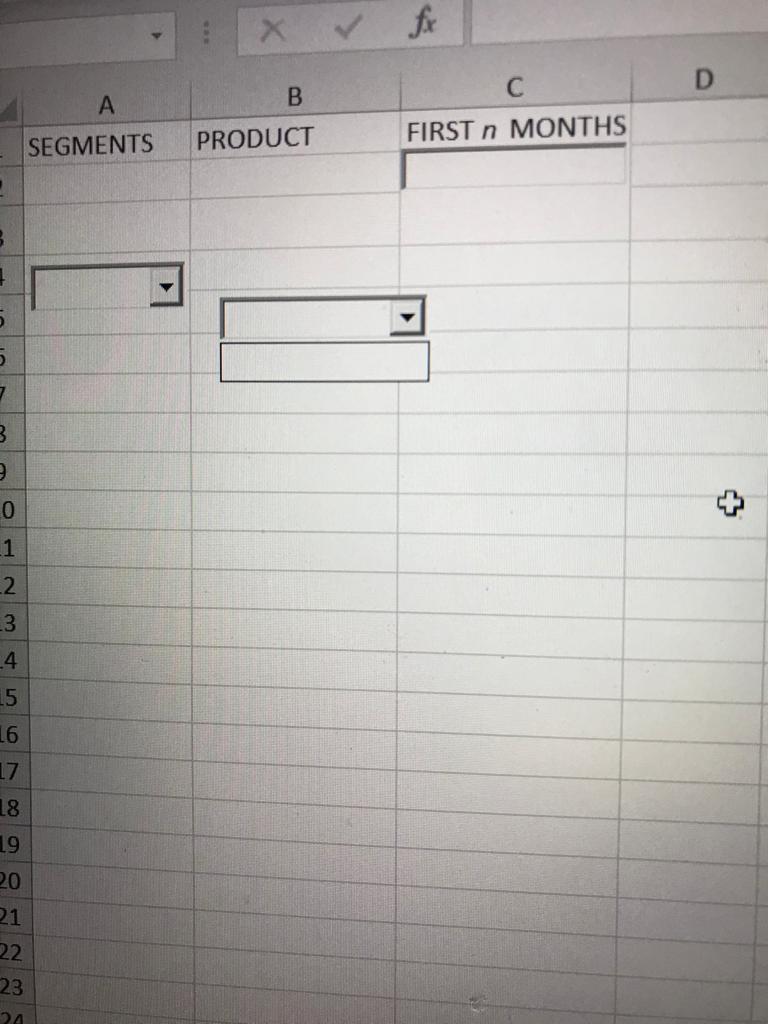
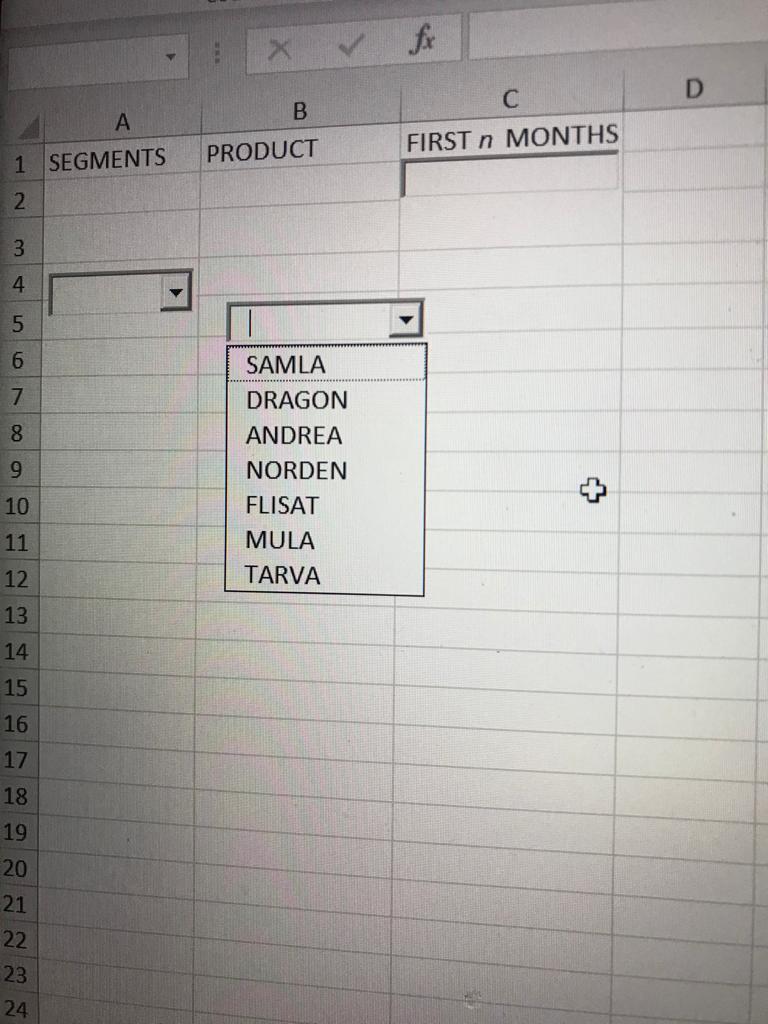
My code is as I wrote above and it works. No problem, but when I turn Excel off and on, the list appears blank as in the second photo. When I enter vba and run the code, the list is filled as in the third photo. When I open excel, I want the code to run on its own, but it doesn't work. I don't want to listfillrange because I will use if statement for this box. Can you make corrections on the code I wrote?
ak? Ln 35, Col 19 Eile Edit View Insert Format Debug Run Tools Add-Ins Window Help - VBAProject X ComboBox2 Change Private Sub Workbook_Open() ComboBox2.List = Sheets("PRODUCTS").Range("E17:E23").Value End Sub Private Sub ComboBox2_Change () Solver (SOLVER.XLAM) VBAProject (ProjectData_PowerBI_Group Microsoft Excel Objects Sheet1 (MAIN) Sheet10 (SALES-DRAGON) Sheet11 (SALES-ANDREA) Sheet12 (SALES-NORDEN) Sheet13 (SALES-FLISAT) Sheet14 (SALES-MULA) Sheet15 (SALES-TARVA) Sheet16 (PRODUCT ANALYSIS) Sheet17 (DATA FOR POWERBI) Sheet2 (BRANCHES) Sheet3 (PRODUCTS) Sheet4 (SEGMENTS) Sheet5 (RAW MATERIALS) Sheet6 (BOM) Sheet8 (CUSTOMERS) Sheet9 (SALES-SAMLA) * 7 ThisWorkbook Modules Module1 Module2 If Sheets ("PRODUCT ANALYSIS").Select Then Call Workbook_Open End If End Sub I Private Sub TextBox1_Change () If TextBox1.Value 12 Then TextBox1 = TR11 End If If Cells (2, 2).Value = "SAMLA" Then
Step by Step Solution
There are 3 Steps involved in it

Get step-by-step solutions from verified subject matter experts
 Study Help