







Question: my code wont compile please help. import java.util.Arrays; import java.util.Scanner; public class ArrayCalc { private static final double[] NaN = null; private static Scanner input;
![class ArrayCalc { private static final double[] NaN = null; private static](https://dsd5zvtm8ll6.cloudfront.net/si.experts.images/questions/2024/09/66f14baaedca1_57866f14baa66f2e.jpg)
my code wont compile please help.
import java.util.Arrays;
import java.util.Scanner;
public class ArrayCalc {
private static final double[] NaN = null;
private static Scanner input;
private static Scanner input2;
private static Scanner input3;
public static int getMenuOption() {
input = new Scanner(System. in );
int invalid = 0;
while (invalid
// Menu list
System.out.println("");
System.out.println(" Menu ");
System.out.println("1. Add");
System.out.println("2. Subtract");
System.out.println("3. Multiply");
System.out.println("4. Divide");
System.out.println("5. Dot product");
System.out.println("6. Generate Random Number");
System.out.println("7. Quit");
System.out.println("");
System.out.println("What would you like to do?");
int menuOption = input.nextInt();
if ((menuOption 0)) {
return (menuOption);
} else {
System.out.println("Sorry, " + menuOption + " is not an option.");
invalid++;
}
}
System.out.println("Too many invalid inputs. Try again later");
System.exit(0);
return (0);
}
public static double[] getOperand(String prompt, int size) {
return null;
}
public static double getOperand(String prompt) {
System.out.println(prompt);
input = new Scanner(System. in );
return (input.nextDouble());
}
//Addition
public static double[] addition(double[] operand1, double[] operand2) {
double[] resultset = new double[operand1.length];
for (int i = 0; i
resultset[i] = operand1[i] + operand2[i];
return resultset;
}
//Subtraction
public static double[] subtraction(double[] operand1, double[] operand2) {
double[] resultset = new double[operand1.length];
for (int i = 0; i
resultset[i] = operand1[i] - operand2[i];
return resultset;
}
//Multiplication
public static double[] multiplication(double[] operand1, double[] operand2) {
double[] resultset = new double[operand1.length];
for (int i = 0; i
resultset[i] = operand1[i] * operand2[i];
return resultset;
}
//Division
public static double[] division(double[] operand1, double[] operand2) {
if (operand2 != 0) {
double[] resultset = new double[operand1.length];
for (int i = 0; i
resultset[i] = operand1[i] / operand2[i];
return resultset;
} else {
System.out.println("Divisor cannot be zero");
return (double. null);
}
//Dot Product
public static double[] dotProduct(double[] operand1, double[] operand2) {
double[] resultset = new double[operand1.length];
for (int i = 0; i
resultset[i] = operand1[i] + operand2[i] + operand1[i] * operand2[i];
return resultset;
}
//Random
public static double random(double lowerLimit, double upperLimit, int size) {
double lower = getOperand("What is the lower limit?");
double upper = getOperand("What is the upper limit?");
double randomVal = ((double)(Math.random() * (upper - lower)) + lower);
return (randomVal);
}
public static void main(String[] args) {
input2 = new Scanner(System. in );
double[] array1 = null;
double[] array2 = null;
int arraysize = 0;
int menuOption = getMenuOption();
while ((menuOption 0)) {
if (menuOption
System.out.println("How many values are in the arrays?");
arraysize = input2.nextInt();
//1st array
array1 = new double[arraysize];
System.out.println("Enter the values in the first array, separated by spaces: ");
input2.nextLine();
String number = input2.nextLine();
for (int i = 0; i
array1[i] = Integer.parseInt(number.split(" ")[i]);
//2nd array
array2 = new double[arraysize];
System.out.println("Enter the values in the secound array, separated by spaces: ");
number = input2.nextLine();
for (int i = 0; i
array2[i] = Integer.parseInt(number.split(" ")[i]);
}
}
if (menuOption == 1) {
double[] results = addition(array1, array2);
for (int i = 0; i
System.out.print(results[i] + " ");
menuOption = getMenuOption();
} else if (menuOption == 2) {
double[] difference = subtraction(array1, array2);
for (int i = 0; i
System.out.println(difference[i] + " ");
//Subtraction
menuOption = getMenuOption();
} else if (menuOption == 3) {
double[] product = multiplication(array1, array2);
for (int i = 0; i
System.out.println(product[i] + " ");
//Multiplication
menuOption = getMenuOption();
} else if (menuOption == 4) {
double[] quotient = division(array1, array2);
for (int i = 0; i
System.out.println(quotient[i] + " ");
//Division
menuOption = getMenuOption();
} else if (menuOption == 5) {
} else if (menuOption == 6) {
double randomVal = random(array1, array2);
System.out.println(randomVal);
//Displays a random integer between an upper and a lower limit
menuOption = getMenuOption();
} else if (menuOption == 7) {
System.out.println("Goodbye!");
System.exit(0);
}
}
private static double random(double[] array1, double[] array2) {
// TODO Auto-generated method stub
return 0;
}
}
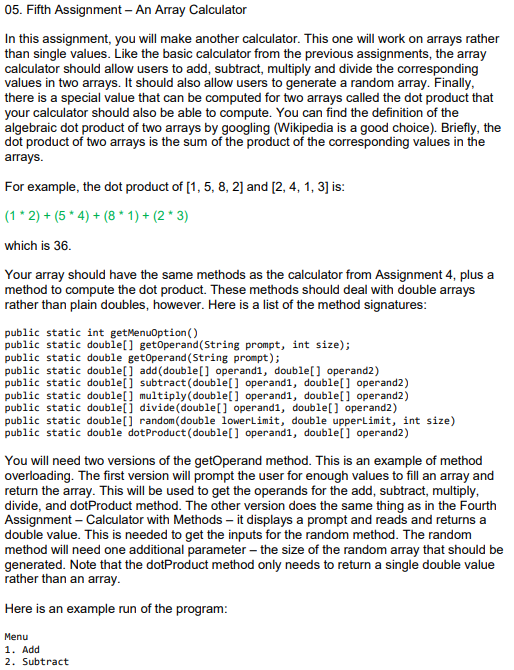
05. Fifth Assignment - An Array Calculator In this assignment, you will make another calculator. This one will work on arrays rather than single values. Like the basic calculator from the previous assignments, the array calculator should allow users to add, subtract, multiply and divide the corresponding values in two arrays. It should also allow users to generate a random array. Finally there is a special value that can be computed for two arrays called the dot product that your calculator should also be able to compute. You can find the definition of the algebraic dot product of two arrays by googling (Wikipedia is a good choice). Briefly, the dot product of two arrays is the sum of the product of the corresponding values in the For example, the dot product of [1, 5, 8, 2] and [2, 4, 1, 3] is (1 2) + (5 4)(8 1+(2 3) which is 36 Your array should have the same methods as the calculator from Assignment 4, plus a method to compute the dot product. These methods should deal with double arrays rather than plain doubles, however. Here is a list of the method signatures public static int getMenuoption() public static double[] getOperand(String prompt, int size); public static double getoperand(String prompt); public static double[] add (double] operandl, double] operand2) public static double] subtract(double[] operand1, doublel] operand2) public static double[] multiply (double] operandl, double[] operand2) public static double[] divide (doublel] operand1, double] operand2) public static double] random (double lowerLimit, double upperLimit, int size) public static double dotProduct(double[] operand1, doublel] operand2) You will need two versions of the getOperand method. This is an example of method overloading. The first version will prompt the user for enough values to fill an array and return the array. This will be used to get the operands for the add, subtract, multiply divide, and dotProduct method. The other version does the same thing as in the Fourth Assignment Calculator with Methods - it displays a prompt and reads and returns a double value. This is needed to get the inputs for the random method. The random method will need one additional parameter- the size of the random array that should be generated. Note that the dotProduct method only needs to return a single double value rather than an array Here is an example run of the program: Menu 1. Add 2. Subtract
Step by Step Solution
There are 3 Steps involved in it

Get step-by-step solutions from verified subject matter experts
 Study Help