



Question: My coding for Code HS lesson 4.7.4 Leash var BALL_RADIUS = 30; var line; var ball; var x; var y; function start() { ball =
My coding for Code HS lesson 4.7.4 Leash
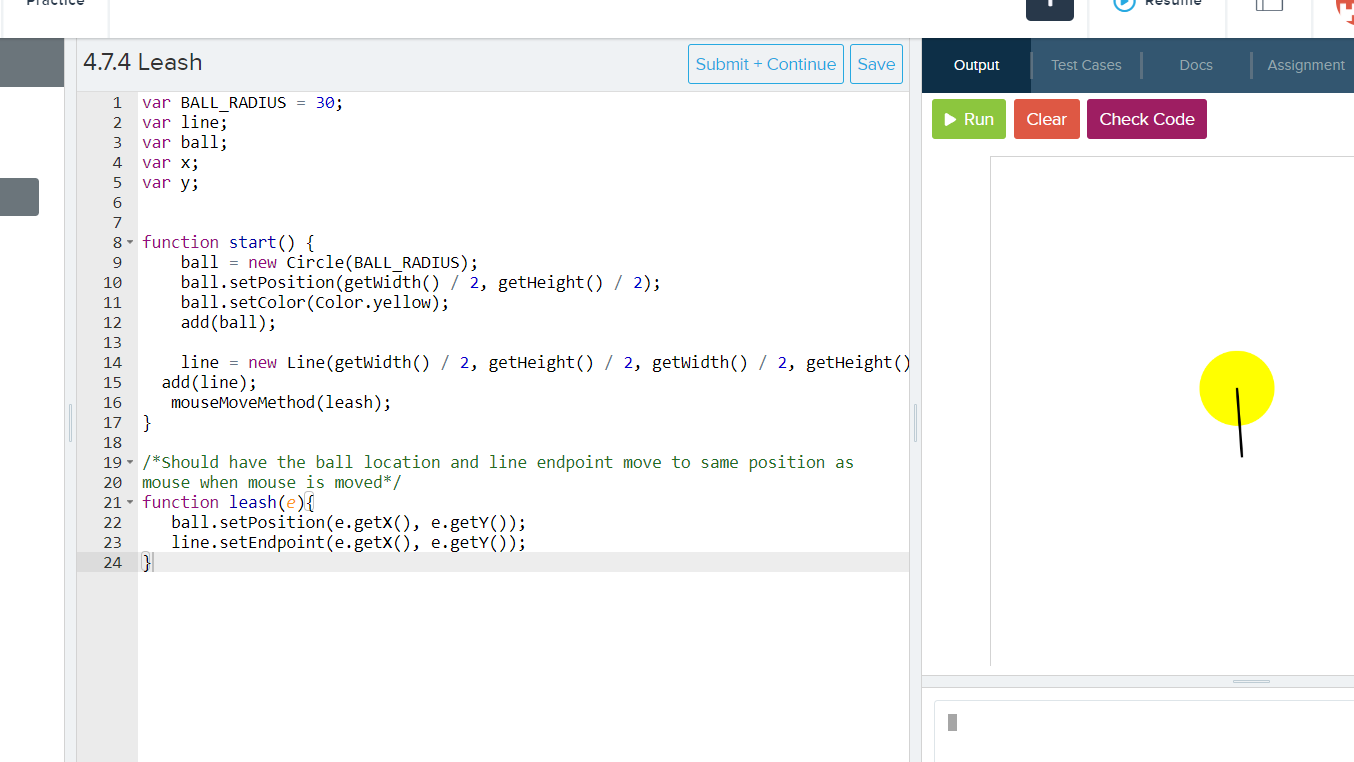
var BALL_RADIUS = 30; var line; var ball; var x; var y; function start() { ball = new Circle(BALL_RADIUS); ball.setPosition(getWidth() / 2, getHeight() / 2); ball.setColor(Color.yellow); add(ball);
line = new Line(getWidth() / 2, getHeight() / 2, getWidth() / 2, getHeight() / 2); add(line); mouseMoveMethod(leash); } /*Should have the ball location and line endpoint move to same position as mouse when mouse is moved*/ function leash(e){ ball.setPosition(e.getX(), e.getY()); line.setEndpoint(e.getX(), e.getY()); }
This code works correctly But I can't get the line to move from over the top of the ball. How would I fix the problem?
This is what it should look like:
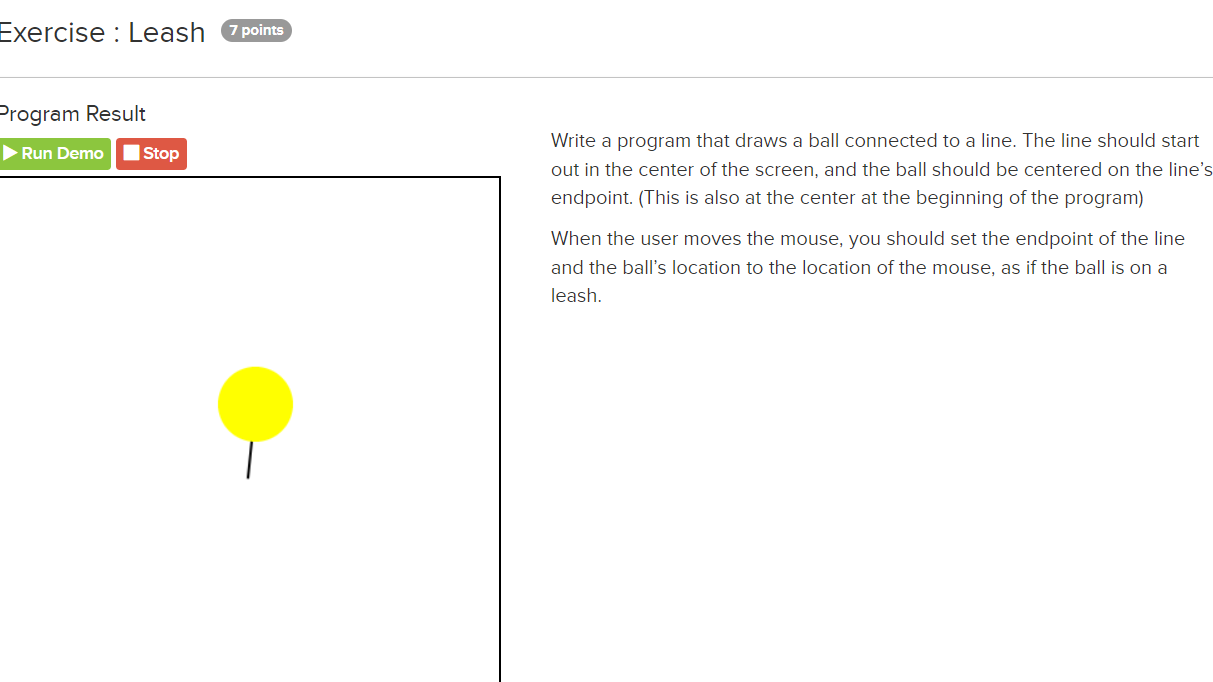
 Exercise : Leash 3rog ram Result m Write a program that draws a ball connected to a line. The line should start out in the center of the screen, and the ball should be centered on the line's endpoint. (This is also at the center at the beginning of the program) When the user moves the mouse, you should set the endpoint of the line and the balls location to the location of the mouse, as if the ball is on a leash. 4.7.4 Leash Submit + Continue Save Output Test Cases Docs Assignment var BALL RADIUS = 30; WNP var line; Run Clear Check Code var ball; 4 var x; 5 var y; 6 7 8 - function start() { 9 ball = new Circle(BALL_RADIUS) ; 10 ball . setPosition(getwidth() / 2, getHeight() / 2); 11 ball. setColor(Color . yellow); 12 add(ball) ; 13 14 line = new Line(getwidth() / 2, getHeight() / 2, getwidth() / 2, getHeight() 15 add (line) ; 16 mouseMoveMethod (leash) ; 17 18 19 - /*Should have the ball location and line endpoint move to same position as 20 mouse when mouse is moved*/ 21 - function leash(e){ 22 ball. setPosition(e. getx(), e. getY() ); 23 line. setEndpoint (e. getx( ), e.gety()); 24 3
Step by Step Solution
There are 3 Steps involved in it

Get step-by-step solutions from verified subject matter experts