







Question: My courses a Course dashboard Question 2 screen Object Not yet answered Marked out of 1.00 In an effort to avoid embarrassing situations such as
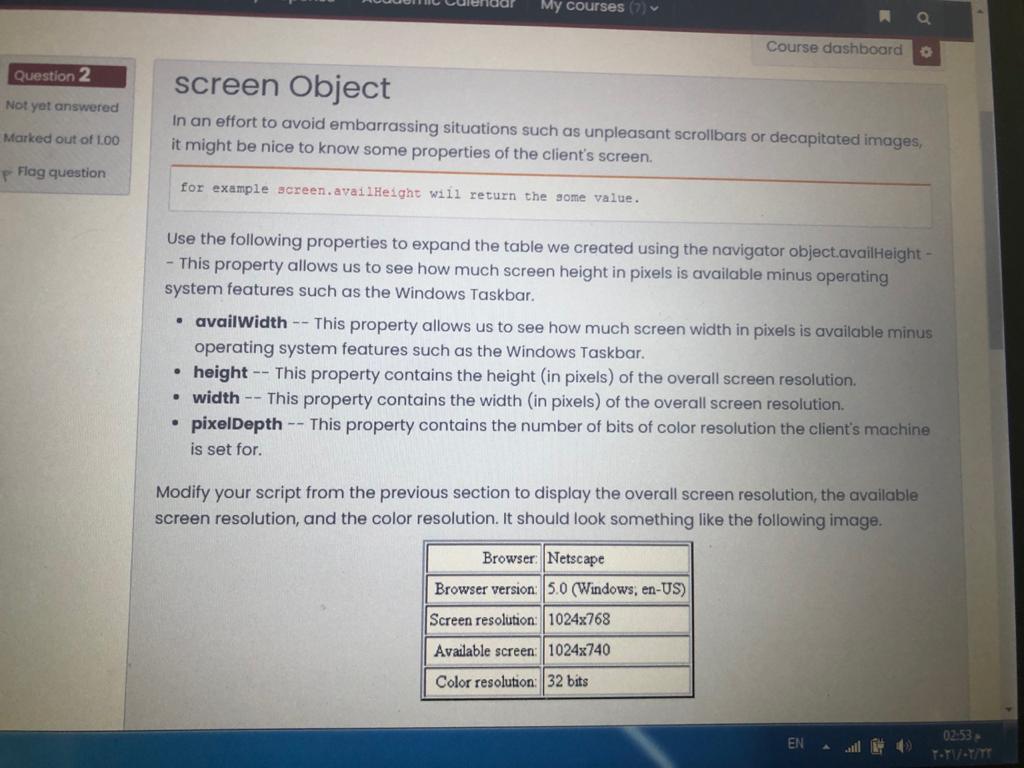
My courses a Course dashboard Question 2 screen Object Not yet answered Marked out of 1.00 In an effort to avoid embarrassing situations such as unpleasant scrollbars or decapitated images, it might be nice to know some properties of the client's screen. p Flag question for example screen.availHeight will return the some value. Use the following properties to expand the table we created using the navigator object.availHeight - - This property allows us to see how much screen height in pixels is available minus operating system features such as the Windows Taskbar. availWidth -- This property allows us to see how much screen width in pixels is available minus operating system features such as the Windows Taskbar. height -- This property contains the height (in pixels) of the overall screen resolution. width -- This property contains the width (in pixels) of the overall screen resolution. pixelDepth -- This property contains the number of bits of color resolution the client's machine is set for. . Modify your script from the previous section to display the overall screen resolution, the available screen resolution, and the color resolution. It should look something like the following image. Browser: Netscape Browser version: 5.0 (Windows, en-US) Screen resolution: 1024x768 Available screen: 1024x740 Color resolution: 32 bits 02:53 EN
Step by Step Solution
There are 3 Steps involved in it

Get step-by-step solutions from verified subject matter experts
 Study Help