







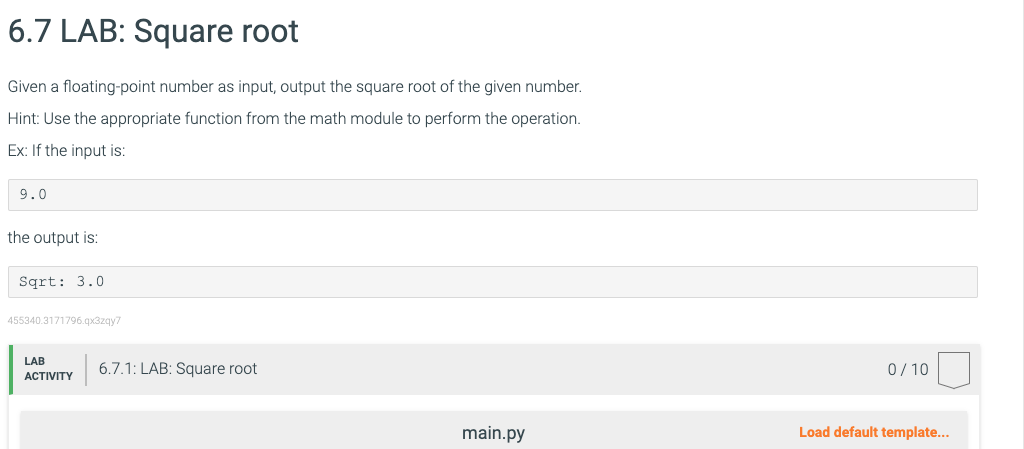
Question: My Work: The Errors: 6.7 LAB: Square root Given a floating-point number as input, output the square root of the given number. Hint: Use the
My Work: The Errors: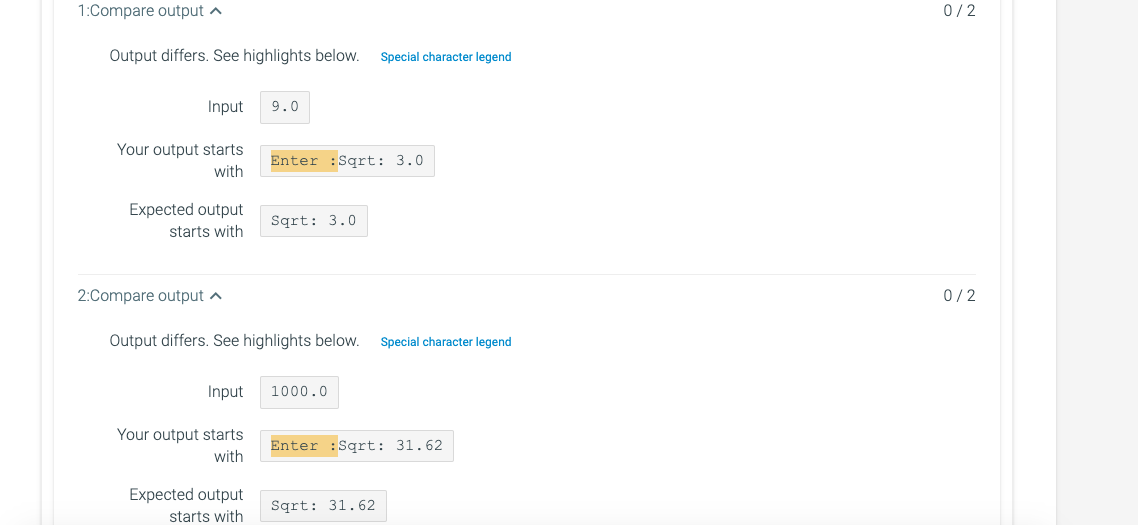
6.7 LAB: Square root Given a floating-point number as input, output the square root of the given number. Hint: Use the appropriate function from the math module to perform the operation. Ex: If the input is: 9.0 the output is: Sqrt: 3.0 455340.3171796.q329y7 \begin{tabular}{l|ll} LAB & 6.7.1: LAB: Square root & 0/10 \end{tabular} main.py Load default template... 1 import math 2 n=float(input("Enter :")) \#accept input from user 3 4 s=math. sqrt(n) \#calculate square root value 5 6 print("Sqrt:", s ) \#print output main.py Load default template... Output differs. See highlights below. Input Your output starts with Expected output starts with 2:Compare output Output differs. See highlights below. Input Your output starts with Expected output starts with
Step by Step Solution
There are 3 Steps involved in it

Get step-by-step solutions from verified subject matter experts
 Study Help