







Question: Name CENG 258 25 Marks. 120 mins. - Student ID: Do NOT share your solution, source code and/or idea. This is an individual effort
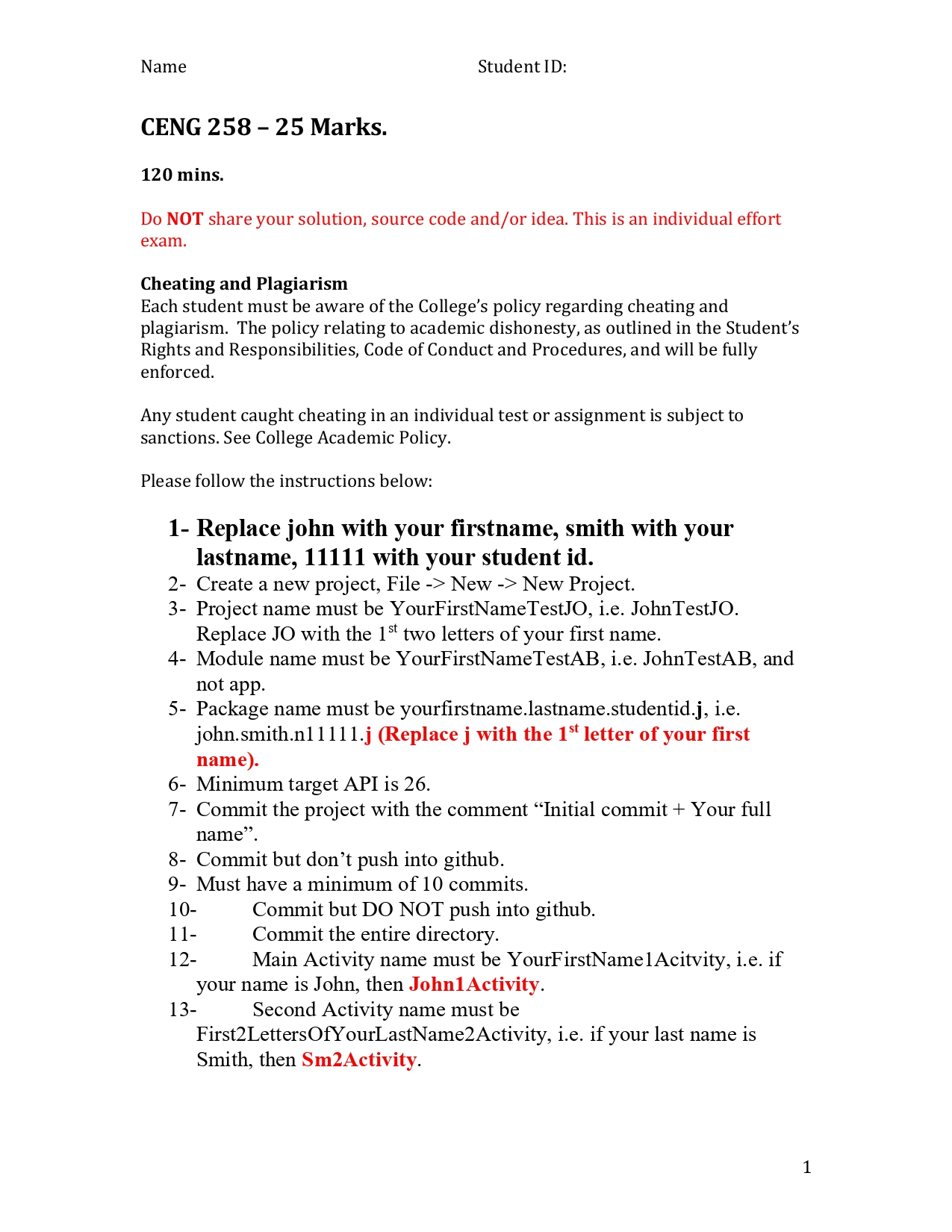
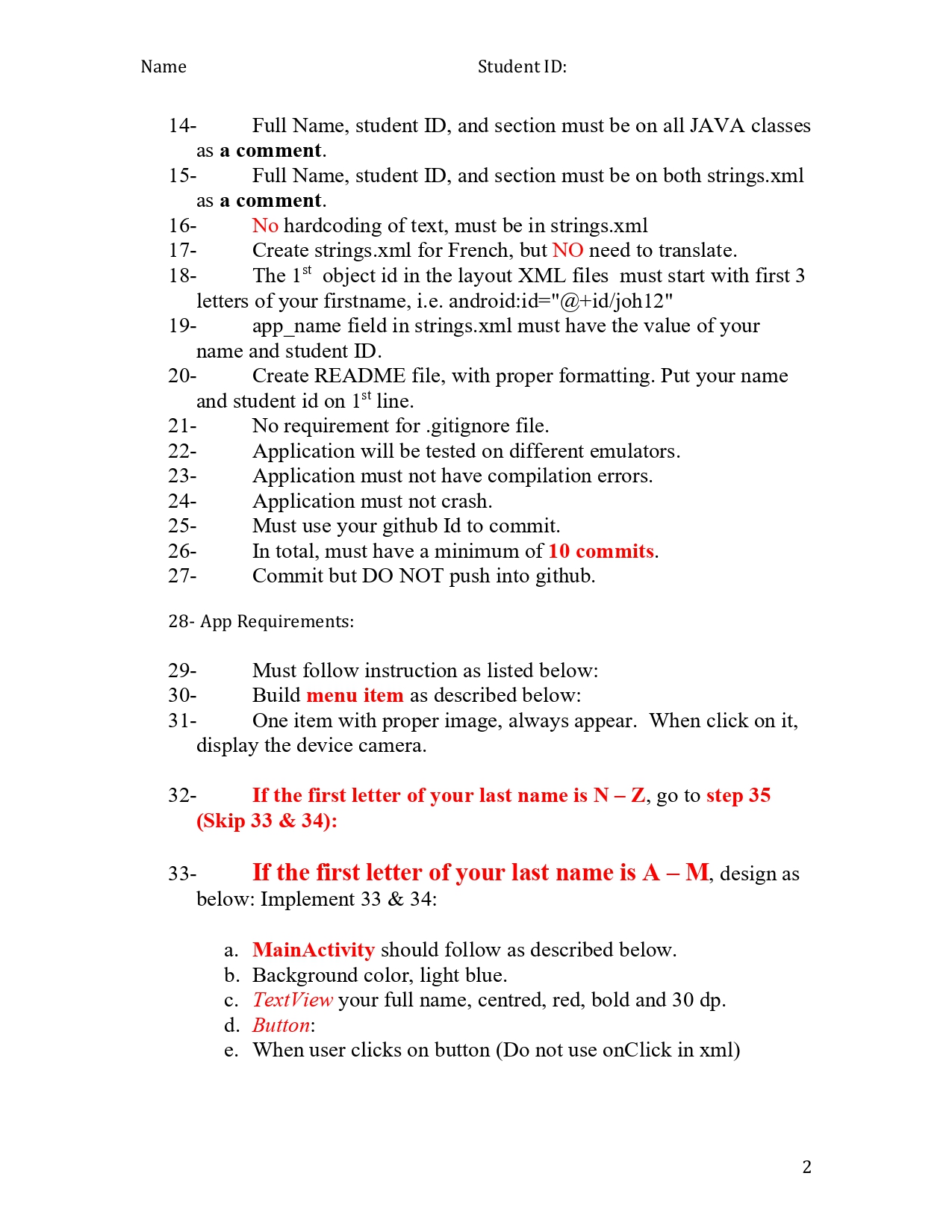
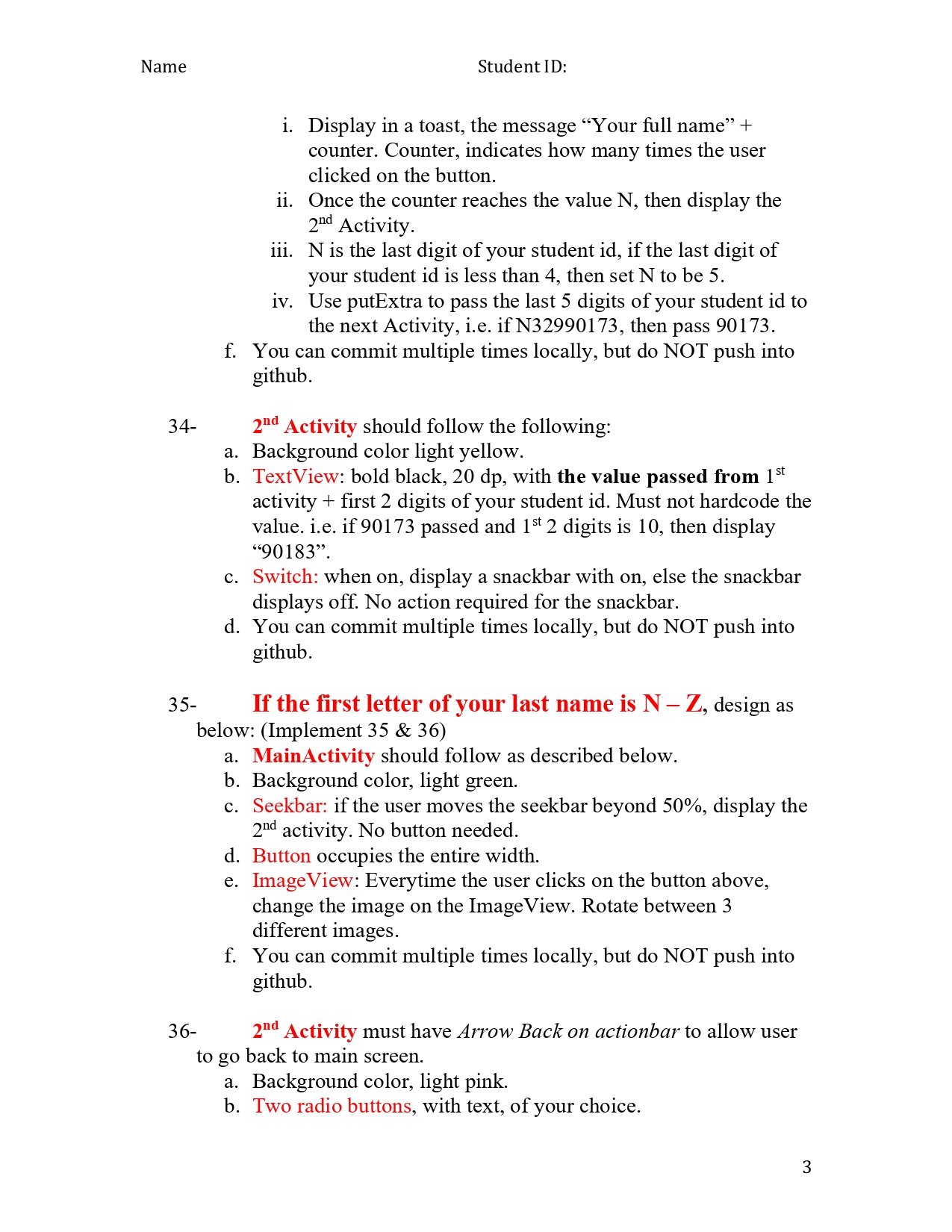
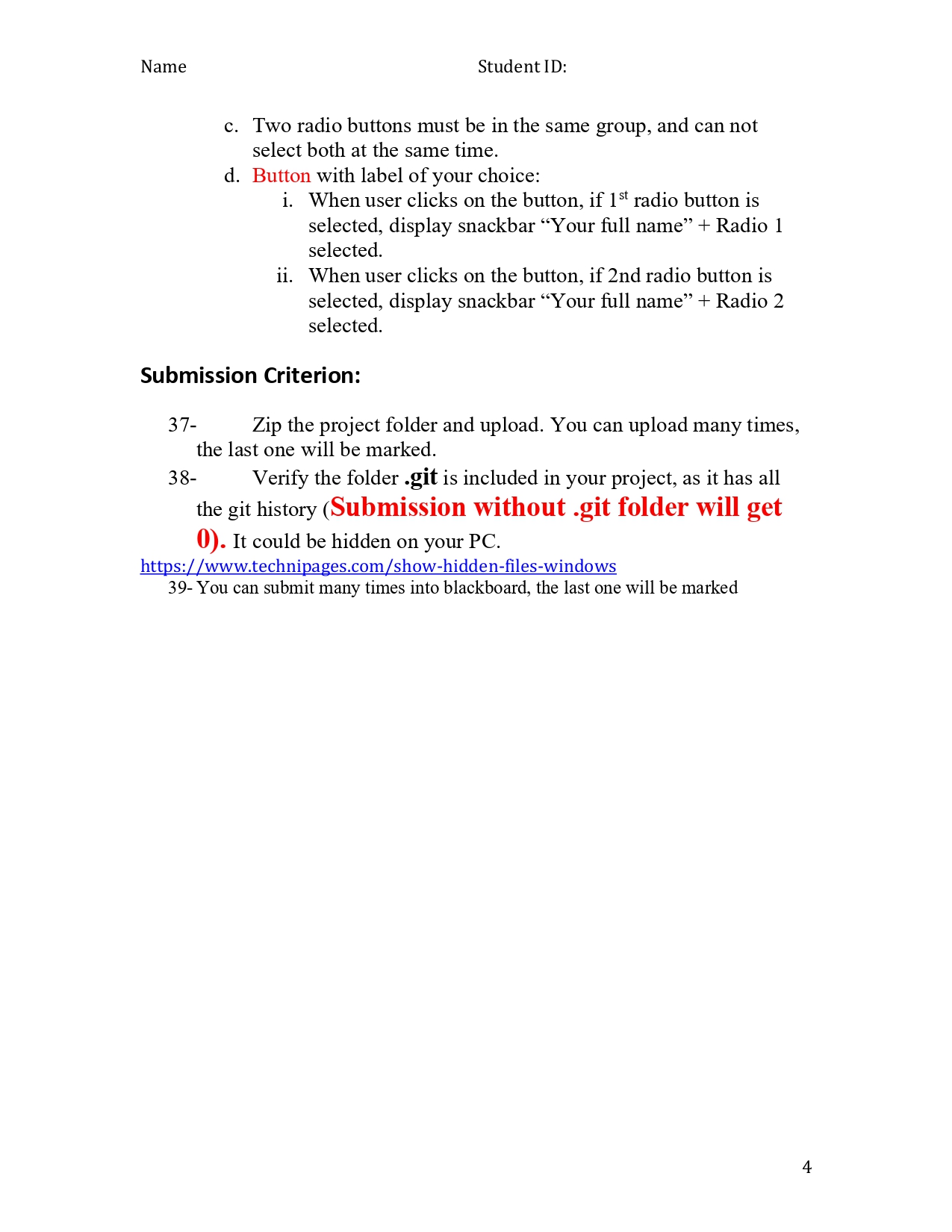
Name CENG 258 25 Marks. 120 mins. - Student ID: Do NOT share your solution, source code and/or idea. This is an individual effort exam. Cheating and Plagiarism Each student must be aware of the College's policy regarding cheating and plagiarism. The policy relating to academic dishonesty, as outlined in the Student's Rights and Responsibilities, Code of Conduct and Procedures, and will be fully enforced. Any student caught cheating in an individual test or assignment is subject to sanctions. See College Academic Policy. Please follow the instructions below: 1- Replace john with your firstname, smith with your lastname, 11111 with your student id. 2- Create a new project, File -> New -> New Project. 3- Project name must be YourFirstName TestJO, i.e. JohnTestJO. Replace JO with the 1st two letters of your first name. 4- Module name must be YourFirstNameTestAB, i.e. JohnTestAB, and not app. 5- Package name must be yourfirstname.lastname.studentid.j, i.e. john.smith.n11111.j (Replace j with the 1st letter of your first name). 6- Minimum target API is 26. 7- Commit the project with the comment "Initial commit+ Your full name". 8- Commit but don't push into github. 9- Must have a minimum of 10 commits. 10- 11- 12- Commit but DO NOT push into github. Commit the entire directory. Main Activity name must be YourFirstName1Acitvity, i.e. if your name is John, then John1Activity. 13- Second Activity name must be First2 Letters Of YourLastName2Activity, i.e. if your last name is Smith, then Sm2Activity. 1 Name 14- Full Name, student ID, and section must be on all JAVA classes as a comment. 15- Full Name, student ID, and section must be on both strings.xml as a comment. 16- 17- 18- 19- The 1st object id in the layout XML files must start with first 3 letters of your firstname, i.e. android:id="@+id/joh12" app_name field in strings.xml must have the value of your name and student ID. 21- 22- 23- 24- 25- 26- 27- 20- Create README file, with proper formatting. Put your name and student id on 1st line. Student ID: 29- 30- 31- No hardcoding of text, must be in strings.xml Create strings.xml for French, but NO need to translate. 28-App Requirements: 32- No requirement for .gitignore file. Application will be tested on different emulators. Application must not have compilation errors. Application must not crash. Must use your github Id to commit. In total, must have a minimum of 10 commits. Commit but DO NOT push into github. One item with proper image, always appear. When click on it, display the device camera. 33- Must follow instruction as listed below: Build menu item as described below: If the first letter of your last name is N-Z, go to step 35 (Skip 33 & 34): If the first letter of your last name is A - M, design as below: Implement 33 & 34: a. MainActivity should follow as described below. b. Background color, light blue. c. TextView your full name, centred, red, bold and 30 dp. d. Button: e. When user clicks on button (Do not use onClick in xml) 2 Name 34- Student ID: 35- i. Display in a toast, the message "Your full name" + counter. Counter, indicates how many times the user clicked on the button. ii. Once the counter reaches the value N, then display the 2nd Activity. iii. N is the last digit of your student id, if the last digit of your student id is less than 4, then set N to be 5. iv. Use putExtra to pass the last 5 digits of your student id to the next Activity, i.e. if N32990173, then pass 90173. f. You can commit multiple times locally, but do NOT push into github. 2nd Activity should follow the following: a. Background color light yellow. b. TextView: bold black, 20 dp, with the value passed from 1st activity + first 2 digits of your student id. Must not hardcode the value. i.e. if 90173 passed and 1st 2 digits is 10, then display "90183". c. Switch: when on, display a snackbar with on, else the snackbar displays off. No action required for the snackbar. d. You can commit multiple times locally, but do NOT push into github. If the first letter of your last name is N-Z, design as below: (Implement 35 & 36) a. MainActivity should follow as described below. b. Background color, light green. c. Seekbar: if the user moves the seekbar beyond 50%, display the 2nd activity. No button needed. d. Button occupies the entire width. e. Image View: Everytime the user clicks on the button above, change the image on the ImageView. Rotate between 3 different images. f. You can commit multiple times locally, but do NOT push into github. 36- 2nd Activity must have Arrow Back on actionbar to allow user to go back to main screen. a. Background color, light pink. b. Two radio buttons, with text, of your choice. 3 Name Student ID: c. Two radio buttons must be in the same group, and can not select both at the same time. d. Button with label of your choice: i. When user clicks on the button, if 1st radio button is selected, display snackbar "Your full name" + Radio 1 selected. ii. When user clicks on the button, if 2nd radio button is selected, display snackbar "Your full name" + Radio 2 selected. Submission Criterion: 37- Zip the project folder and upload. You can upload many times, the last one will be marked. 38- Verify the folder .git is included in your project, as it has all the git history (Submission without .git folder will get 0). It could be hidden on your PC. https://www.technipages.com/show-hidden-files-windows 39- You can submit many times into blackboard, the last one will be marked 4
Step by Step Solution
There are 3 Steps involved in it

Get step-by-step solutions from verified subject matter experts
 Study Help