







Question: need code. mainly question 8 answered For this assignment, you will create a Windows from application based on the following criteria: 1. Open the Total
need code. mainly question 8 answered
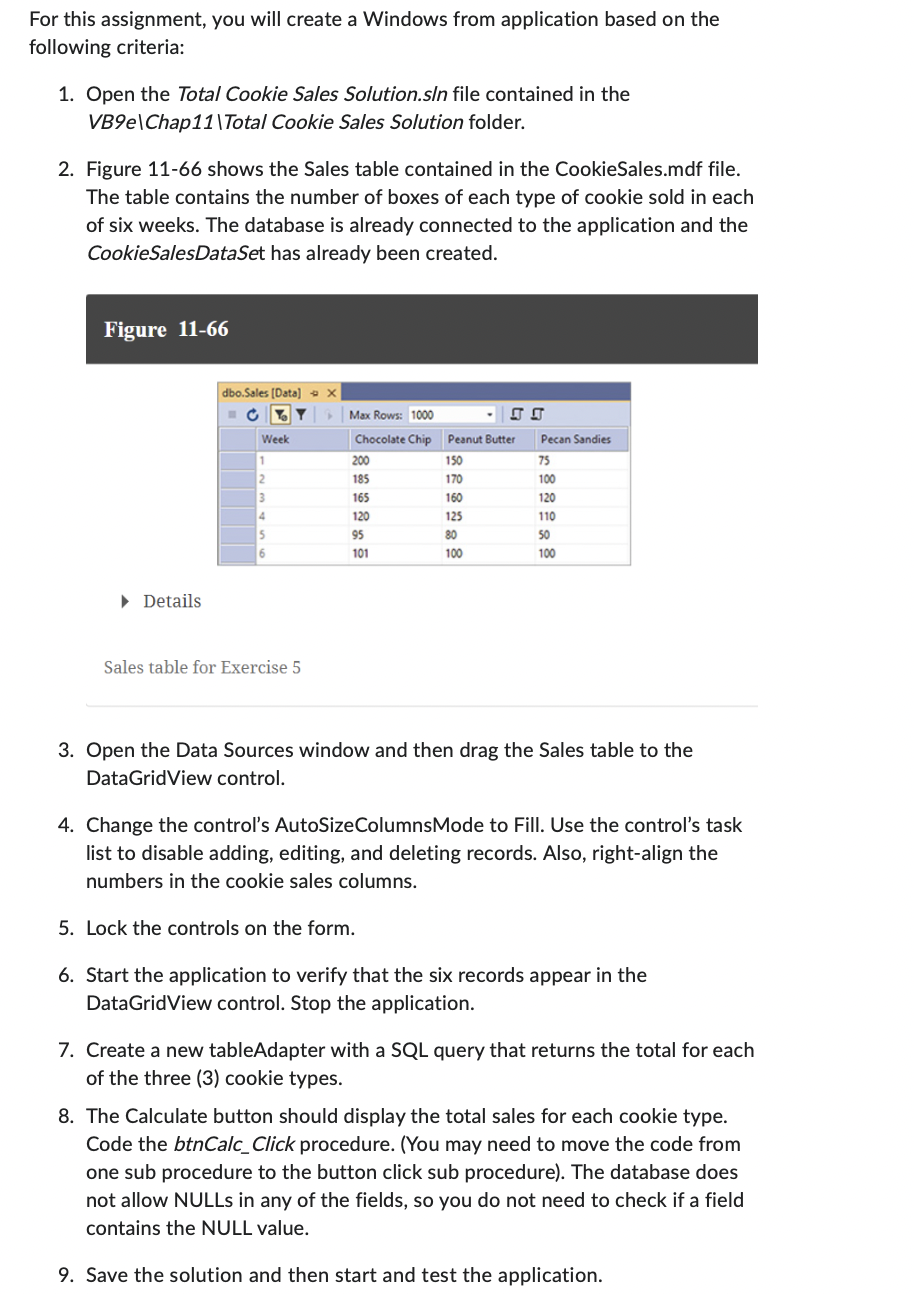
For this assignment, you will create a Windows from application based on the following criteria: 1. Open the Total Cookie Sales Solution.sln file contained in the VB9elChap11|Total Cookie Sales Solution folder. 2. Figure 11-66 shows the Sales table contained in the CookieSales.mdf file. The table contains the number of boxes of each type of cookie sold in each of six weeks. The database is already connected to the application and the CookieSalesDataSet has already been created. Figure 11-66 Details Sales table for Exercise 5 3. Open the Data Sources window and then drag the Sales table to the DataGridView control. 4. Change the control's AutoSizeColumnsMode to Fill. Use the control's task list to disable adding, editing, and deleting records. Also, right-align the numbers in the cookie sales columns. 5. Lock the controls on the form. 6. Start the application to verify that the six records appear in the DataGridView control. Stop the application. 7. Create a new tableAdapter with a SQL query that returns the total for each of the three (3) cookie types. 8. The Calculate button should display the total sales for each cookie type. Code the btnCalc_Click procedure. (You may need to move the code from one sub procedure to the button click sub procedure). The database does not allow NULLs in any of the fields, so you do not need to check if a field contains the NULL value. 9. Save the solution and then start and test the application
Step by Step Solution
There are 3 Steps involved in it

Get step-by-step solutions from verified subject matter experts
 Study Help