







Question: need coding in visual basic and form design with details. Write a program to look up an extension of a person at a company. User
need coding in visual basic and form design with details.
Write a program to look up an extension of a person at a company. User would click on each of the buttons with letters that represent the first four letters of their last name. You will be using the USPres.txt file that has the First and Last Name of each president in order of their presidency. For example if you want John Adams the user would click on 2ABC, then 3DEF, then 2ABC, and finally 6MNO. Two names should appear in the list that match those letters: John Adams and JohnQ. Adams Once the name/s appear, the user would click on name wanted, and a message would show:
their name, extension, and their presidency number.
Using the Instructions.txt file create a separate form which will display those instructions.
Notes:
All of our presidents have more than 4 letters in their last name. But, it's possible that a last
name could be less than 4 letters. So, to test your code works in that scenario, there is a next
president in the file: John Le
Generate the phone extensions starting at 1001 increasing by 2.
Use a Structure to keep their First name, Last name, and extension.
The * button clears numbers; The # deletes last number entered
1) Every procedure has a comment 2) Block comment describing program at start of Class Form 3) All objects follow the naming convention 4) Forms constructed correctly (Appearance only) 6) Program uses USPres.txt and Instructions.txt properly 7) Program uses For/Next or Do While loops correctly 8) Program uses at least 2 Arrays to store information 9) Program uses at least 3 Functions or Sub-routines 10) Program correctly finds and displays name(s) dialed 11) Program displays Instructions in a separate form 12) Program displays details of selected item in list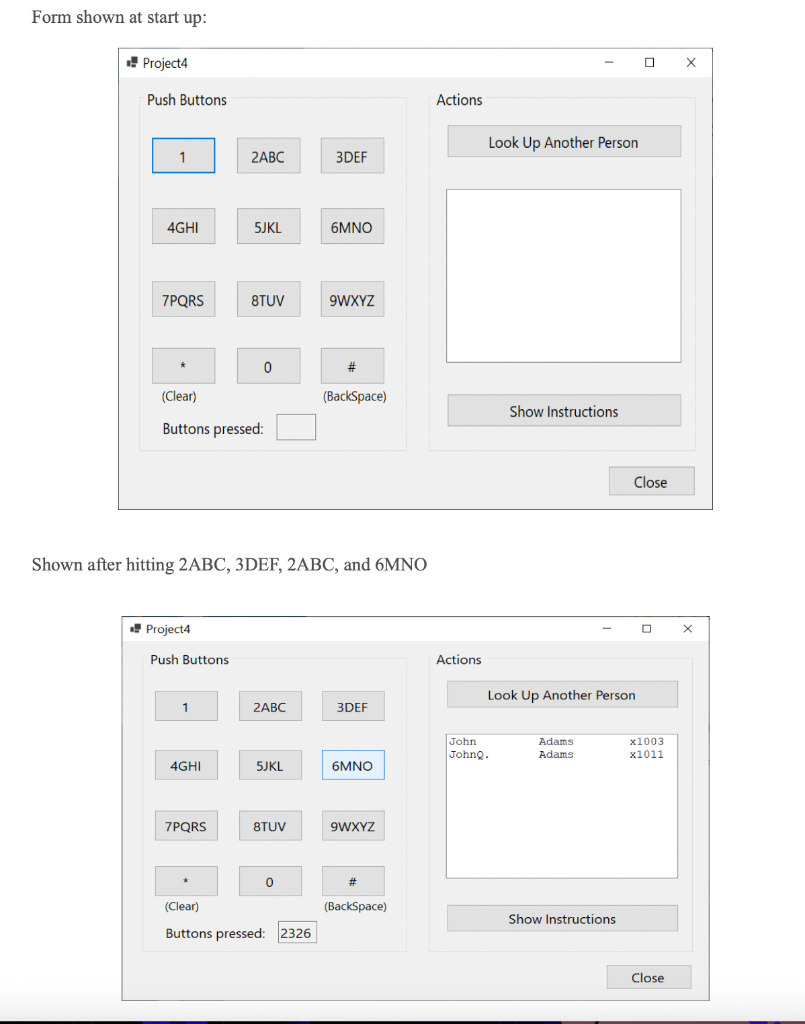
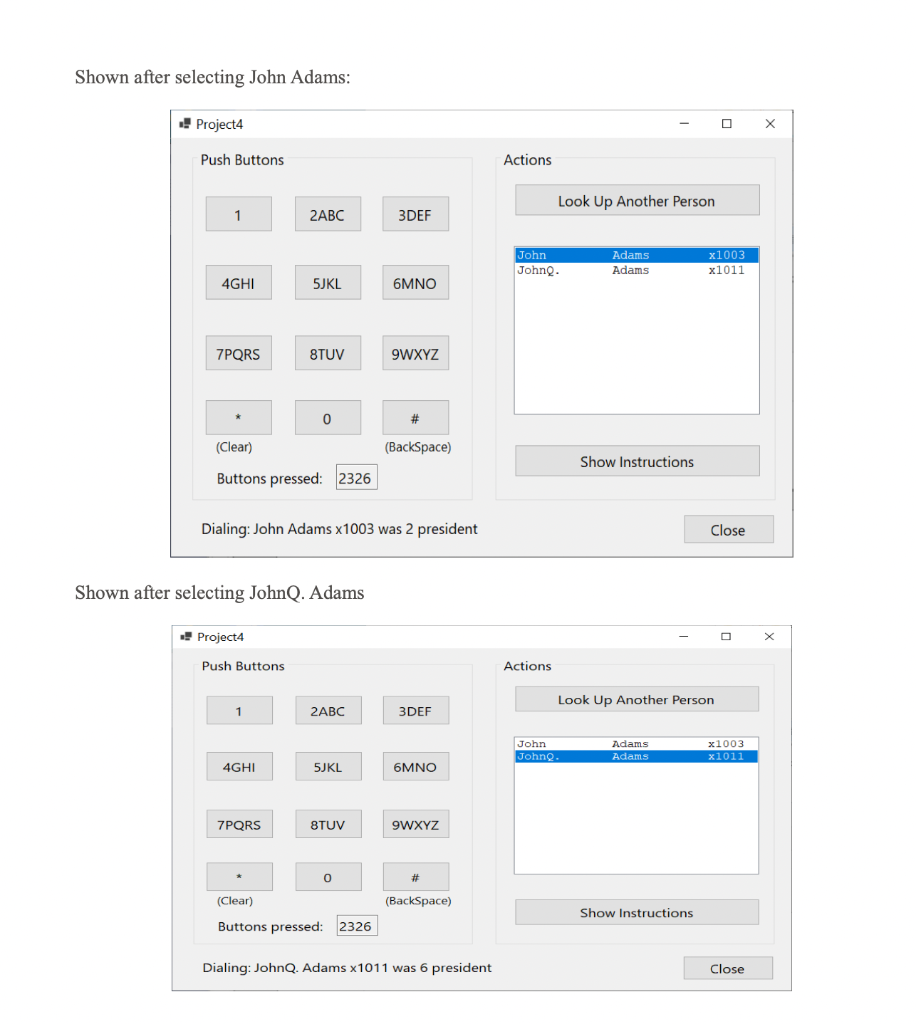
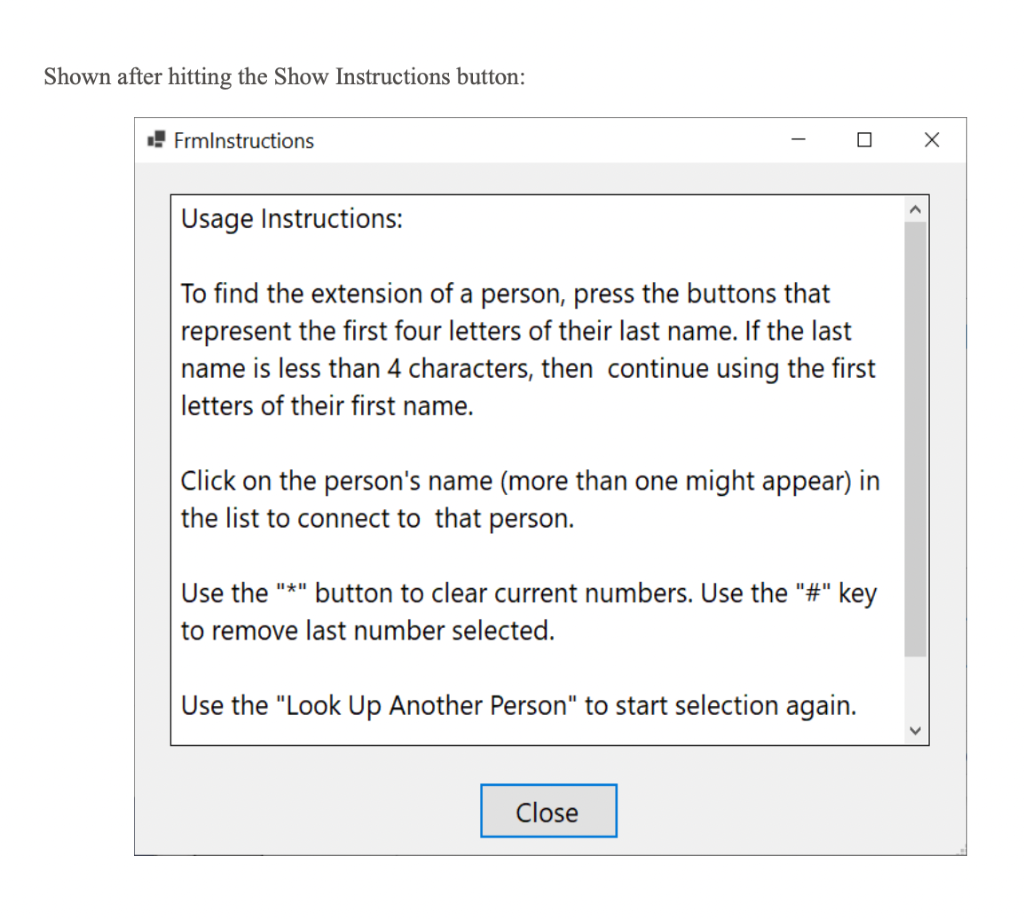
Form shown at start up: Shown after hitting 2ABC,3DEF,2ABC, and 6MNO Shown after selecting John Adams: Project 4 Push Buttons Dialing: John Adams x 1003 was 2 president Shown after selecting JohnQ. Adams Project 4 Push Buttons 2ABC 5JKL 8TUV 9WXYZ Dialing: JohnQ. Adams 1011 was 6 president Shown after hitting the Show Instructions button: FrmInstructions Usage Instructions: To find the extension of a person, press the buttons that represent the first four letters of their last name. If the last name is less than 4 characters, then continue using the first letters of their first name. Click on the person's name (more than one might appear) in the list to connect to that person. Use the "*" button to clear current numbers. Use the "\#" key to remove last number selected. Use the "Look Up Another Person" to start selection again
Step by Step Solution
There are 3 Steps involved in it

Get step-by-step solutions from verified subject matter experts
 Study Help