







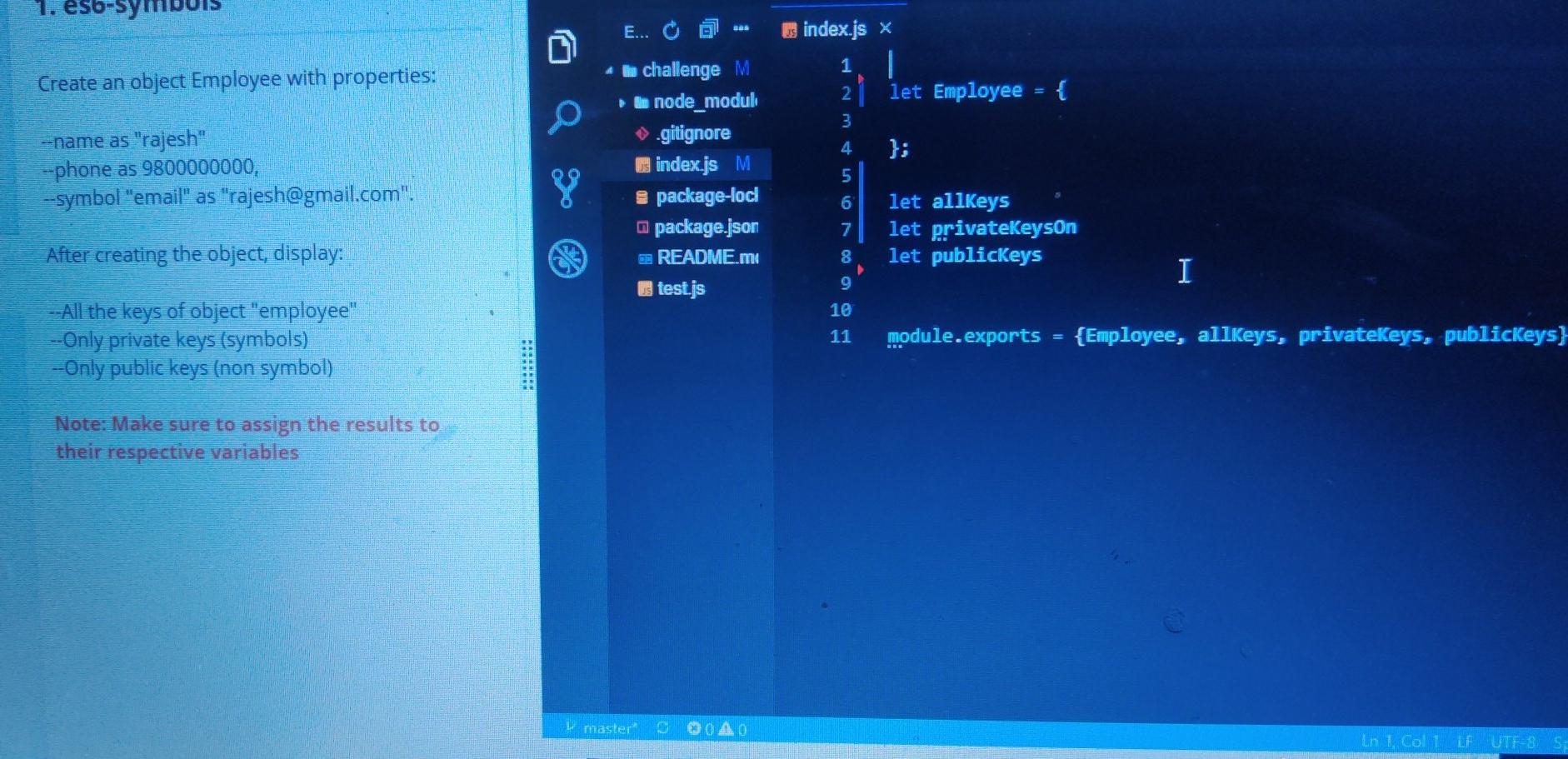
Question: need help 1. esb-sy E... index.js x 1 Create an object Employee with properties: 2 let Employee = { o }; --name as rajesh --phone
need help
1. esb-sy E... index.js x 1 Create an object Employee with properties: 2 let Employee = { o }; --name as "rajesh" --phone as 9800000000, --symbol "email" as "rajesh@gmail.com". la challenge M le node_module .gitignore index.js M & package-loc package.json README.md test.js 3 4 5 6 7 let allKeys let privatekeyson let publicKeys After creating the object, display: ES 8 I 9 10 --All the keys of object "employee" --Only private keys (symbols) --Only public keys (non symbol) 11 module.exports = {Employee, allKeys, privatekeys, publickeys) Note: Make sure to assign the results to their respective variables master MAO in 1, Col1 LF UTF-8 1. esb-sy E... index.js x 1 Create an object Employee with properties: 2 let Employee = { o }; --name as "rajesh" --phone as 9800000000, --symbol "email" as "rajesh@gmail.com". la challenge M le node_module .gitignore index.js M & package-loc package.json README.md test.js 3 4 5 6 7 let allKeys let privatekeyson let publicKeys After creating the object, display: ES 8 I 9 10 --All the keys of object "employee" --Only private keys (symbols) --Only public keys (non symbol) 11 module.exports = {Employee, allKeys, privatekeys, publickeys) Note: Make sure to assign the results to their respective variables master MAO in 1, Col1 LF UTF-8
Step by Step Solution
There are 3 Steps involved in it

Get step-by-step solutions from verified subject matter experts
 Study Help