







Question: Need help cleaning up an ArrayList data. The code should only be written in the DataPurge class. Your company is doing some data cleanup, and
Need help cleaning up an ArrayList data. The code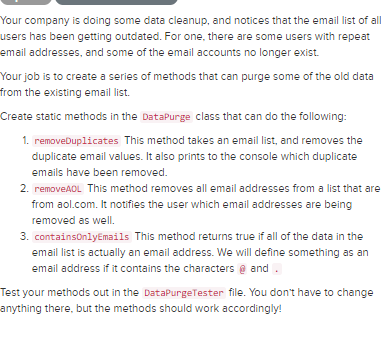
 should only be written in the DataPurge class.
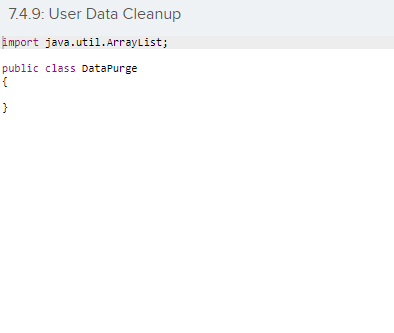
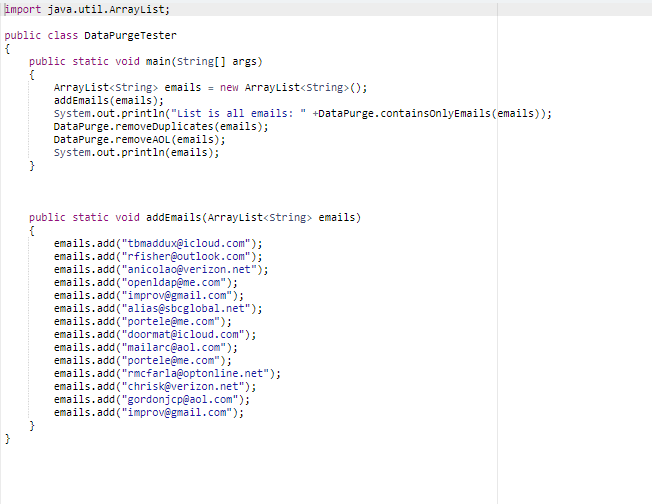
Your company is doing some data cleanup, and notices that the email list of all users has been getting outdated. For one, there are some users with repeat email addresses, and some of the email accounts no longer exist. Your job is to create a series of methods that can purge some of the old data From the existing email list. Create static methods in the DataPurge class that can do the following: 1. removeDuplicates This method takes an email list, and removes the duplicate email values. It also prints to the console which duplicate emails have been removed. 2. removeAOL This method removes all email addresses from a list that are from aol.com. It notifies the user which email addresses are being removed as well. 3. containsOnlyEmails This method returns true if all of the data in the email list is actually an email address. We will define something as an email address if it contains the characters and Test your methods out in the DataPurgeTester file. You don't have to change anything there, but the methods should work accordingly! 7.4.9: User Data Cleanup import java.util.ArrayList; public class DataPurge import java.util.ArrayList; public class DataPurge Tester public static void main(String[] args) ArrayList
Step by Step Solution
There are 3 Steps involved in it

Get step-by-step solutions from verified subject matter experts
 Study Help