







Question: Need Help creating this class Please! **Java Eclipse** Please include as much comments as you can Program.java This class, as its name suggests, will be
Need Help creating this class Please!
**Java Eclipse**
Please include as much comments as you can
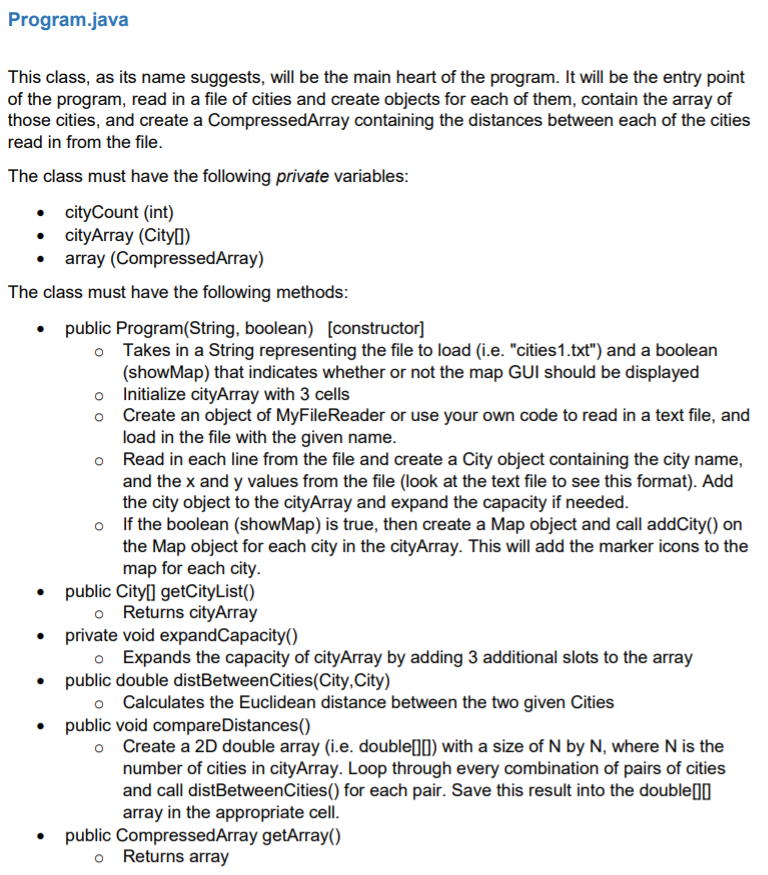
Program.java This class, as its name suggests, will be the main heart of the program. It will be the entry point of the program, read in a file of cities and create objects for each of them, contain the array of those cities, and create a CompressedArray containing the distances between each of the cities read in from the file. The class must have the following private variables: cityCount (int) cityArray (Cityll) array (CompressedArray) The class must have the following methods: public Program(String, boolean) [constructor] o Takes in a String representing the file to load (i.e. "cities1.txt") and a boolean (showMap) that indicates whether or not the map GUI should be displayed o Initialize cityArray with 3 cells Create an object of MyFileReader or use your own code to read in a text file, and load in the file with the given name. Read in each line from the file and create a City object containing the city name, and the x and y values from the file (look at the text file to see this format). Add the city object to the cityArray and expand the capacity if needed. o If the boolean (showMap) is true, then create a Map object and call addCity() on the Map object for each city in the cityArray. This will add the marker icons to the map for each city. public Cityll getCityList() o Returns cityArray private void expandCapacity() Expands the capacity of cityArray by adding 3 additional slots to the array public double distBetweenCities(City, City) o Calculates the Euclidean distance between the two given Cities public void compare Distances() o Create a 2D double array (i.e. double[) with a size of N by N, where N is the number of cities in cityArray. Loop through every combination of pairs of cities and call distBetweenCities() for each pair. Save this result into the double 0 array in the appropriate cell. public CompressedArray getArray() Returns array
Step by Step Solution
There are 3 Steps involved in it

Get step-by-step solutions from verified subject matter experts
 Study Help