



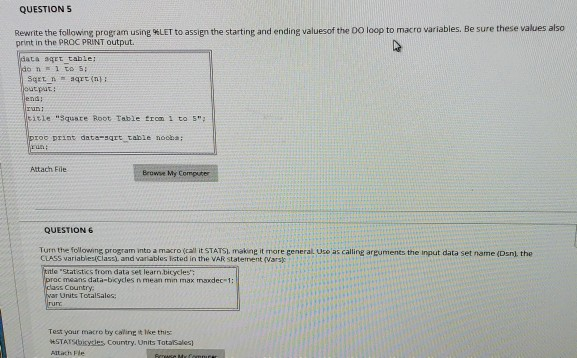
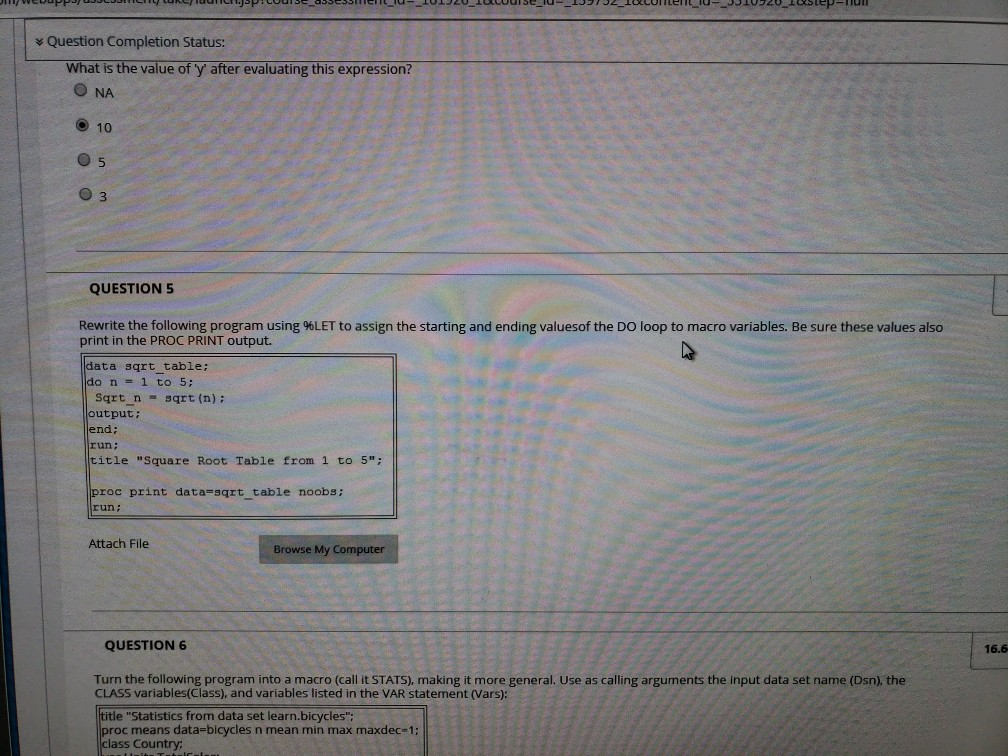
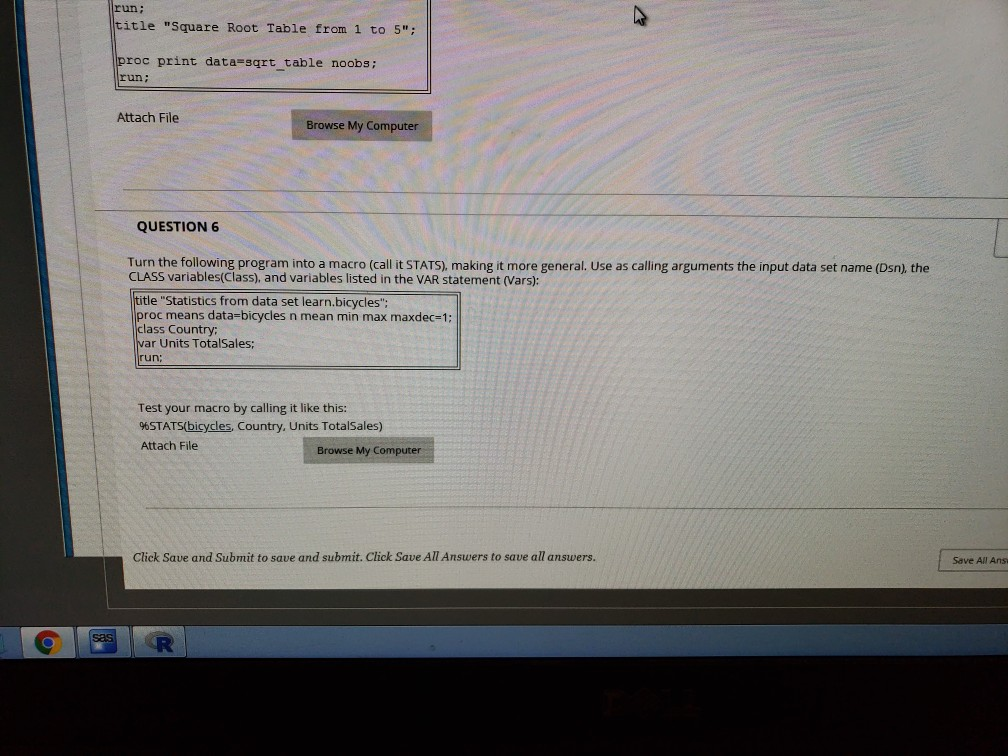
Question: Need help doing 5 and 6 on SAS QUESTION S Rewrite the following program using %LET to assign the starting and ending value of the
Need help doing 5 and 6 on SAS
QUESTION S Rewrite the following program using %LET to assign the starting and ending value of the Do o p to macro variables. Be sure these values also print in the PROC PRINT output aca 2grttable: - output: end; cie "Squste Root Table troa roe print date-sqrt table nooba: Attach File Browve My Computer QUESTION 6 Turn the following program into a macro (call it STATSi, makine it more general Uso as calling arguments the input data set name (Dsnl, the CLASS variables(Class) and variables lated in the VAR statement (Varsh a "Statistics from data set learn.bicycles': c means data-bkycles n mean min max maxdec-1: s Country ar Units ToralSales Test your macro by caling t ke this: HSTATSbikysles Courvtry. Units Totalsales Altach Fle QUESTION S Rewrite the following program using %LET to assign the starting and ending value of the Do o p to macro variables. Be sure these values also print in the PROC PRINT output aca 2grttable: - output: end; cie "Squste Root Table troa roe print date-sqrt table nooba: Attach File Browve My Computer QUESTION 6 Turn the following program into a macro (call it STATSi, makine it more general Uso as calling arguments the input data set name (Dsnl, the CLASS variables(Class) and variables lated in the VAR statement (Varsh a "Statistics from data set learn.bicycles': c means data-bkycles n mean min max maxdec-1: s Country ar Units ToralSales Test your macro by caling t ke this: HSTATSbikysles Courvtry. Units Totalsales Altach Fle
Step by Step Solution
There are 3 Steps involved in it

Get step-by-step solutions from verified subject matter experts