Question: Need help editing code to look like expected output import java.util.Scanner; public class Lab6a { public static void main(String[] args) { Scanner keyboard = new
Need help editing code to look like expected output
![public class Lab6a { public static void main(String[] args) { Scanner keyboard](https://dsd5zvtm8ll6.cloudfront.net/si.experts.images/questions/2024/09/66f3aa4a39af0_87366f3aa49cdae4.jpg)
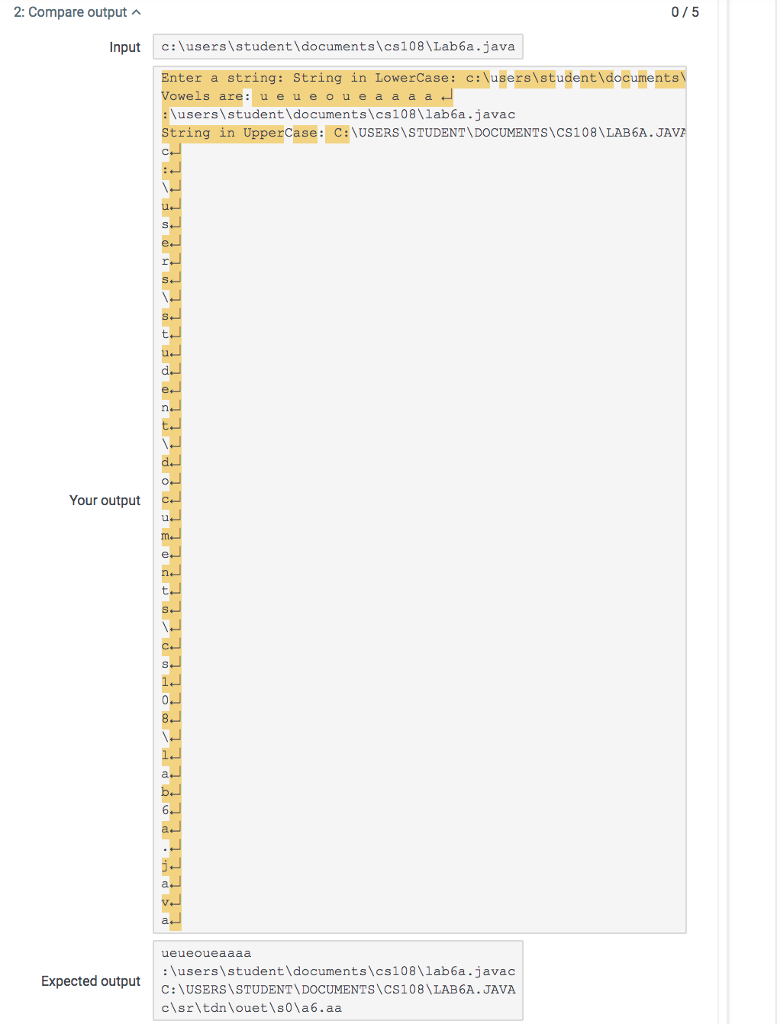
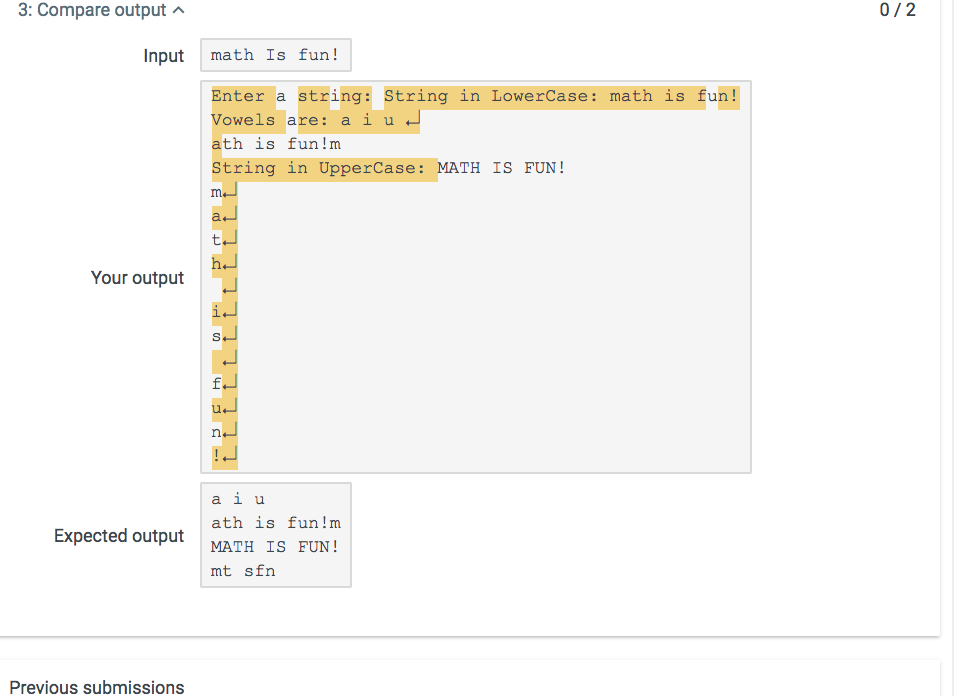
import java.util.Scanner;
public class Lab6a {
public static void main(String[] args) {
Scanner keyboard = new Scanner(System.in);
System.out.print("Enter a string: ");
String str = keyboard.nextLine();
str = str.toLowerCase();
System.out.println("String in LowerCase: " + str.toLowerCase());
System.out.print("Vowels are: ");
for(int i=0; i if(str.charAt(i)=='a' || str.charAt(i)=='e' || str.charAt(i)=='i' ||str.charAt(i)=='o' ||str.charAt(i)=='u' ){
System.out.print(str.charAt(i) + " ");
}
}
System.out.println();
System.out.println(str.substring(1, str.length()) + str.charAt(0));
System.out.println("String in UpperCase: " + str.toUpperCase());
for(int i=0; i System.out.println(str.charAt(i));
}
}
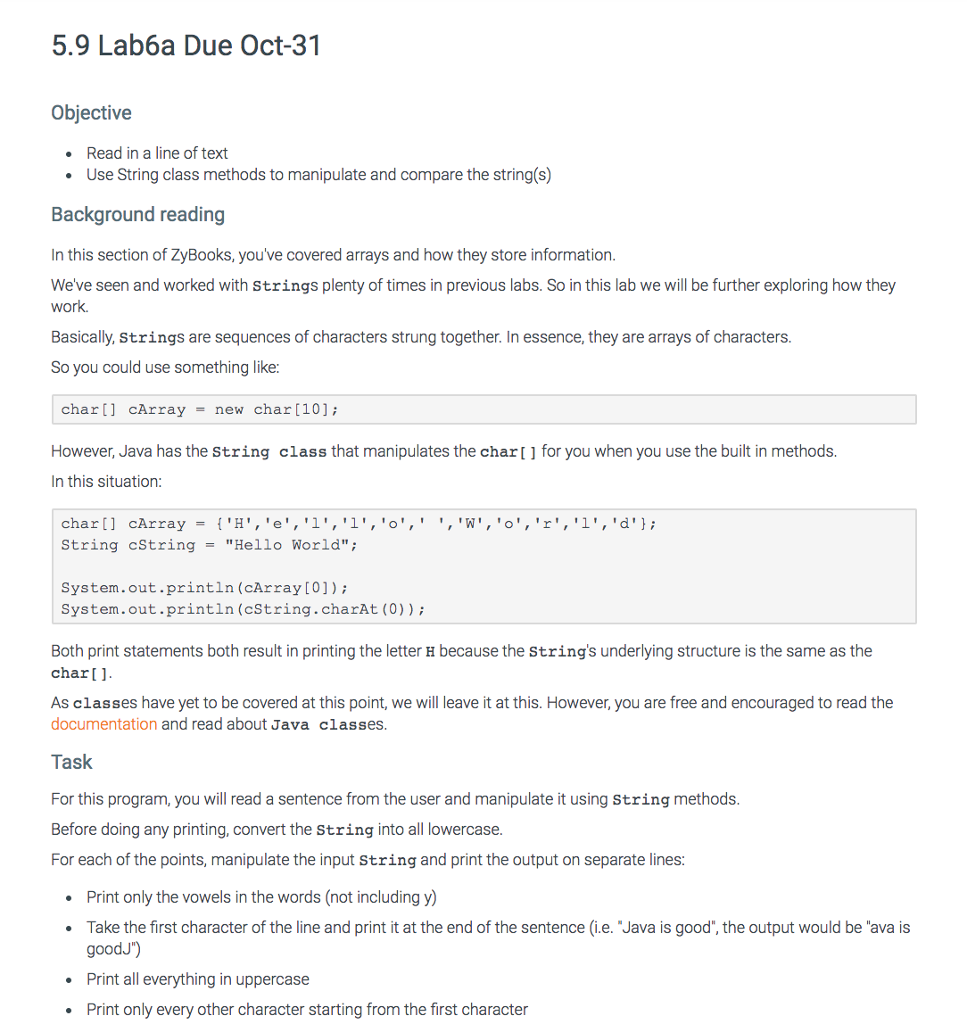
5.9 Lab6a Due Oct-31 Objective Read in a line of text . Use String class methods to manipulate and compare the string(s) Background reading In this section of ZyBooks, you've covered arrays and how they store information. Weve seen and worked with Strings plenty of times in previous labs. So in this lab we will be further exploring how they work. Basically, strings are sequences of characters strung together. In essence, they are arrays of characters So you could use something like: char[] CArray = new char [10]; However, Java has the string class that manipulates the char for you when you use the built in methods In this situation char [ ] cArray = {'H','e','1','1','o', ' ','w', 'o', 'r','1', 'd'}; tring cstring -"Hello World" System.out.println (cArray[0]) System.out.println (cString.charAt (0)) Both print statements both result in printing the letter H because the Strings underlying structure is the same as the char] As classes have yet to be covered at this point, we will leave it at this. However, you are free and encouraged to read the documentation and read about Java classes. Task For this program, you will read a sentence from the user and manipulate it using String methods Before doing any printing, convert the string into all lowercase For each of the points, manipulate the input String and print the output on separate lines . Print only the vowels in the words (not including y Take the first character of the line and print it at the end of the sentence (i.e. Java is good", the output would be "ava is goodJ") Print all everything in uppercase Print only every other character starting from the first character









 Study Help