







Question: Need help Fall 2017 COP2220 - Test 2 (Coding) Name: Design a modular program that repeatedly computes the cost of pizzas where the price of
 Need help
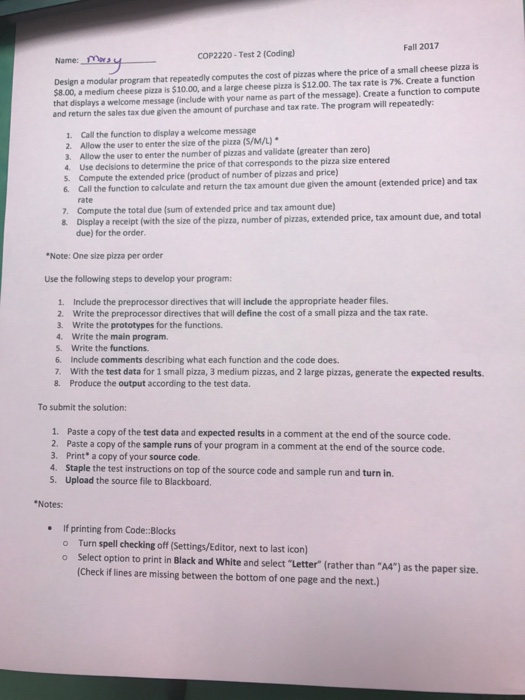
 Fall 2017 COP2220 - Test 2 (Coding) Name: Design a modular program that repeatedly computes the cost of pizzas where the price of a small cheese pizza is S8.00, a medium cheese pizza is S 10.00, and a large cheese pizza is Szoo. The tax rate is N. Createfunction that displays a welcome message (include with your name as part of the message). Create a function to compute and return the sales tax due given the amount of purchase and tax rate. The program will repeatedly: 1. Call the function to display a welcome message 2. Allow the user to enter the size of the pizza (s/M/L) 3. Allow the user to enter the number of pizzas and validate (greater than zero) 4 Use decisions to determine the price of that corresponds to the pizza size entered s. Compute the extended price (product of number of pizzas and price 6. Call the function to calculate and return the tax amount due given the amount (e xtended price) and tax rate Compute the total due (sum of extended price and tax amount due) Display a receipt (with the size of the pizza, number of pizzas, extended price, tax amount due, and total due) for the order 7. 8 Note:One size pizza per order Use the following steps to develop your program: 1. Include the preprocessor directives that will include the appropriate header files 2. Write the preprocessor directives that will define the cost of a small pizza and the tax rate 3. Write the prototypes for the functions. 4. Write the main program. s. Write the functions. 6 Include comments describing what each function and the code does. 7. With the test data for 1 small pizza, 3 medium pizas, and 2 large pizzas, generate the expected results. 8. Produce the output according to the test data. To submit the solution: 1. Paste a copy of the test data and expected results in a comment at the end of the source code. 2. Paste a copy of the sample runs of your program in a comment at the end of the source code. 3. Print a copy of your source code. 4. Staple the test instructions on top of the source code and sample run and turn in. 5. Upload the source file to Blackboard. Notes: if printing from Code:Blocks Turn spell checking off (Settings/Editor, next to last icon) Select option to print in Black and White and select "Letter" (rather than "A4") as the paper size. Check if lines are missing between the bottom of one page and the next.) o o
Step by Step Solution
There are 3 Steps involved in it

Get step-by-step solutions from verified subject matter experts
 Study Help