







Question: need help in code composer for the three objectived listed above, preliminary code provided 1- Interrupts and Programming Model Interrupts will be discussed in the
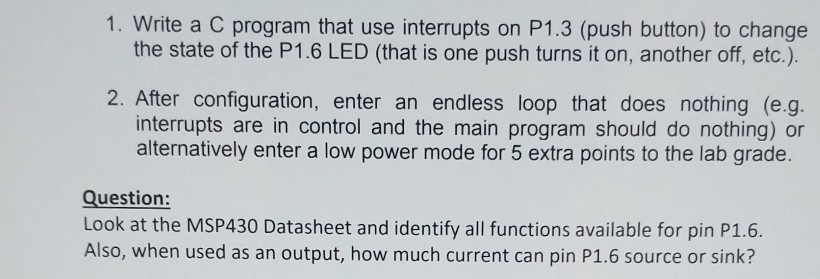
need help in code composer for the three objectived listed above, preliminary code provided
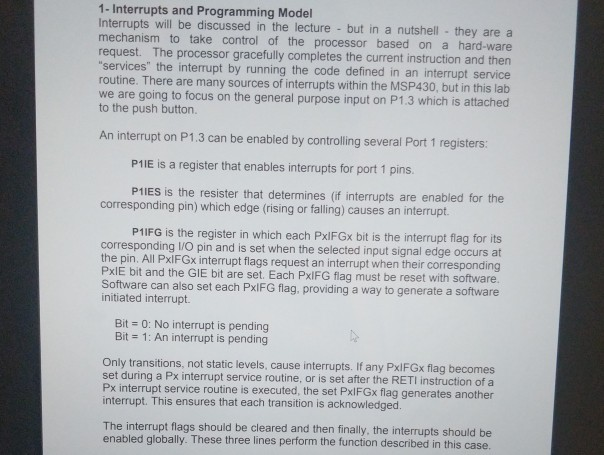
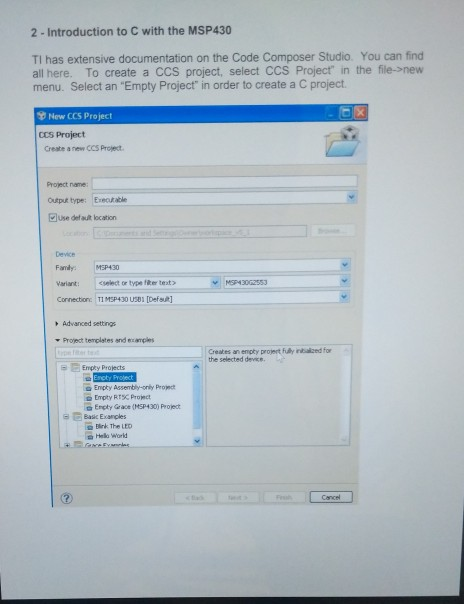
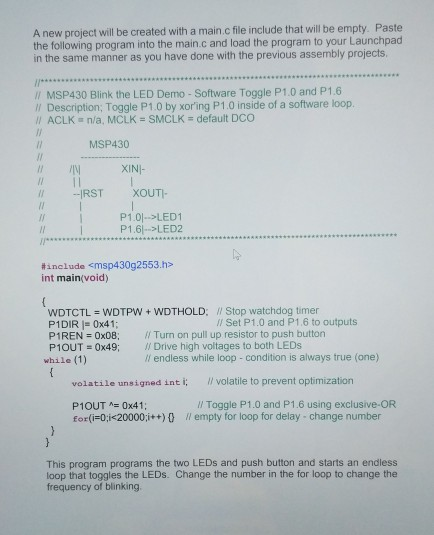
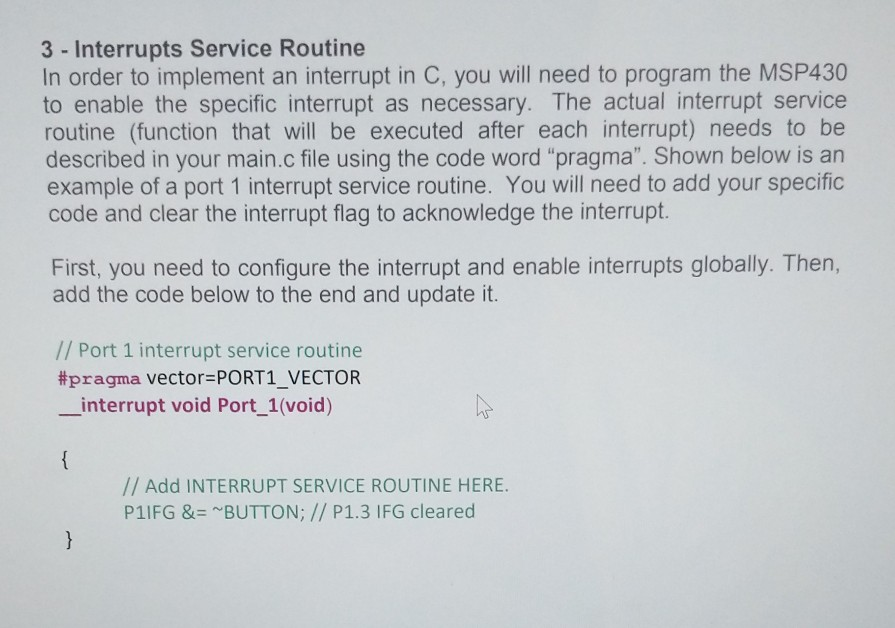
1- Interrupts and Programming Model Interrupts will be discussed in the lecture but in a nutshell they are a mechanism to take control of the processor based on a hard-ware request. The processor gracefully completes the current instruction and then services" the interrupt by running the code defined in an interrupt service routine. There are many sources of interrupts within the MSP430, but in this lab we are going to focus on the general purpose input on P1.3 which is attached to the push button. An interrupt on P1.3 can be enabled by controlling several Port 1 registers P1IE is a register that enables interrupts for port 1 pins. P1IES is the resister that determines (if interrupts are enabled for the corresponding pin) which edge (rising or falling) causes an interrupt P1IFG is the register in which each PxIFGx bit is the interrupt flag for its corresponding I/O pin and is set when the selected input signal edge occurs at the pin. All PxlFGx interrupt flags request an interrupt when their corresponding PxIE bit and the GIE bit are set. Each PxIFG flag must be reset with software. Software can also set each PxIFG flag. providing a way to generate a software initiated interrupt. Bit - 0: No interrupt is pending Bit = 1: An interrupt is pending Only transitions, not static levels, cause interrupts. If any PxlFGx flag becomes set during a Px interrupt service routine, or is set after the RETI instruction of a Px interrupt service routine is executed, the set PxlFGx flag generates another interrupt. This ensures that each transition is acknowledged. The interrupt flags should be cleared and then finally, the interrupts should be enabled globally. These three lines perform the function described in this case. 2 - Introduction to C with the MSP430 TI has extensive documentation on the Code Composer Studio. You can find all here. To create a CCS project, select CCS Project" in the file-snew menu. Select an "Empty Project" in order to create a C project New CCS Project CCs Project Create a new CCS Project Project name Output type: Execkable ense deaa location Deevice Famy MEP430 Variant:celect or type fiker text Connectionc TI MSP430 USB [Defut MSP43062553 Advanced settings Project templates and ecamples Creates an empty projert fully inibalized for the selected devicse El Empty Projects Empty Assembly-only Proect Empty RT Project Enply Gace (MSP430) Project Basc Examples Birk The LED HI world Cancel A new project will be created with a main.c file include that will be empty. Paste the following program into the main.c and load the program to your Launchpad in the same manner as you have done with the previous assembly projects /I MSP430 Blink the LED Demo - Software Toggle P1.0 and P1.6 ll Description; Toggle P1.0 by xoring P1.0 inside of a software loop. // ACLK " n/a. MCLK = SMCLK = default DCO MSP430 XIN- IRST XOUTI- P1.0)-LED1 P1.61 >LED2 #include
Step by Step Solution
There are 3 Steps involved in it

Get step-by-step solutions from verified subject matter experts
 Study Help