







Question: Need help with 1-7 Hands-On Exercises 1. Write the CSS to configure the nav element selector as a flex container with rows that wrap. 2.
Need help with 1-7
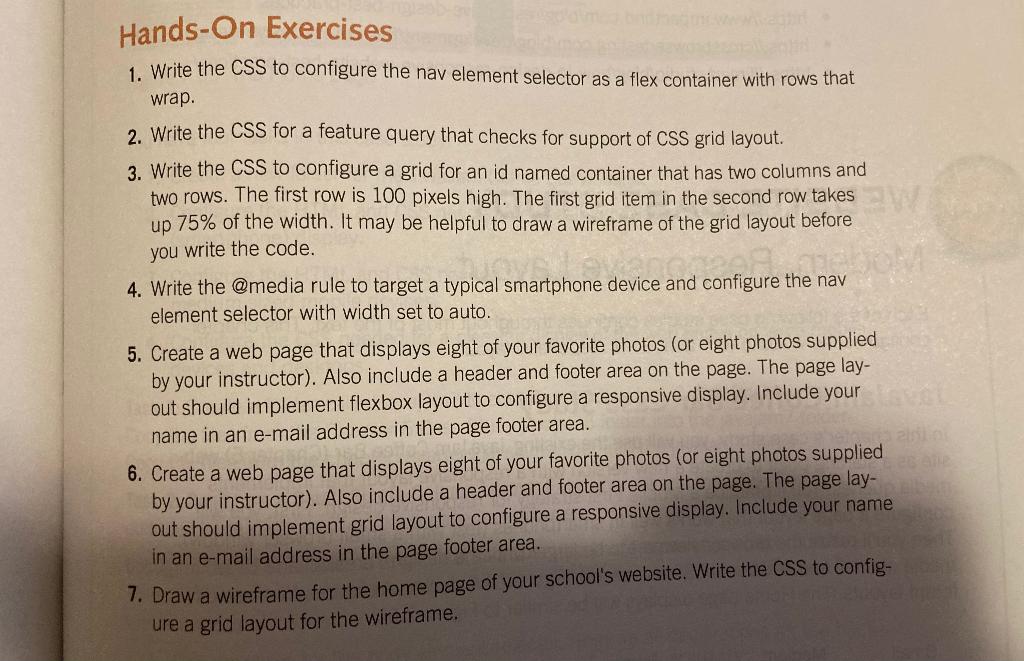
Hands-On Exercises 1. Write the CSS to configure the nav element selector as a flex container with rows that wrap. 2. Write the CSS for a feature query that checks for support of CSS grid layout. 3. Write the CSS to configure a grid for an id named container that has two columns and two rows. The first row is 100 pixels high. The first grid item in the second row takes up 75% of the width. It may be helpful to draw a wireframe of the grid layout before you write the code. 4. Write the @media rule to target a typical smartphone device and configure the nav element selector with width set to auto. 5. Create a web page that displays eight of your favorite photos (or eight photos supplied by your instructor). Also include a header and footer area on the page. The page lay- out should implement flexbox layout to configure a responsive display. Include your name in an e-mail address in the page footer area. 6. Create a web page that displays eight of your favorite photos (or eight photos supplied by your instructor). Also include a header and footer area on the page. The page lay- out should implement grid layout to configure a responsive display. Include your name in an e-mail address in the page footer area. 7. Draw a wireframe for the home page of your school's website. Write the CSS to config- ure a grid layout for the wireframe
Step by Step Solution
There are 3 Steps involved in it

Get step-by-step solutions from verified subject matter experts
 Study Help