







Question: Need help with a simple python excercise. output example included. thank you! The Graphics Module is a Python library that can be imported to provide
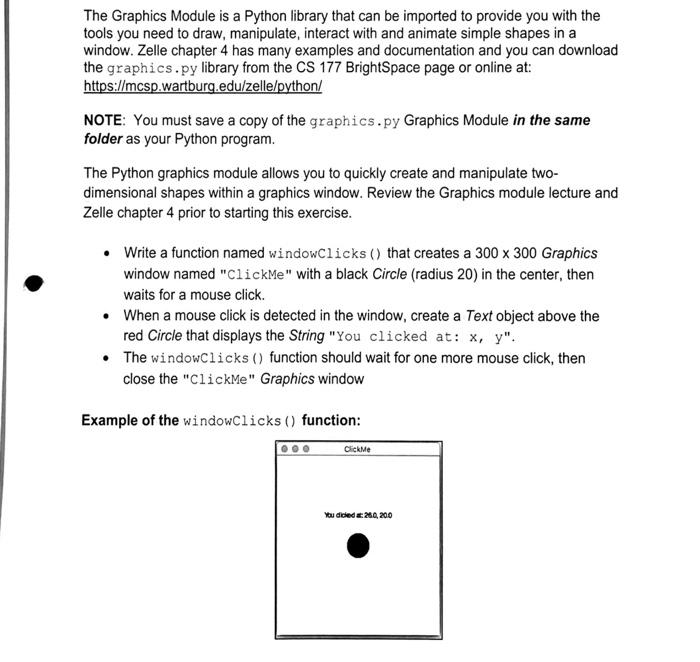
The Graphics Module is a Python library that can be imported to provide you with the tools you need to draw, manipulate, interact with and animate simple shapes in a window. Zelle chapter 4 has many examples and documentation and you can download the graphics.py library from the CS 177 BrightSpace page or online at: https://mcsp.wartburg.edu/zelle/python/ NOTE: You must save a copy of the graphics.py Graphics Module in the same folder as your Python program. The Python graphics module allows you to quickly create and manipulate two- dimensional shapes within a graphics window. Review the Graphics module lecture and Zelle chapter 4 prior to starting this exercise. Write a function named windowClicks() that creates a 300 x 300 Graphics window named "ClickMe" with a black Circle (radius 20) in the center, then waits for a mouse click When a mouse click is detected in the window, create a Text object above the red Circle that displays the String "You clicked at: x, y". The windowClicks() function should wait for one more mouse click, then close the "ClickMe" Graphics window Example of the windowClicks() function: ClickMe You dced 20,200
Step by Step Solution
There are 3 Steps involved in it

Get step-by-step solutions from verified subject matter experts
 Study Help